【教學】松鼠 VPN 使用指南(手機版)

D
Daniel Richter

Open-Source Security & Linux Privacy Specialist

 
2026年3月4日 4 分鐘閱讀
【教學】松鼠 VPN 使用指南(手機版)
【教學】松鼠 VPN 使用指南 (手機版)

教學內容:

松鼠 VPN 手機版使用指南。


松鼠手機 App,如何下載,如何購買?

請前往: 松鼠官網備用官網(無需翻牆) 進行下載和購買。 先下載安裝松鼠客戶端,並註冊松鼠帳戶,再在官網進行購買繳費。

支援 iOS & Android


連接 VPN

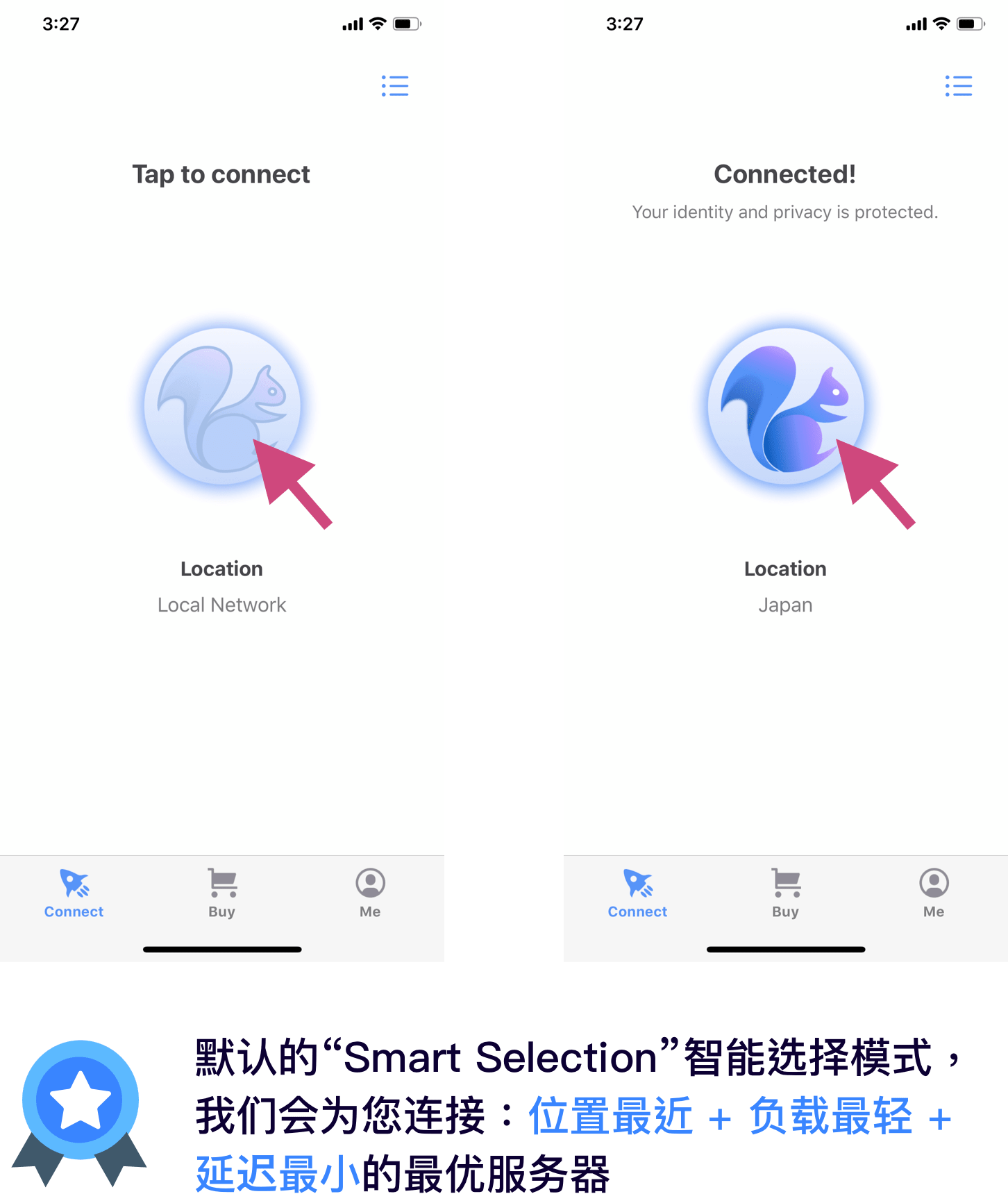
連接或斷開,只要點擊螢幕中間的小松鼠即可。
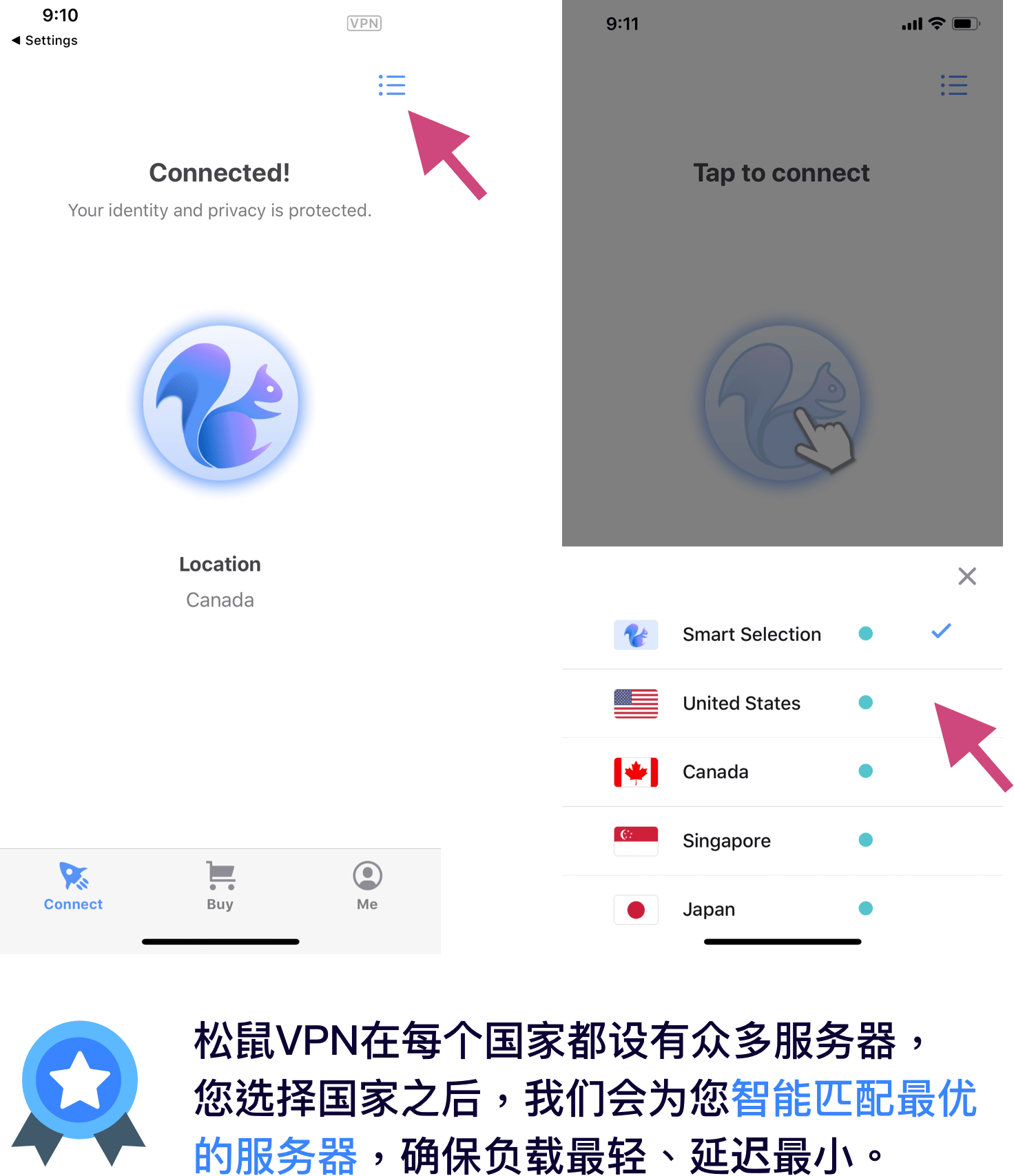
切換國家線路:

如需選擇特定的國家,點擊螢幕右上角圖示,選擇國家。

登入 & 註冊

登入:

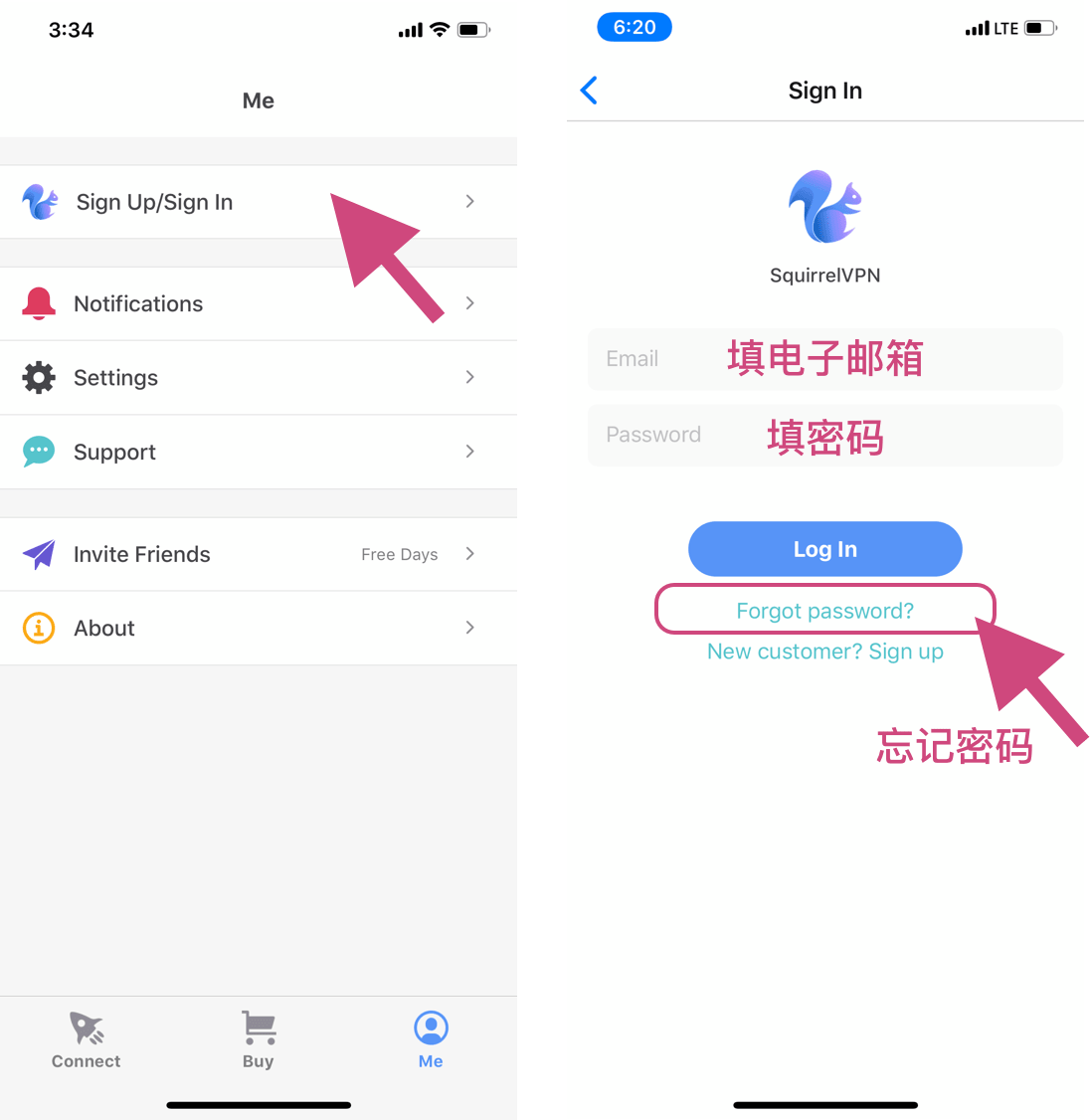
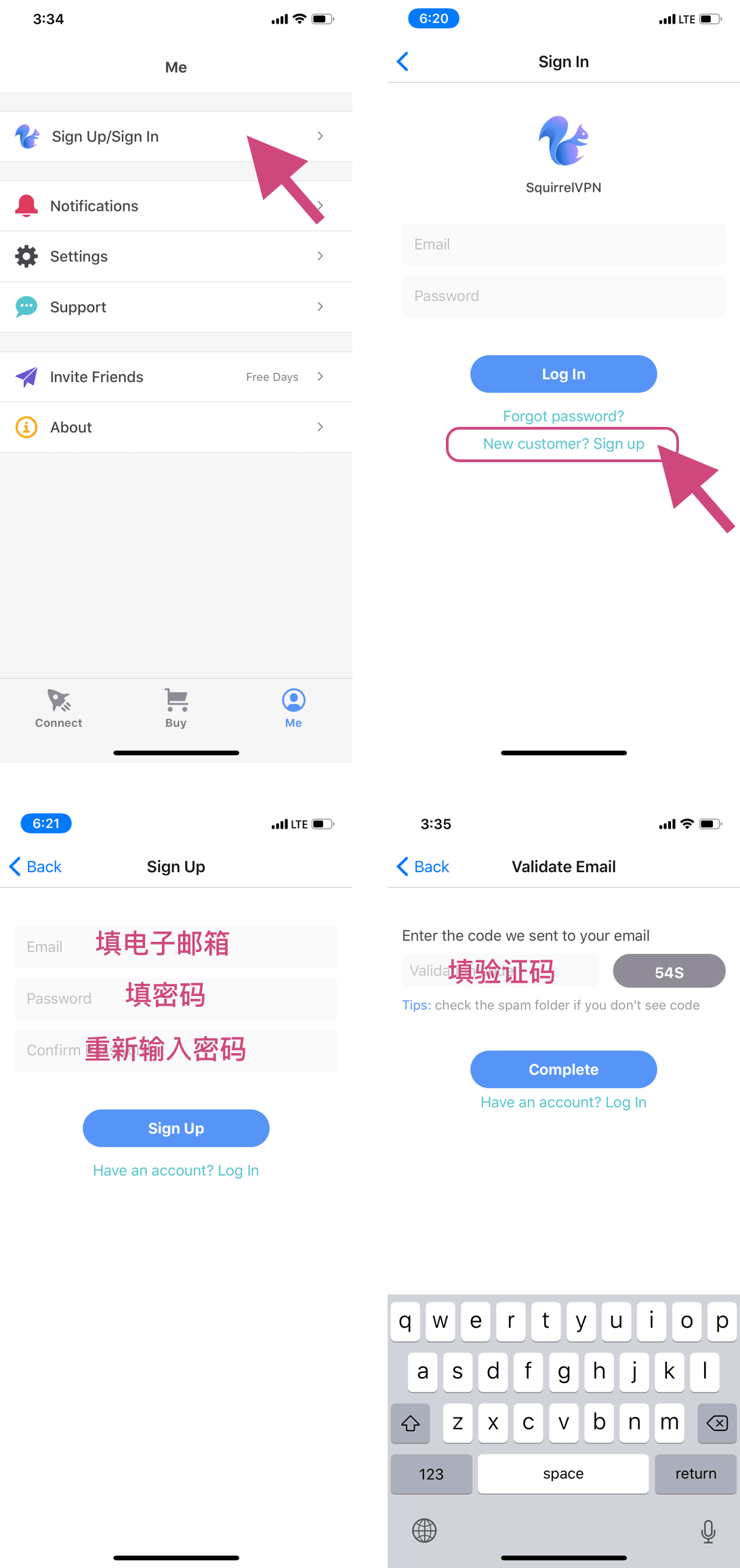
進入 Me 頁面,點擊 Sign Up/Sign In,即可進入使用者登入頁面。填寫 email 和密碼後,即可登入。如果忘記密碼,點擊「forget password」可以重設密碼。
註冊:

進入 Me 頁面,點擊 Sign Up/Sign In,點擊「New customer? Sign Up」連結,即可進入註冊頁面。填寫 email 和密碼後,進入驗證步驟,請您查看信箱填寫驗證碼,完成註冊。 (如果找不到驗證碼,請查看垃圾郵件資料夾)

忘記密碼

如果您忘記了密碼,點擊登入頁面中的「Forget password?」連結,然後輸入您註冊時填寫的電子郵件。
接下來請從信箱中找到我們發送的驗證碼,點擊下一步,輸入您的新密碼並確認完成!

如果收不到驗證碼,請檢查垃圾郵件資料夾。

官網支付

如何升級:

請前往: 松鼠官網備用官網(無需翻牆) 點擊「購買」/「Buy」。

還沒登入的話,需要先登入您的松鼠 VPN 帳戶。
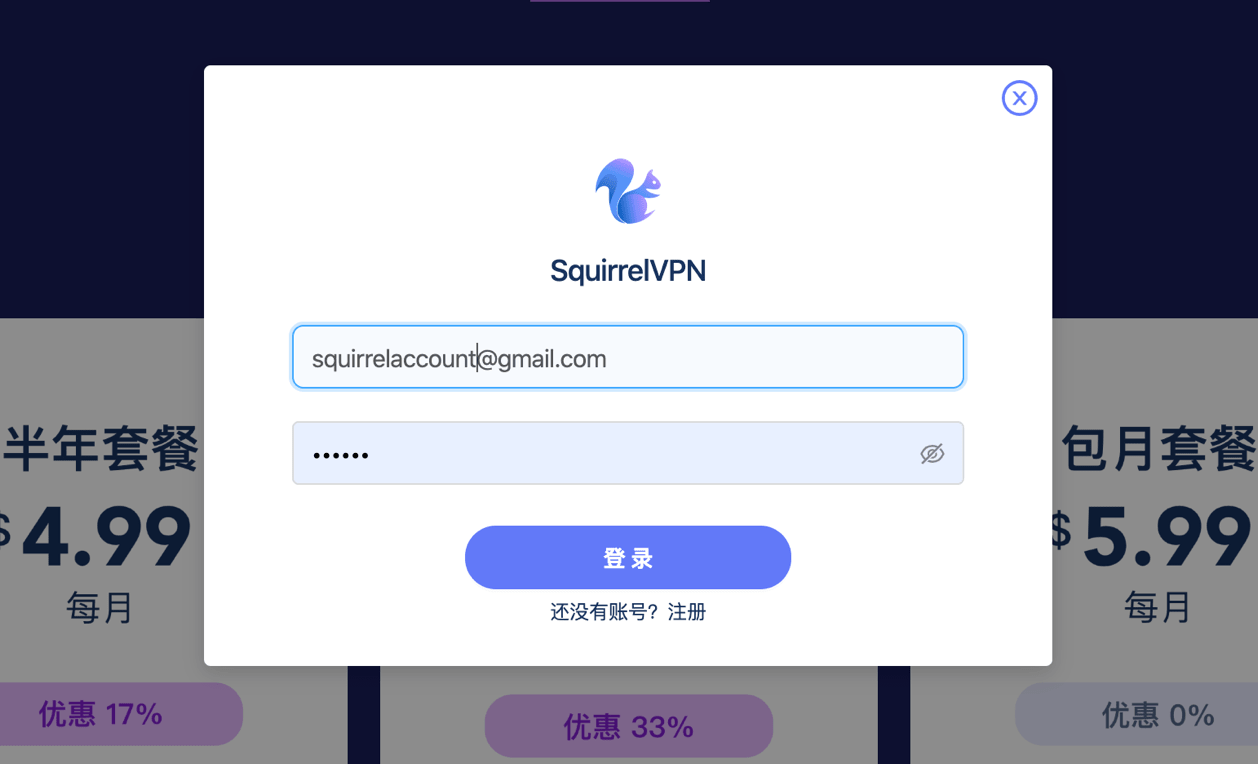
然後,選擇信用卡、支付寶或 Paypal 支付,並按照提示,完成支付。付款後 5 分鐘內生效。
沒有 PayPal 帳戶? 可在 PayPal 中國官網 按照提示完成,需要大陸手機號和銀聯卡(不需要信用卡)。


支付寶支付(Pro 版)

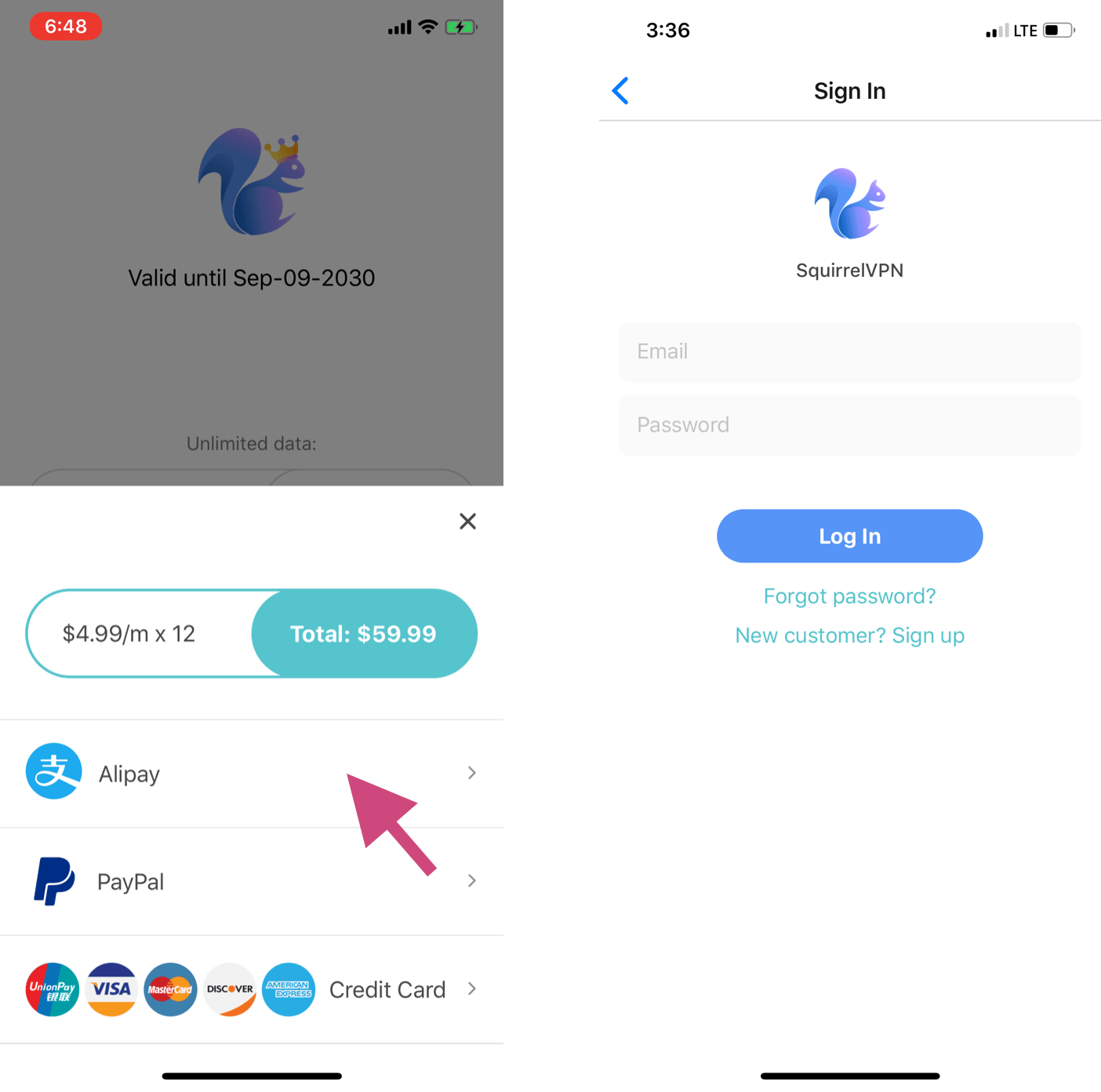
進入 Buy 購買頁面,點擊您所需的服務套餐,選擇 Alipay(支付寶),會自動跳轉到支付寶 App。 如果出現右邊的登入頁面,說明您還未登入松鼠 VPN 的帳戶。需要您登入/註冊帳戶才能付款。
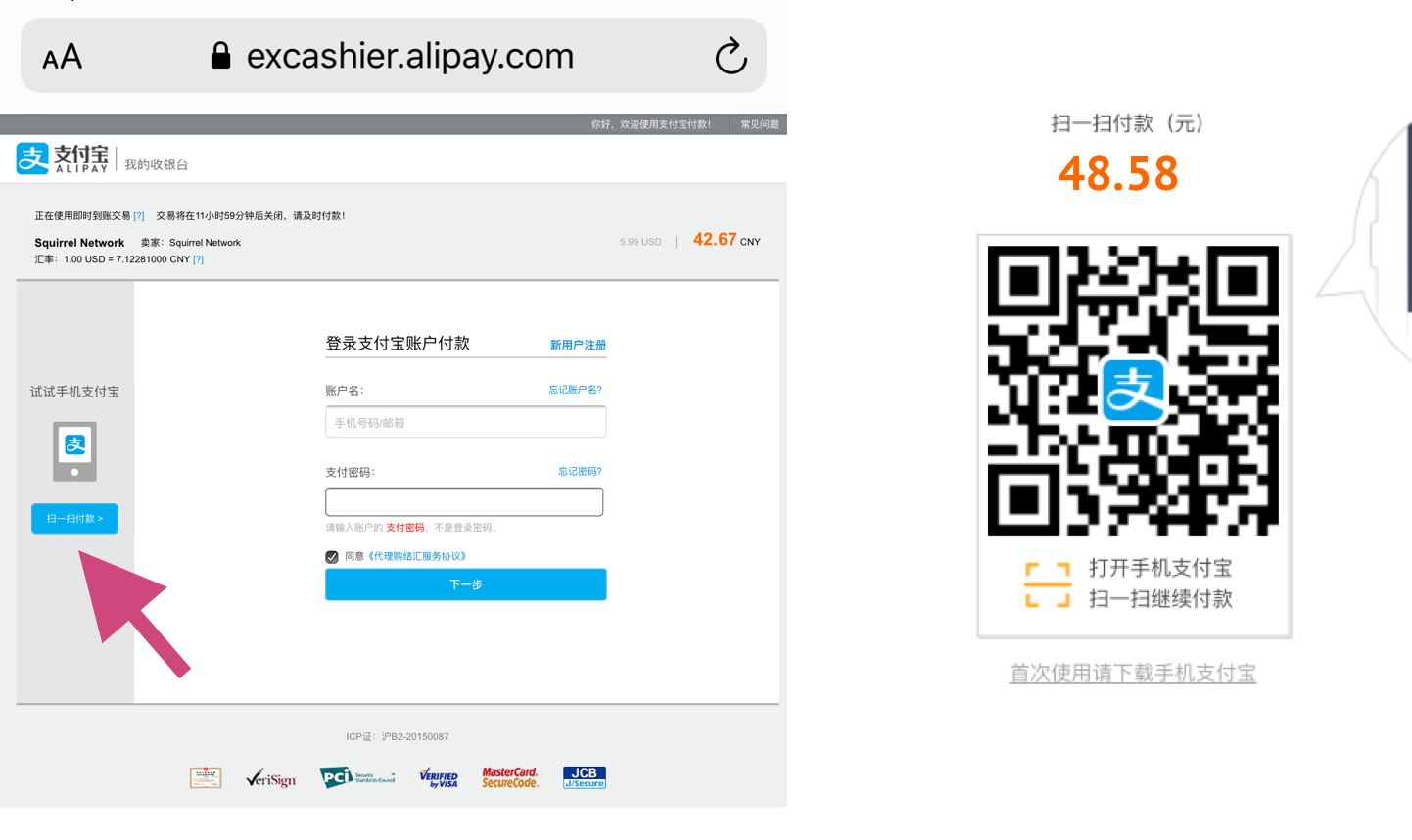
如果沒能自動跳轉到支付寶 App,如下左圖:點擊頁面左邊:「掃一掃付款」,就可以看到付款 QR Code,截圖保存,打開手機支付寶,從相簿匯入掃碼即可。

信用卡支付(Pro 版)

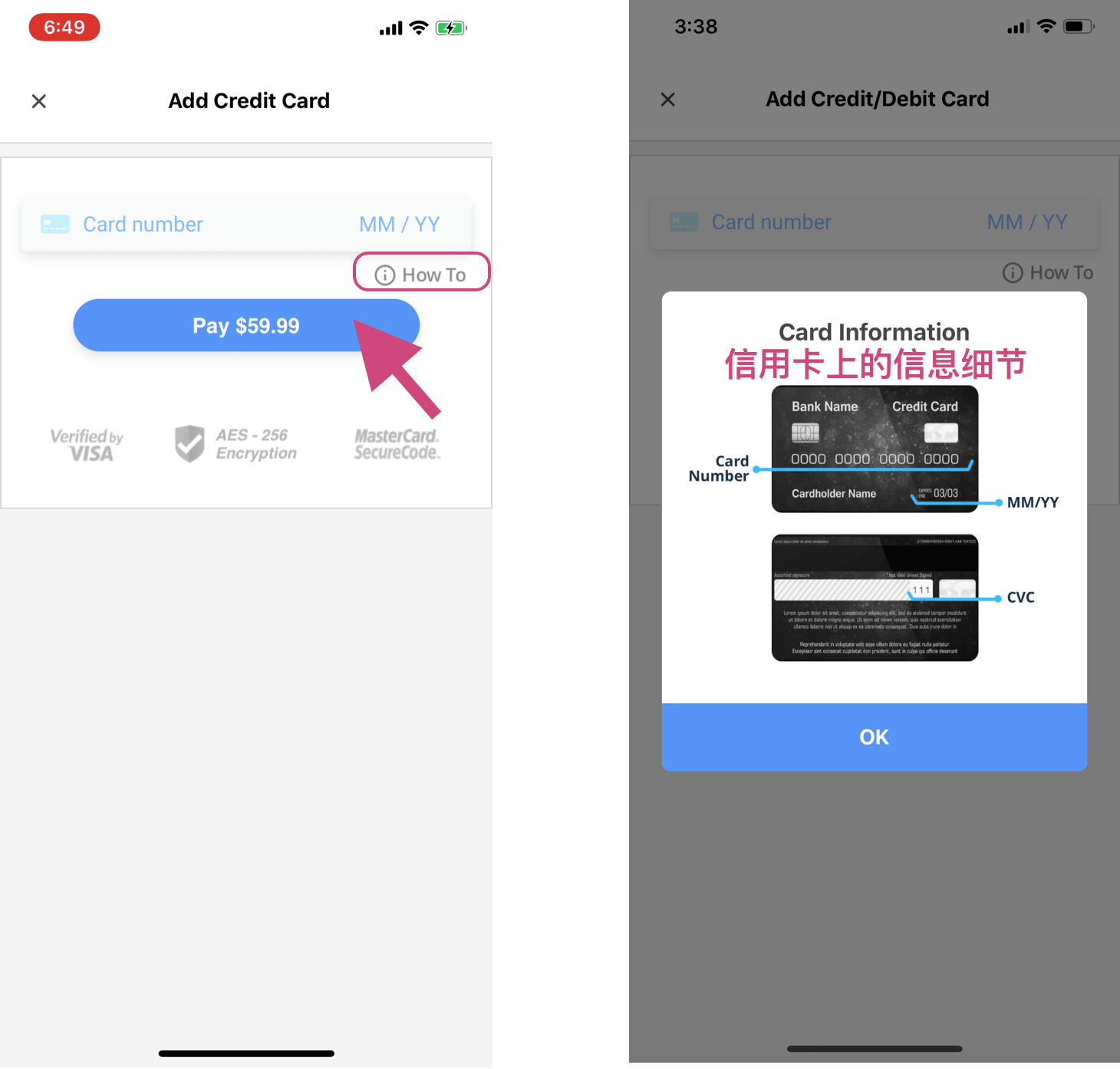
進入 Buy 購買頁面。 有三種套餐供您選擇,分別是一個月、半年和一年的套餐,價格分別是每月 6.99 美元、5.99 美元和 4.99 美元,均不限流量。 點擊所需的服務套餐,選信用卡付款。

支援信用卡種類:銀聯、Visa、萬事達、Discover、美國運通等。
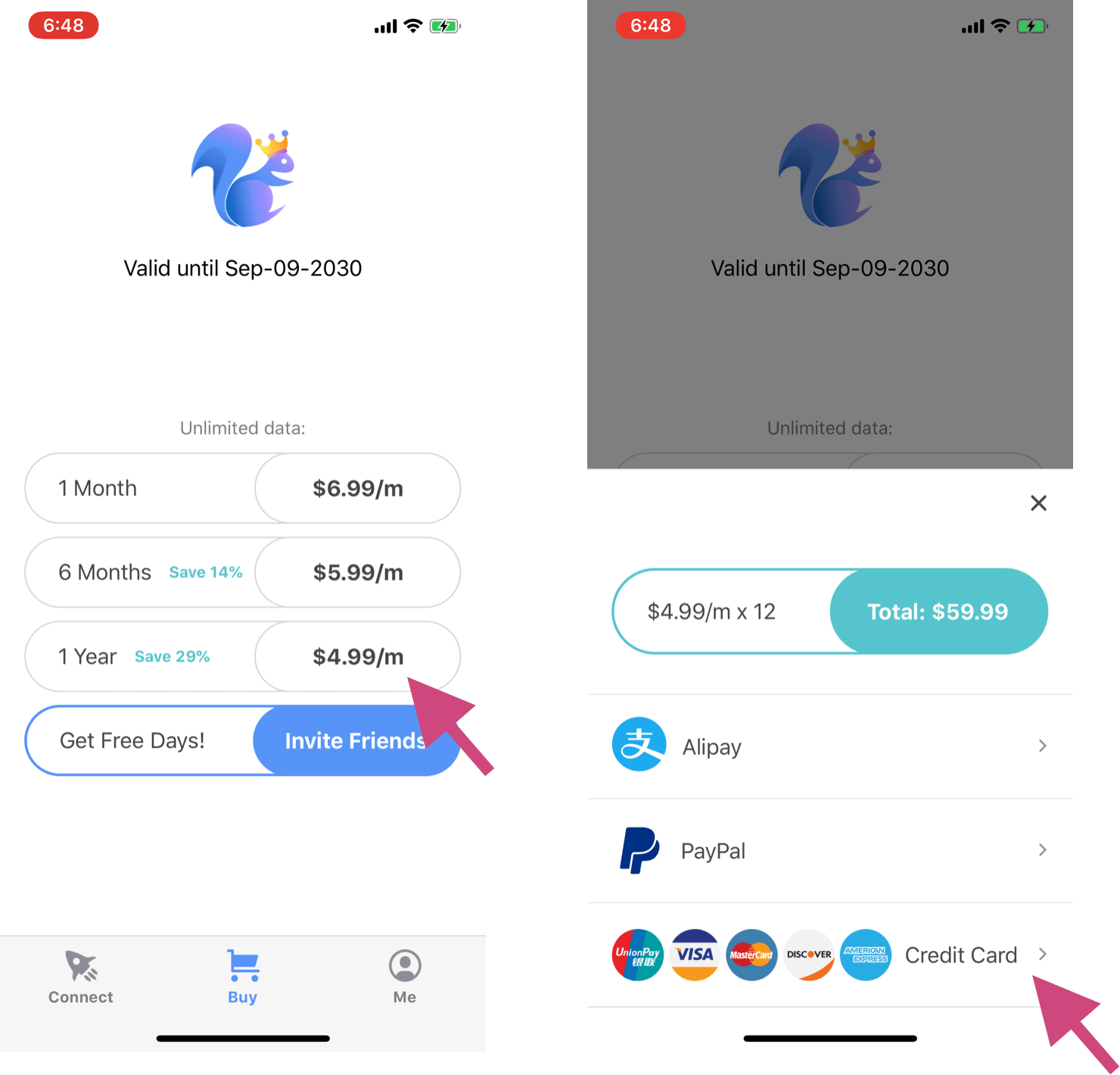
填寫您的信用卡資訊(包括卡號、到期時間、CVC,如果是國外的信用卡還需要郵遞區號)。 如需幫助,可以點擊「How To」,您將看到右圖。 點擊付款,完成支付,您購買的 VPN 服務會自動加到您的帳戶。

會員何時到期?

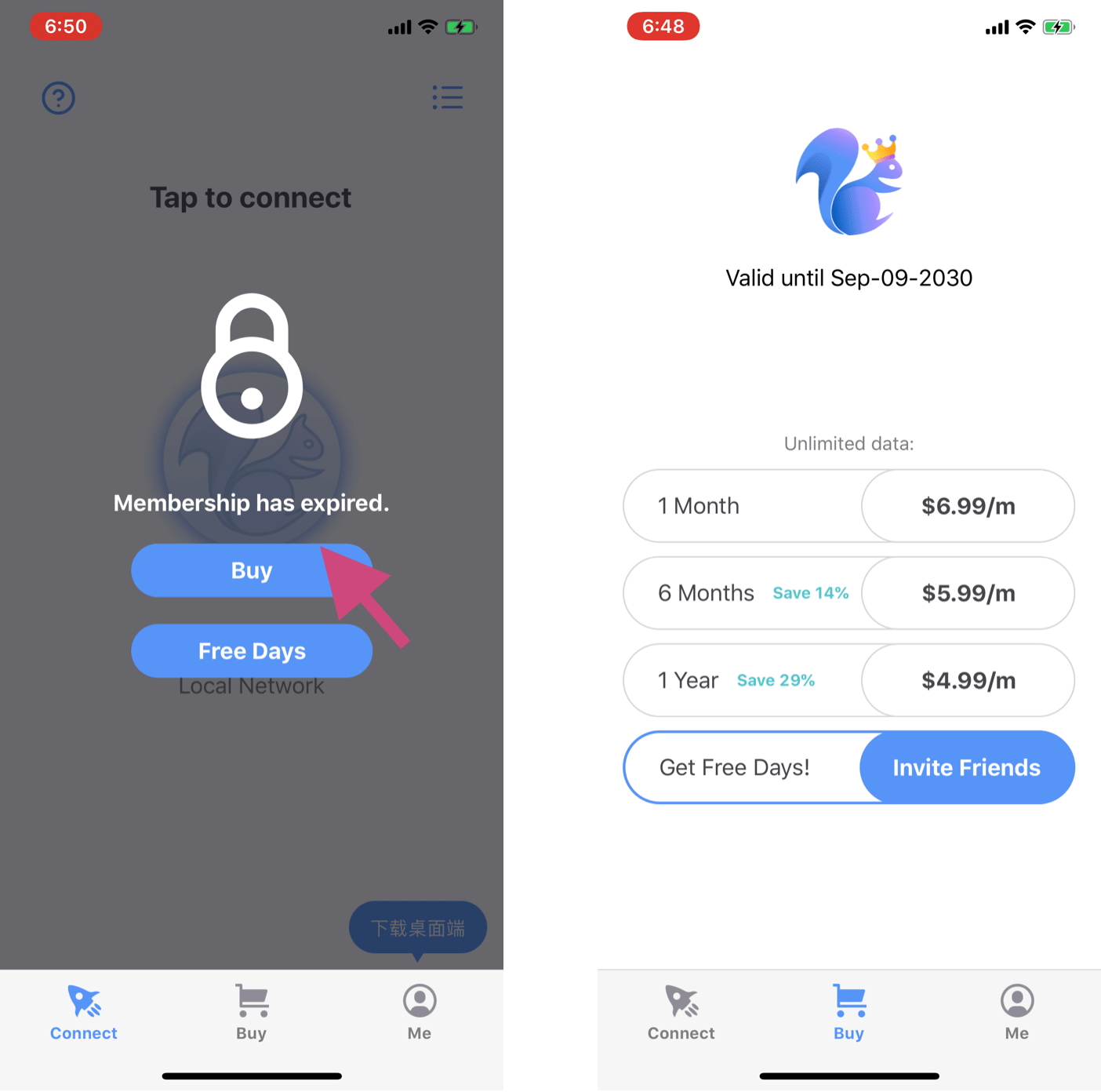
在 Buy/Service 頁面查看您的會員到期時間。如下右圖:

當 VPN 連接時被鎖住,如下左圖,說明您的會員已經到期,需要再次購買續費。點擊進入 Buy 購買頁面,選擇服務套餐,完成付款。

邀請好友

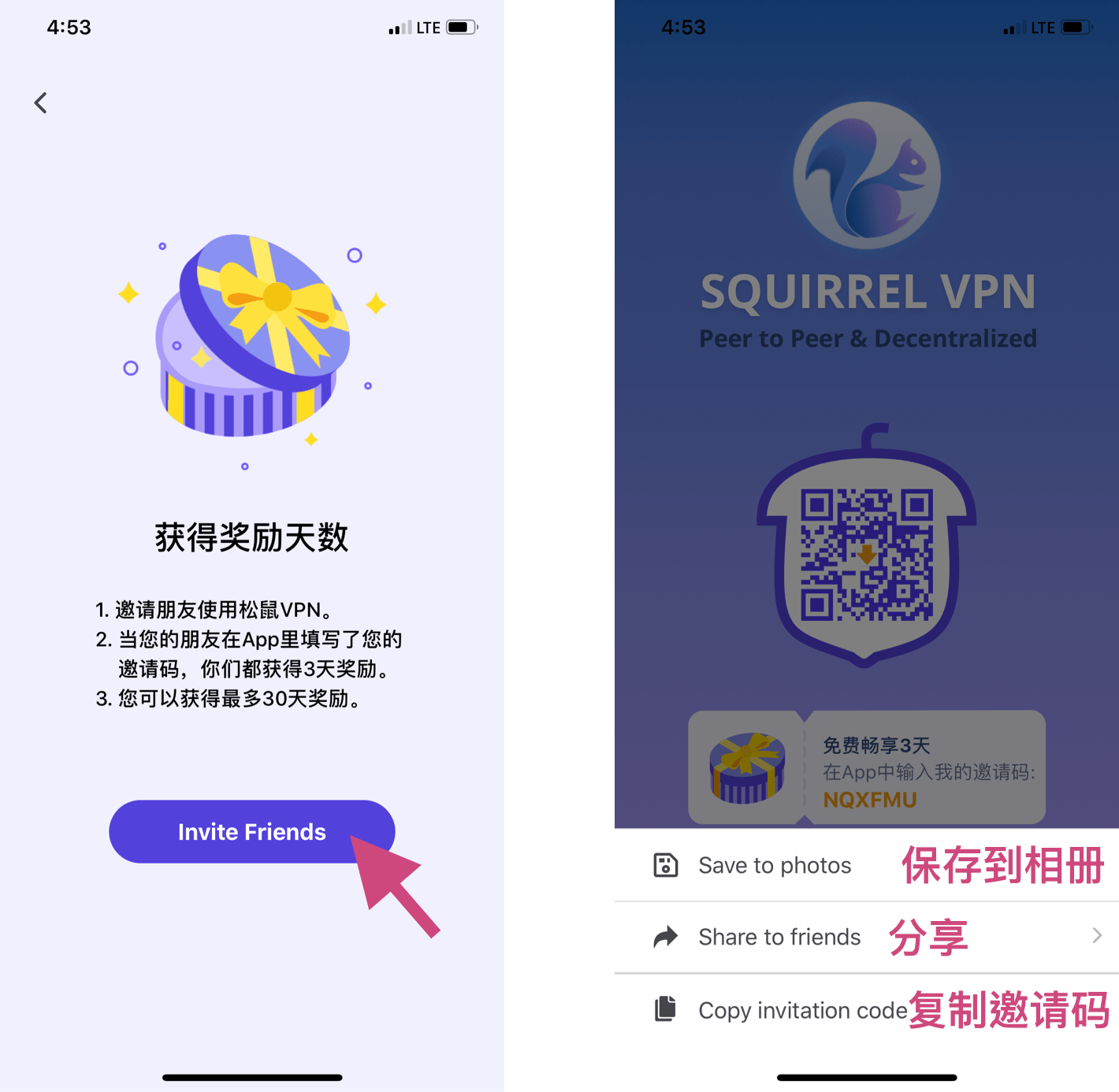
點擊 Invite Friends,進入邀請頁面。您可以保存圖片、直接分享或者複製自己的邀請碼。
填寫邀請碼

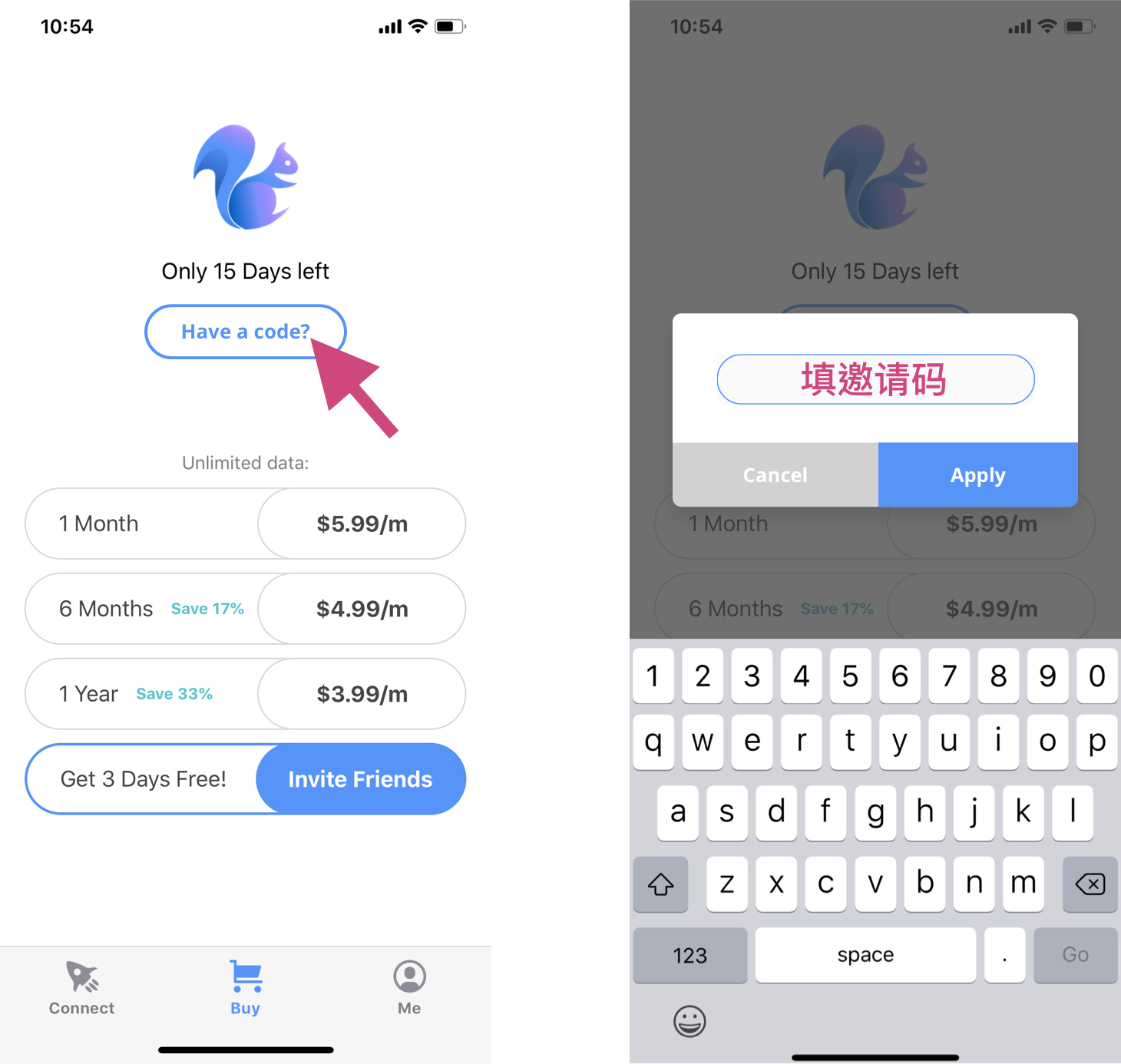
進入 Buy/Service 頁面,點擊「Have a code?」出現彈窗,輸入朋友給您的邀請碼,相應的免費天數會自動加進您的帳戶。 每個帳戶只能填寫一次喔~

聯繫客服

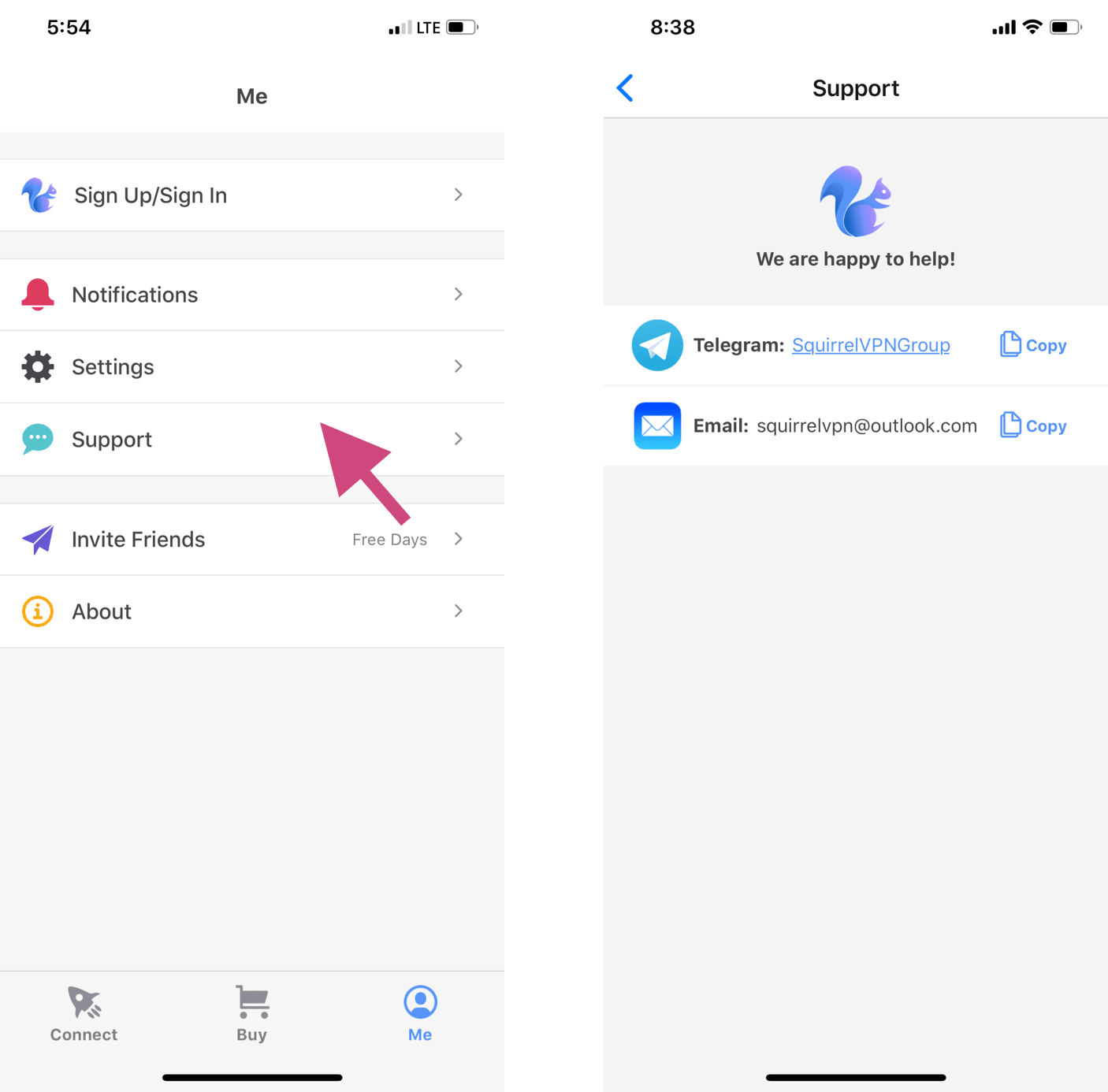
進入 Me 頁面,點擊 Support,即可找到客服。 咱們的團隊成員會儘快回覆,為您答疑解惑。也歡迎加入我們的 Telegram 群組,提問或反饋建議。
D
Daniel Richter

Open-Source Security & Linux Privacy Specialist


Daniel Richter is an open-source software advocate and Linux security specialist who has contributed to several privacy-focused projects including Tor, Tails, and various open-source VPN clients. With over 15 years of experience in systems administration and a deep commitment to software freedom, Daniel brings a community-driven perspective to cybersecurity writing. He maintains a personal blog on hardening Linux systems and has mentored dozens of contributors to privacy-focused open-source projects.

相關文章

Decentralized Tunneling Protocols and P2P Onion Routing Architecture
Decentralized Tunneling Protocol

Decentralized Tunneling Protocols and P2P Onion Routing Architecture

Explore the architecture of p2p onion routing and decentralized tunneling protocols. Learn how web3 vpn and depin are creating a new bandwidth marketplace.

作者 Daniel Richter 2026年3月20日 10 分鐘閱讀
common.read_full_article
Cryptographic Accounting for P2P Bandwidth Sharing Economy
P2P Bandwidth Sharing

Cryptographic Accounting for P2P Bandwidth Sharing Economy

Learn how blockchain and cryptographic accounting power the P2P bandwidth sharing economy in dVPNs and DePIN projects for secure data monetization.

作者 Viktor Sokolov 2026年3月20日 8 分鐘閱讀
common.read_full_article
Integration of Zero-Knowledge Proofs for Anonymous Node Authentication
Zero-Knowledge Proofs

Integration of Zero-Knowledge Proofs for Anonymous Node Authentication

Learn how Integration of Zero-Knowledge Proofs for Anonymous Node Authentication secures dVPN networks and protects bandwidth miners in the Web3 era.

作者 Marcus Chen 2026年3月20日 9 分鐘閱讀
common.read_full_article
Zero-Knowledge Proofs for Anonymous Node Validation
Zero-Knowledge Proofs

Zero-Knowledge Proofs for Anonymous Node Validation

Learn how Zero-Knowledge Proofs (ZKPs) enable anonymous node validation in decentralized VPNs (dVPN) and DePIN networks to protect provider privacy.

作者 Marcus Chen 2026年3月19日 7 分鐘閱讀
common.read_full_article