【教學】Android TV:如何安裝 APK 檔案(2021 年測試有效)

E
Elena Voss

Senior Cybersecurity Analyst & Privacy Advocate

 
2026年3月4日
3 分鐘閱讀
【教學】Android TV:如何安裝 APK 檔案(2021 年測試有效)
【教學】Android TV:如何安裝 APK 檔案(2021 年測試有效)

cover-install-apk-on-TV

教程內容:

2 分鐘!讓你安裝任何 APK 檔案到你的智能電視上。 (2021 年 5 月測試有效。)

由於 Android TV 種類繁多,應用商店也不盡相同,很多 App 都無法從商店直接下載。 你知道嗎?其實,任何 APK 檔案都可以從手機(平板)傳送到電視上,並直接安裝。

比如,松鼠 VPN 的 TV 版無法在國內 Android 應用商店上架,那國內小夥伴要如何下載安裝呢? 松鼠推出了教程,簡單易學。 本教程簡單有效,請仔細閱讀步驟,認真操作,一定可以成功,一起來操作吧!


Step 0: 基本原理

  1. 將 APK 檔案下載到手機或者平板電腦上。
  1. 傳送至電視,在電視上打開並安裝。

下載松鼠 Android TV 版,可以前往 松鼠 VPN 官網下載。


Step 1: 準備工作

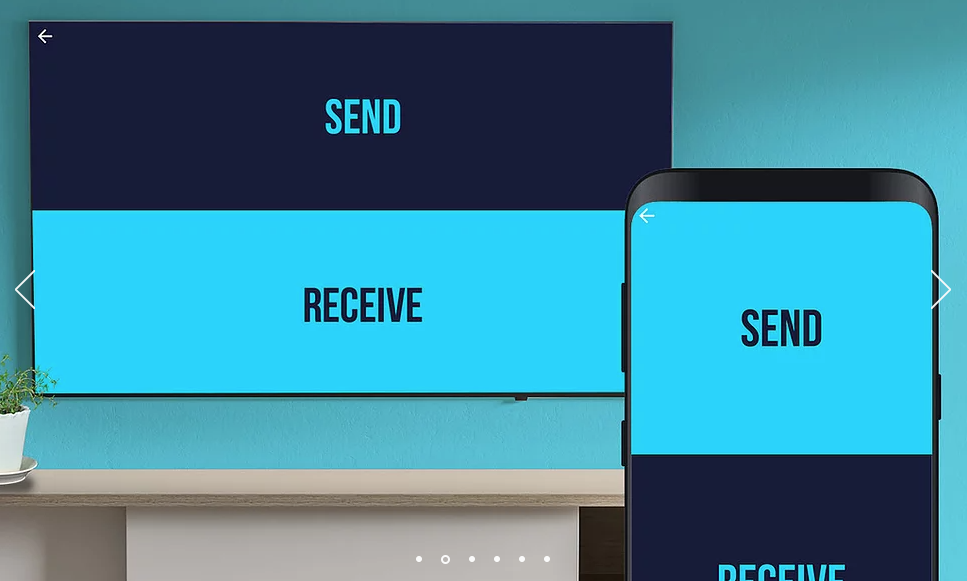
手機和電視,需要同時下載「Send files to TV」App 軟體:

Send files to TV 官網 此應用完全免費,方便快捷,推薦使用。 Google Play 連結

智能電視 TV 作為接收端,也要下載這個 App。在 Android 電視商店內搜尋「send files to TV」即可找到。
Transfer-files-to-TV-App

下載後,手機和電視同時打開這個 App,按照提示完成配對。


Step 2: 手機端(平板電腦)上:發送檔案

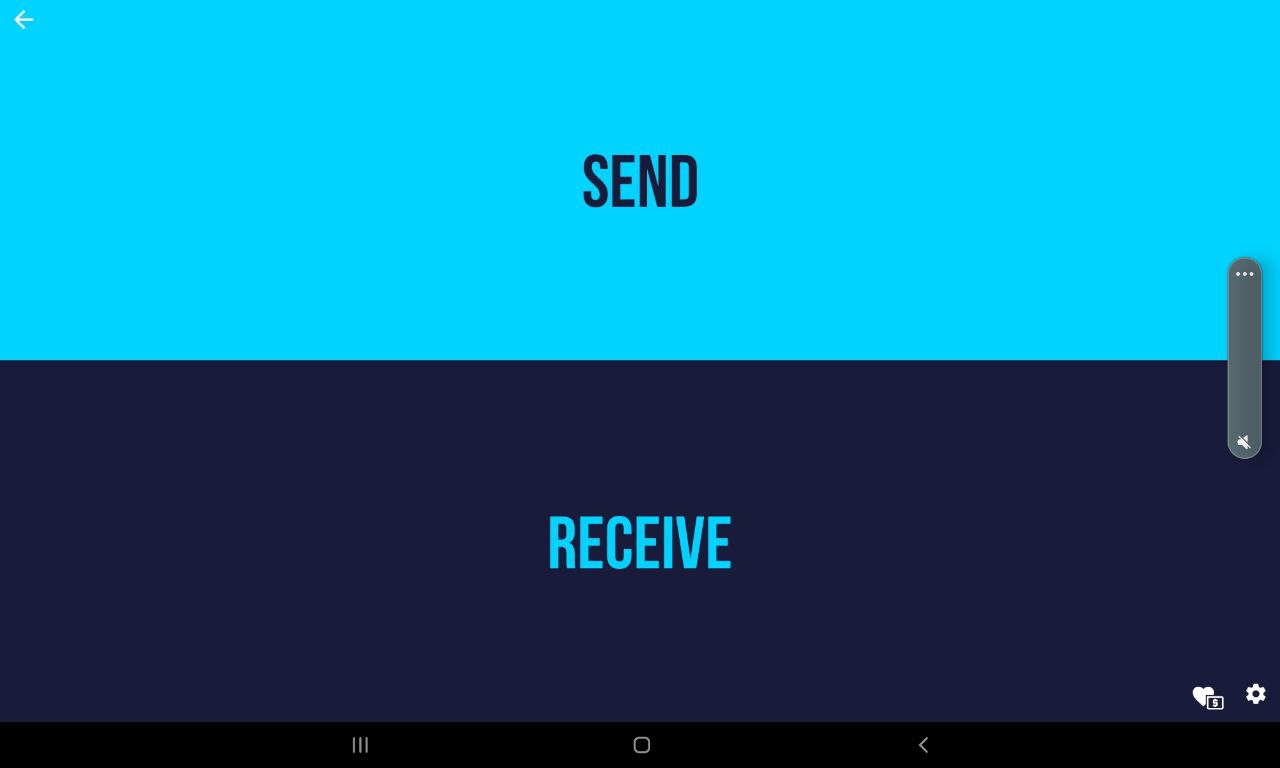
手機或平板電腦上,打開下載好的 App,選擇「Send」 Send-files-on-mobile-or-tablet

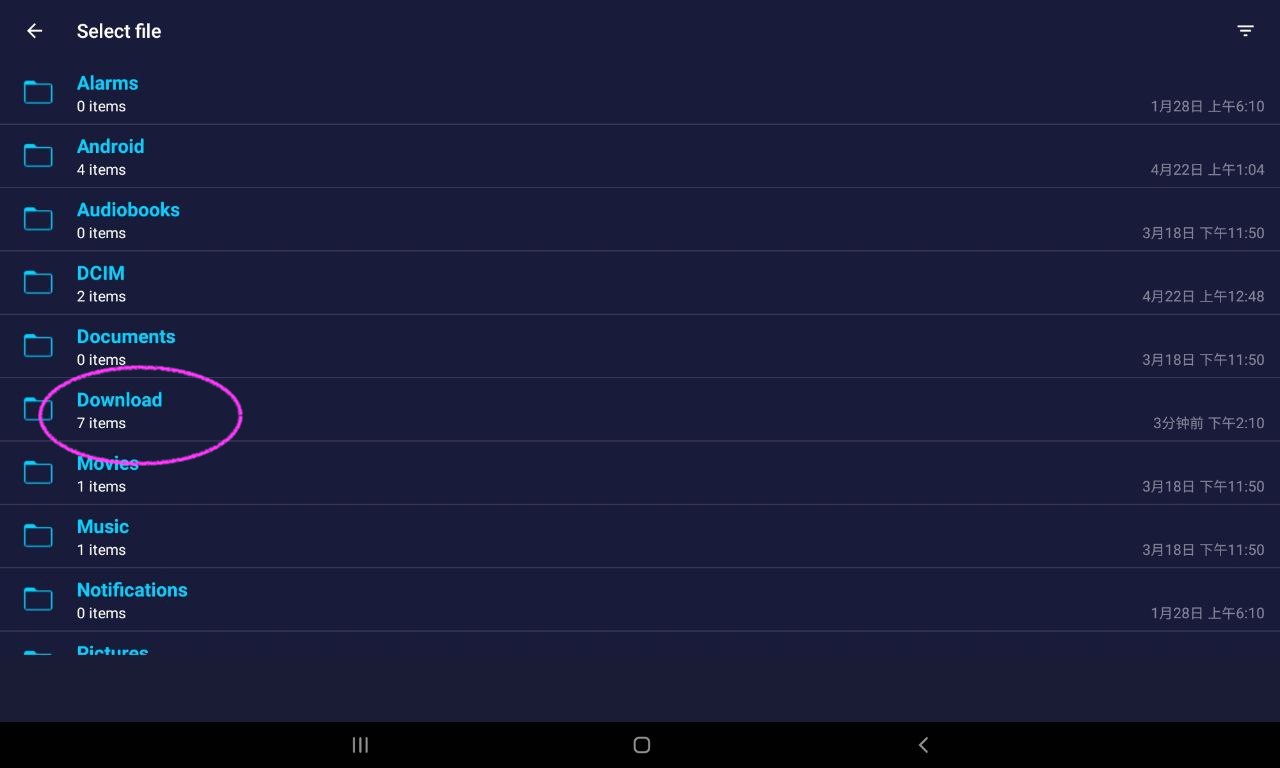
選擇檔案,一般在「Download」資料夾內,選擇剛下載的松鼠 APK 檔案。 Send-files-on-mobile-or-tablet
Send-files-on-mobile-or-tablet
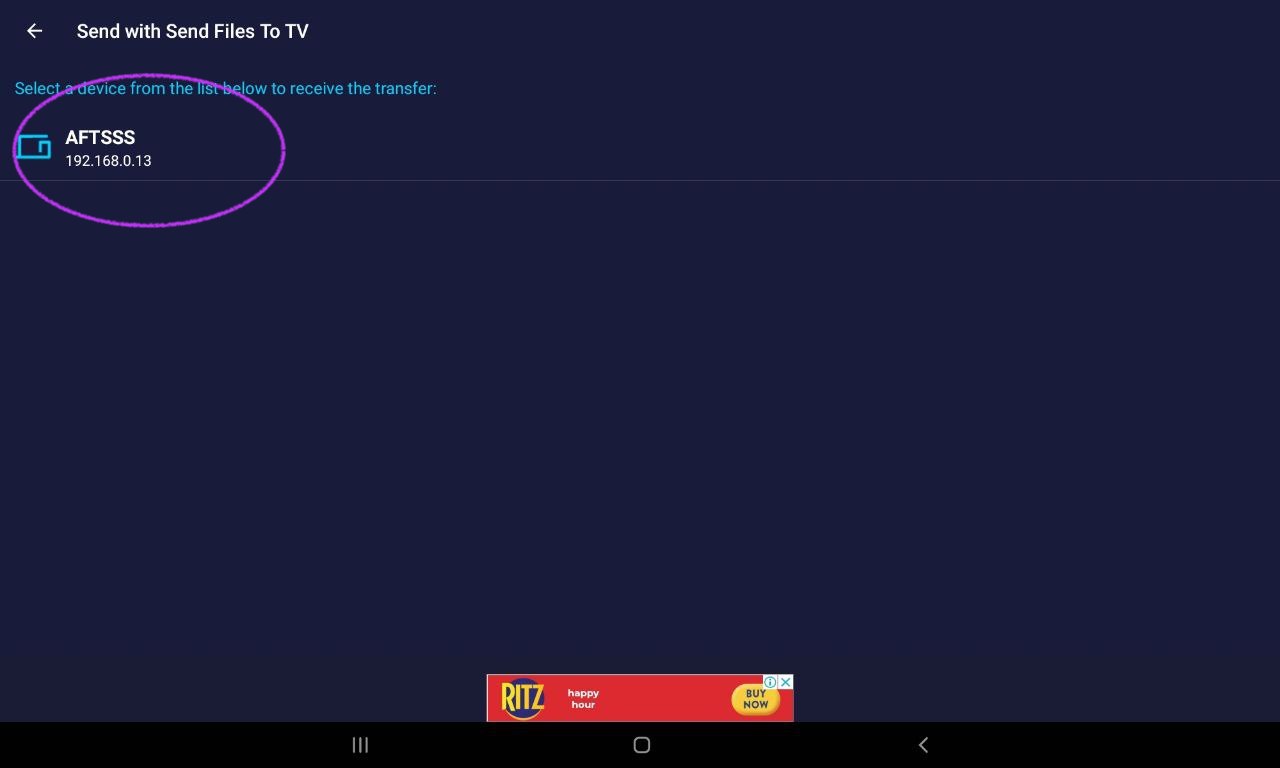
電視端已經完成配對,即可找到電視,點擊完成發送。 Send-files-on-mobile-or-tablet


Step 3: 電視端:接收檔案

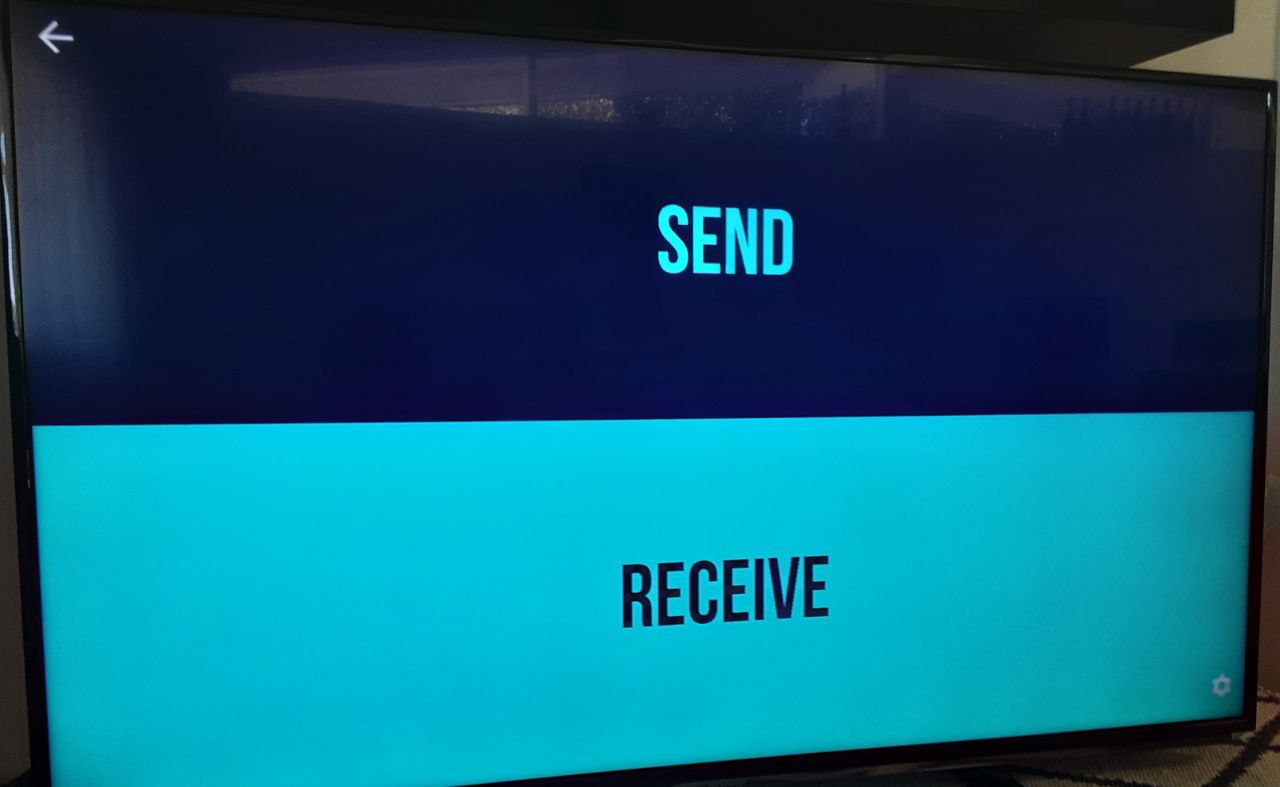
電視端,打開下載好的 App,選擇「Receive」: Send-files-to-tv

選擇「Receive」: Send-files-to-tv

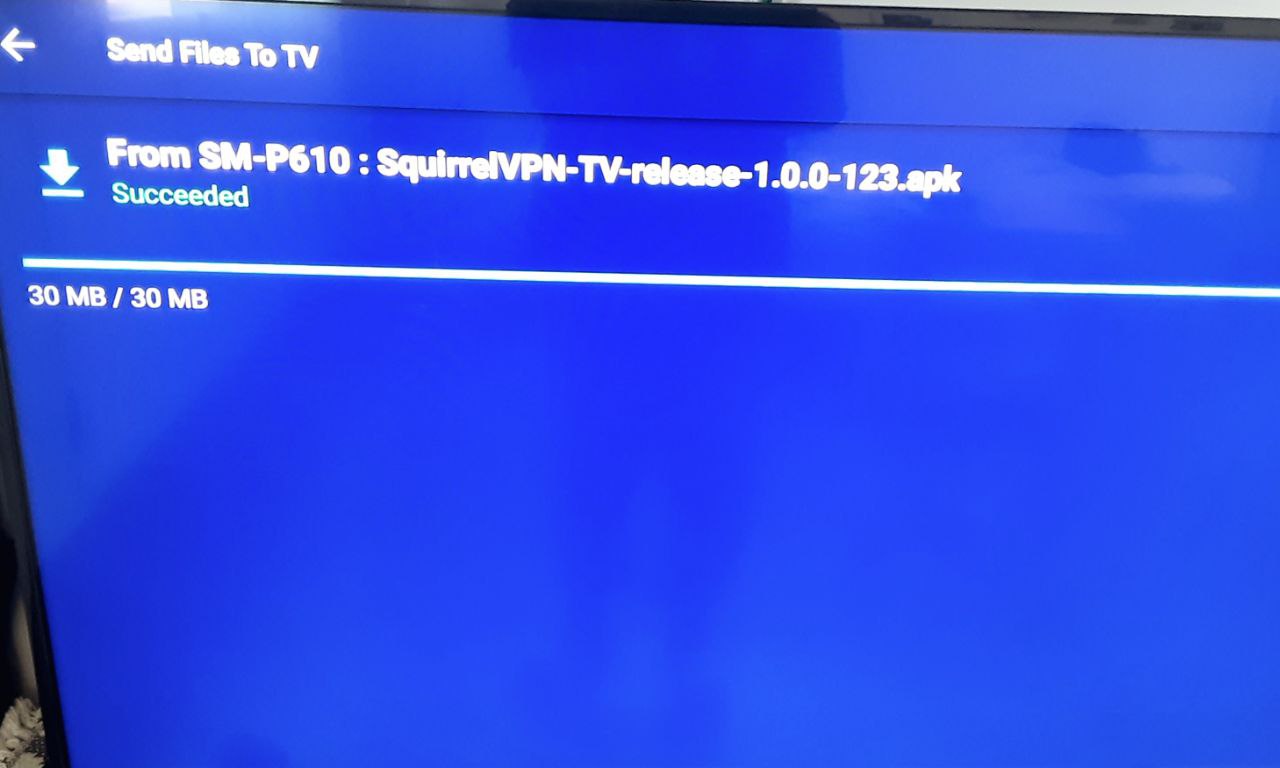
接收檔案。 Send-files-to-tv


Step 4: 安裝 APK 檔案

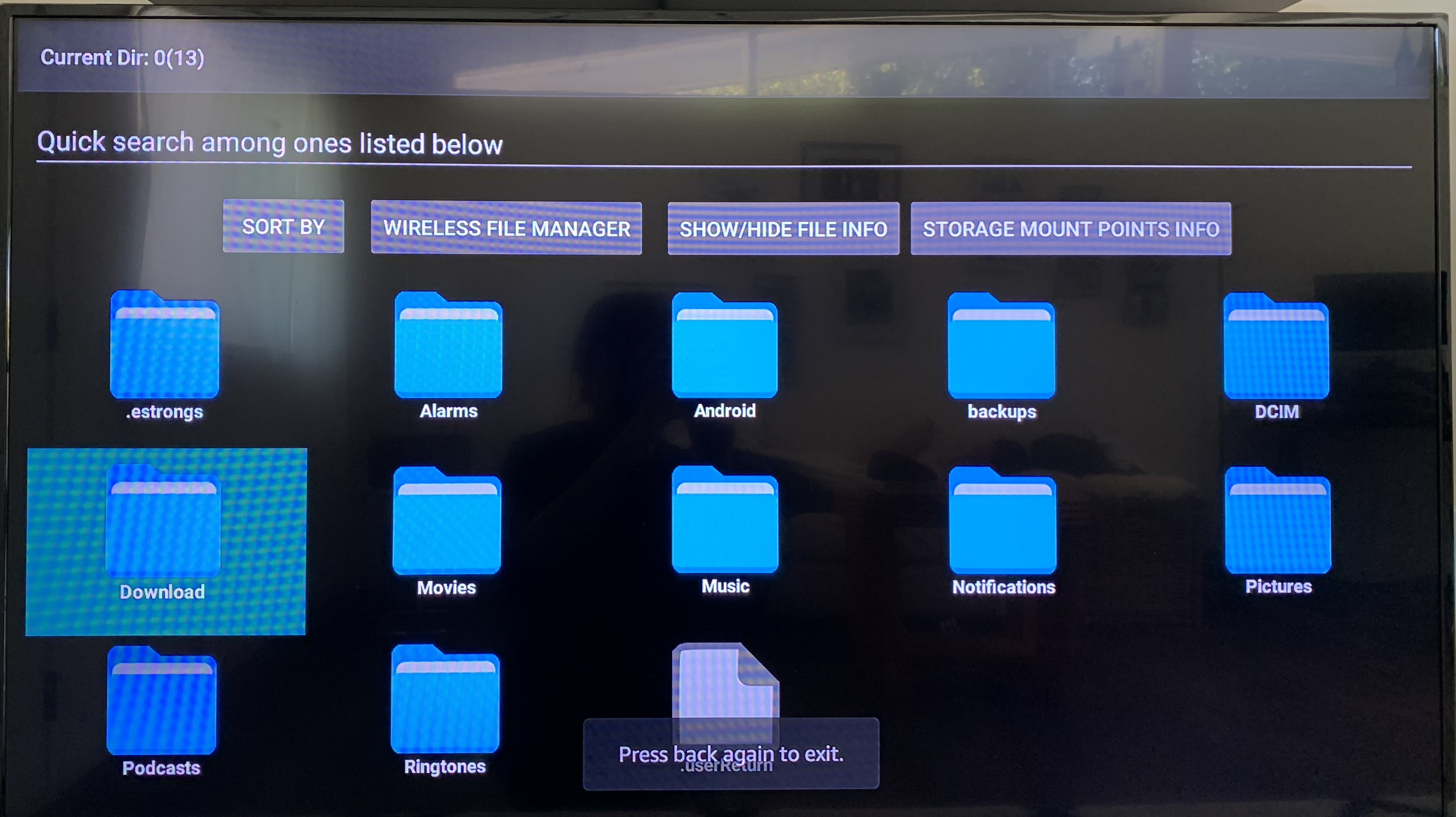
此時,APK 檔案已經順利傳送到電視了。我們需要檔案瀏覽器將它找到。 Install-files-on-tv

本教程使用的是 Fire TV,使用 File Explorer 進行檔案管理。您可以根據自己的電視型號,選擇任何檔案瀏覽器。 (打開應用商店,搜尋「檔案瀏覽器」即可。)
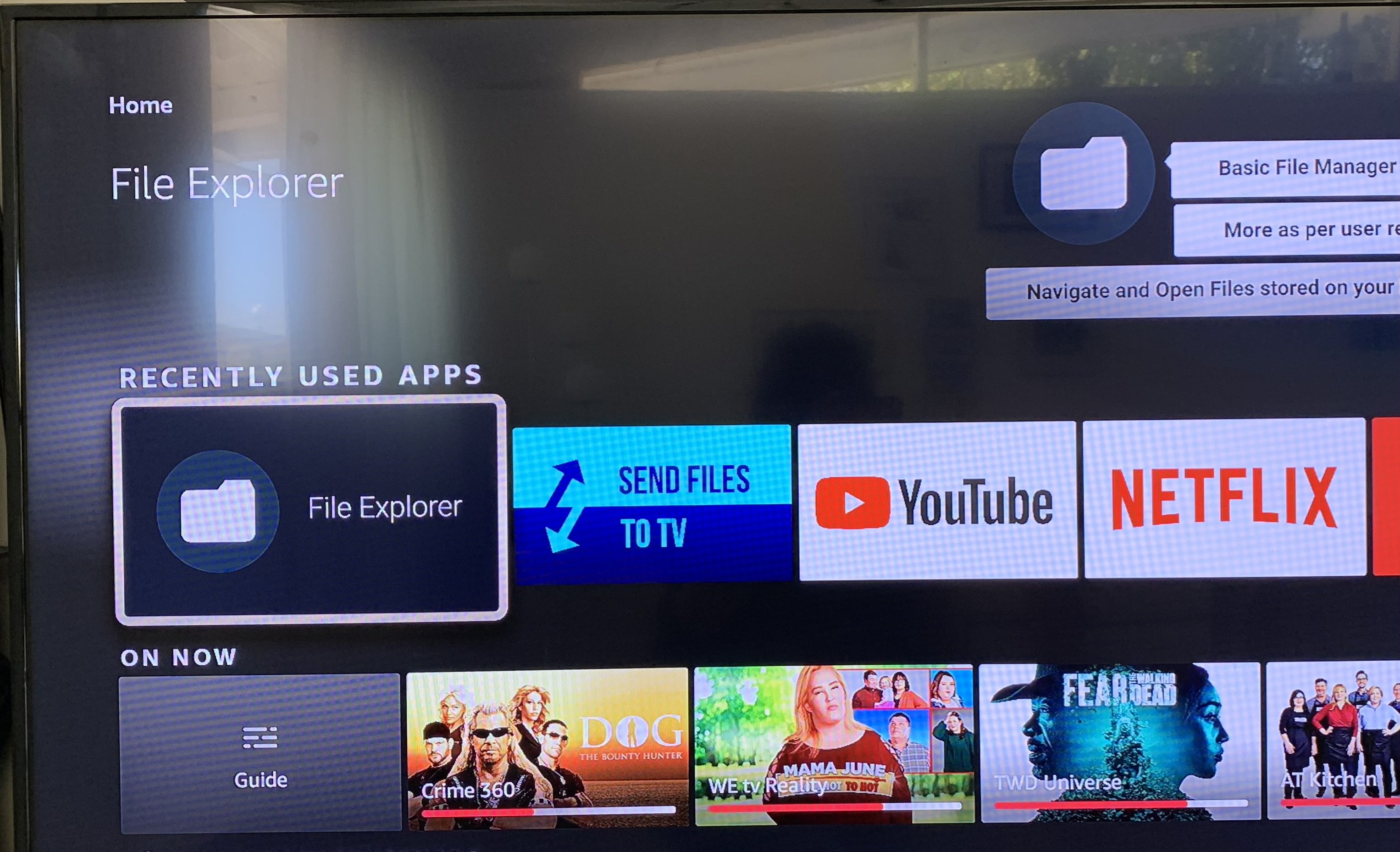
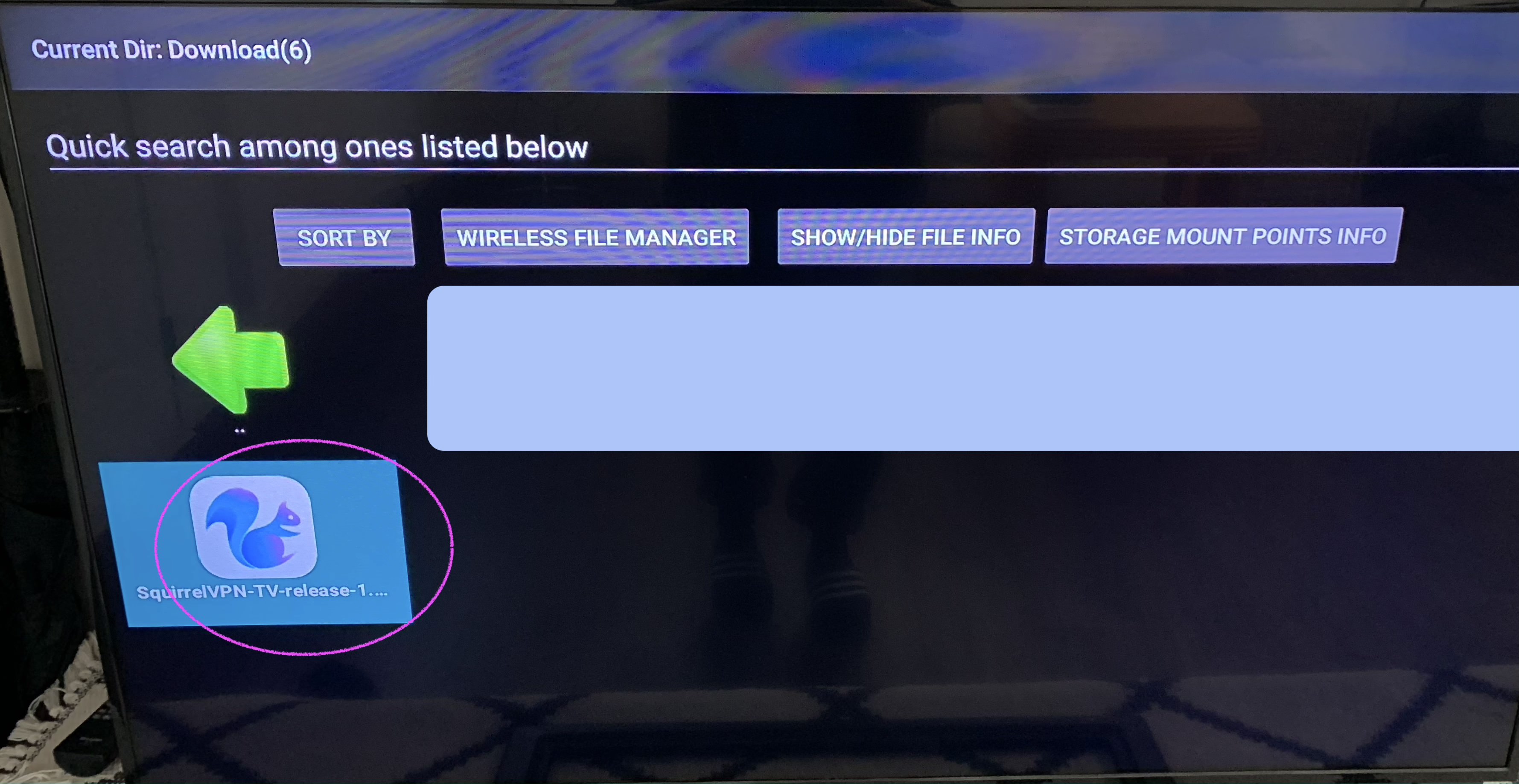
通常在「Download」資料夾找到 APK 檔案: Install-files-on-tv

找到要安裝的檔案: Install-files-on-tv

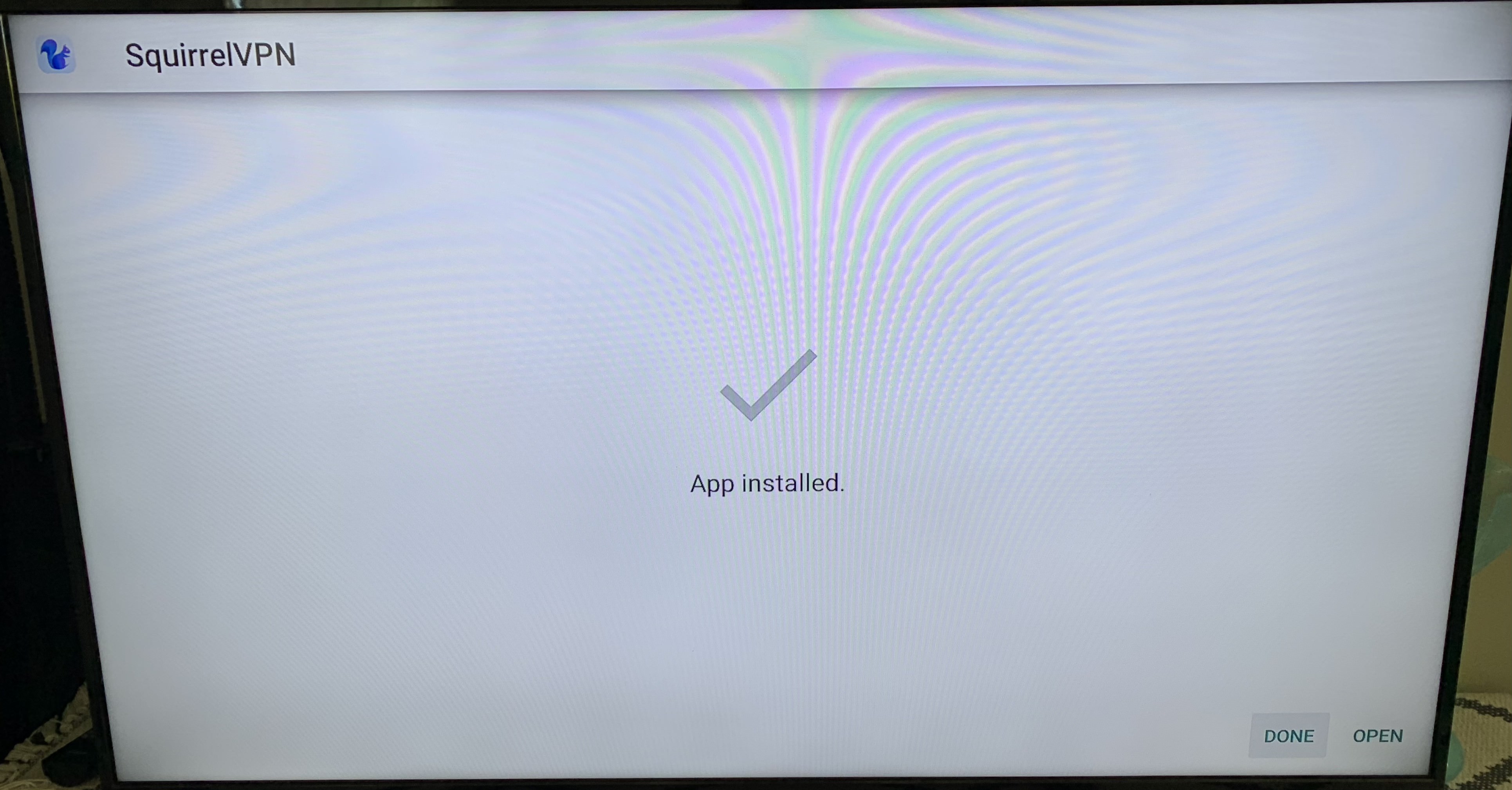
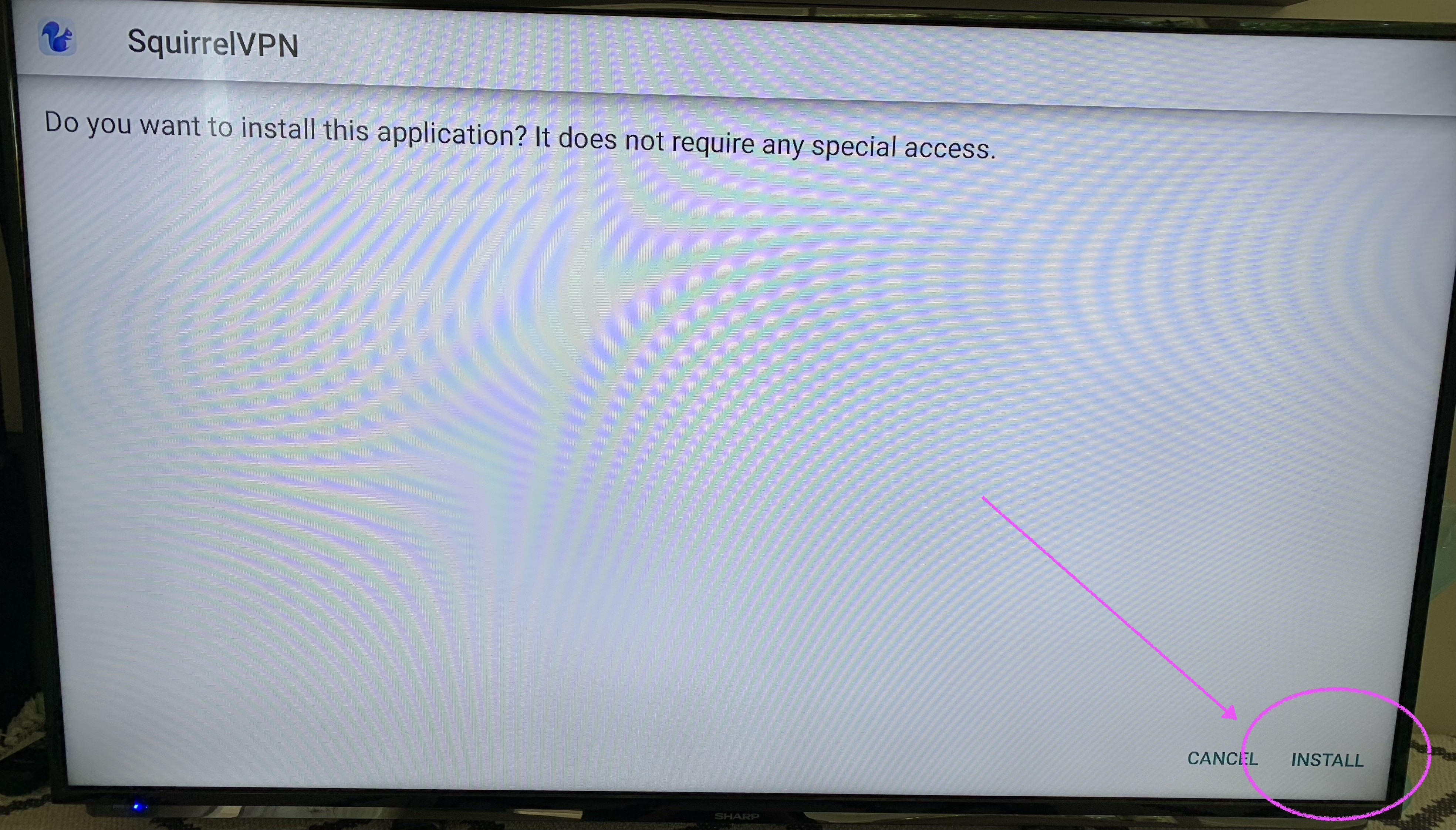
安裝 APK 安裝包。點擊「Install」,完成安裝。 Install-files-on-tv

Install-files-on-tv

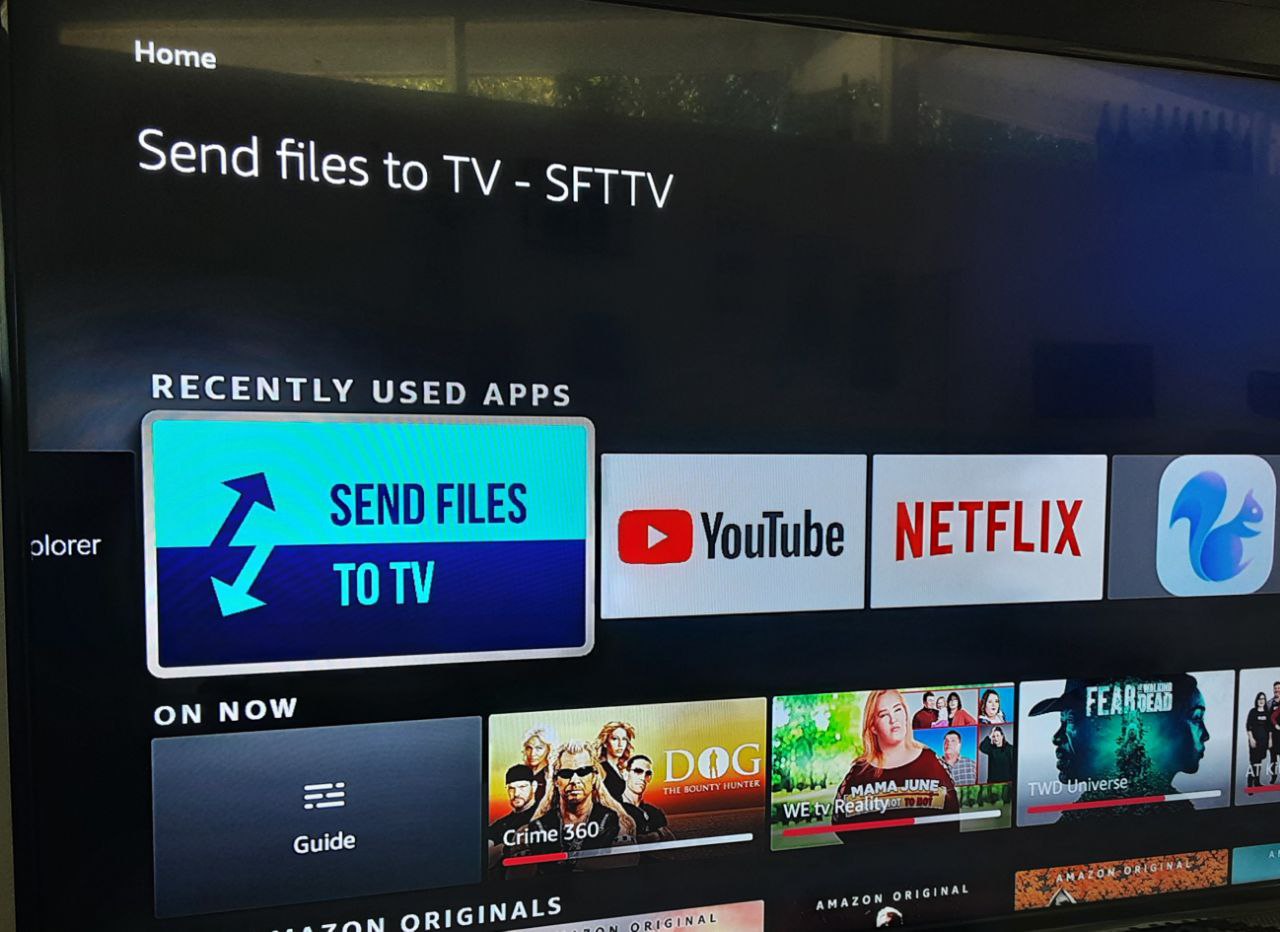
安裝完成!可以在 Home 主頁看到新的 App 啦!


其他文章:

8 分鐘註冊美國 Apple ID - 2022 1 分鐘切換蘋果商店 松鼠 VPN 常見問題
松鼠官網 備用官網(無需翻牆)

E
Elena Voss

Senior Cybersecurity Analyst & Privacy Advocate


Elena Voss is a former penetration tester turned cybersecurity journalist with over 12 years of experience in the information security industry. After working with Fortune 500 companies to identify vulnerabilities in their networks, she transitioned to writing full-time to make complex security concepts accessible to everyday users. Elena holds a CISSP certification and a Master's degree in Information Assurance from Carnegie Mellon University. She is passionate about helping non-technical readers understand why digital privacy matters and how they can protect themselves online.

相關文章

How to Choose the Best dVPN for Censorship-Resistant Internet Access
best dVPN

How to Choose the Best dVPN for Censorship-Resistant Internet Access

Stop trusting corporate logs. Learn how decentralized VPNs (dVPNs) use P2P networks to bypass firewalls and provide true, verifiable internet privacy.

作者: Daniel Richter 2026年6月27日 6 分鐘閱讀
common.read_full_article
Blockchain Bandwidth Monetization: Can You Really Earn Passive Income from Your Router?
blockchain bandwidth monetization

Blockchain Bandwidth Monetization: Can You Really Earn Passive Income from Your Router?

Learn how to monetize your unused internet bandwidth via DePIN networks. Discover how to turn your router into a passive income stream through blockchain technology.

作者: Elena Voss 2026年6月26日 6 分鐘閱讀
common.read_full_article
DePIN Explained: How P2P Bandwidth Marketplaces Power Next-Gen Web3 Infrastructure
DePIN explained

DePIN Explained: How P2P Bandwidth Marketplaces Power Next-Gen Web3 Infrastructure

Discover how DePIN and P2P bandwidth marketplaces are revolutionizing web3 infrastructure, moving away from centralized ISPs toward resilient, decentralized networks.

作者: Viktor Sokolov 2026年6月25日 7 分鐘閱讀
common.read_full_article
Step-by-Step: How to Secure Your Connection with a Blockchain-Powered Privacy Tool
Decentralized VPN (dVPN)

Step-by-Step: How to Secure Your Connection with a Blockchain-Powered Privacy Tool

Ditch traditional VPNs. Learn how to secure your connection using a blockchain-powered dVPN for true decentralized privacy and digital sovereignty.

作者: Tom Jefferson 2026年6月24日 6 分鐘閱讀
common.read_full_article