[Tutorial] Squirrel VPN User Guide (Mobile Version)
![[Tutorial] Squirrel VPN User Guide (Mobile Version)](https://devcdn.pseo.one/694b8c5feb29738fb9516944/694b8c5fd1cc3dd4fcb00fe5/tutorial-squirrel-vpn-user-guide-mobile-version/cover-user-manual-mobile.png)
[Tutorial] SquirrelVPN User Manual (Mobile Version)
Tutorial Content:
SquirrelVPN mobile version user manual.
How to download and purchase the SquirrelVPN mobile app?
Please visit: Squirrel Official Website or Alternative Official Website (No VPN required) to download and purchase. First, download and install the Squirrel client, register a Squirrel account, and then proceed to the official website to make a purchase.
Supports iOS & Android
Connecting to VPN
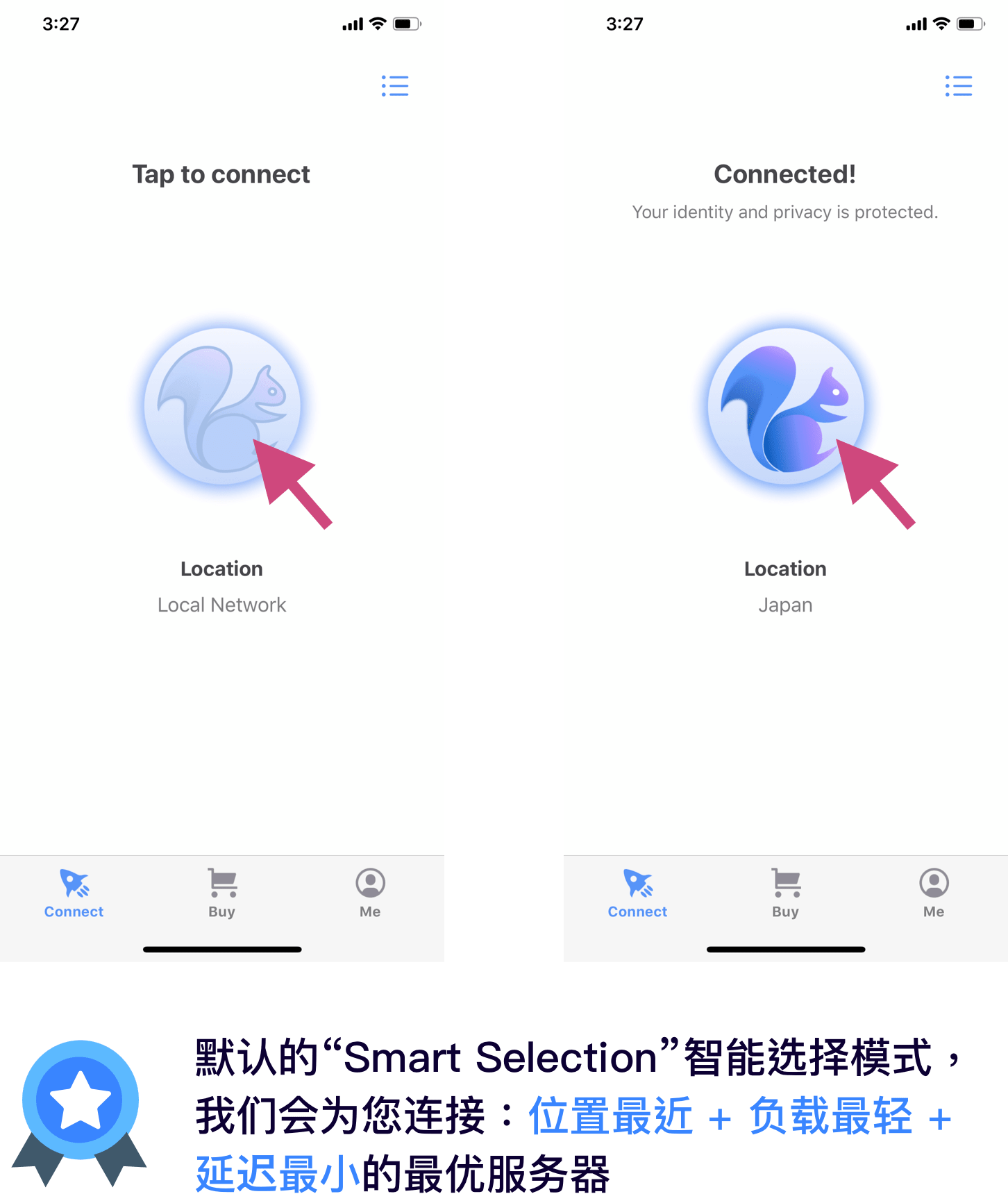
To connect or disconnect, simply tap the small squirrel icon in the center of the screen.
Switching Country Servers:
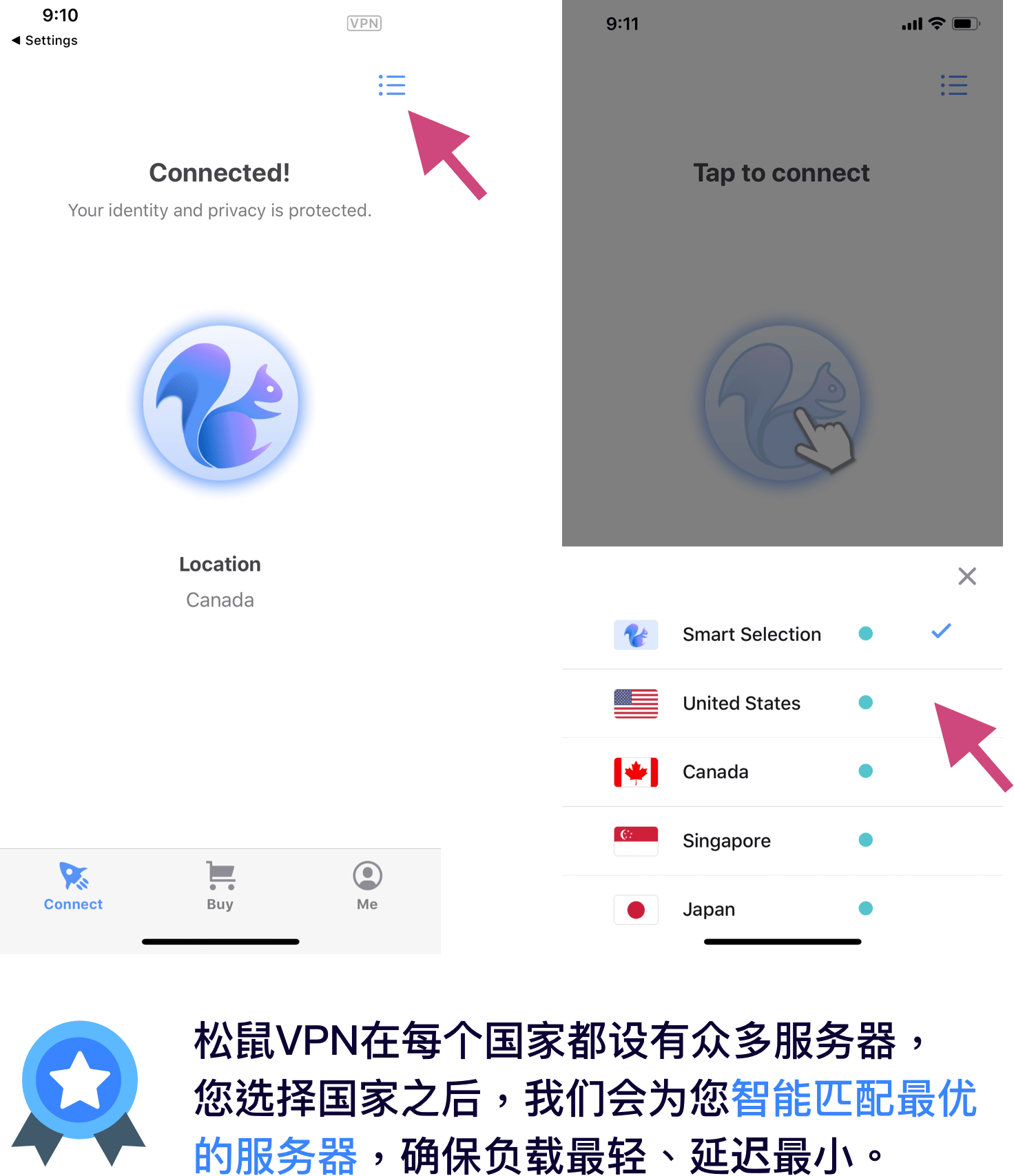
If you need to select a specific country, tap the icon in the top right corner of the screen and choose your desired country.
Login & Registration
Login:
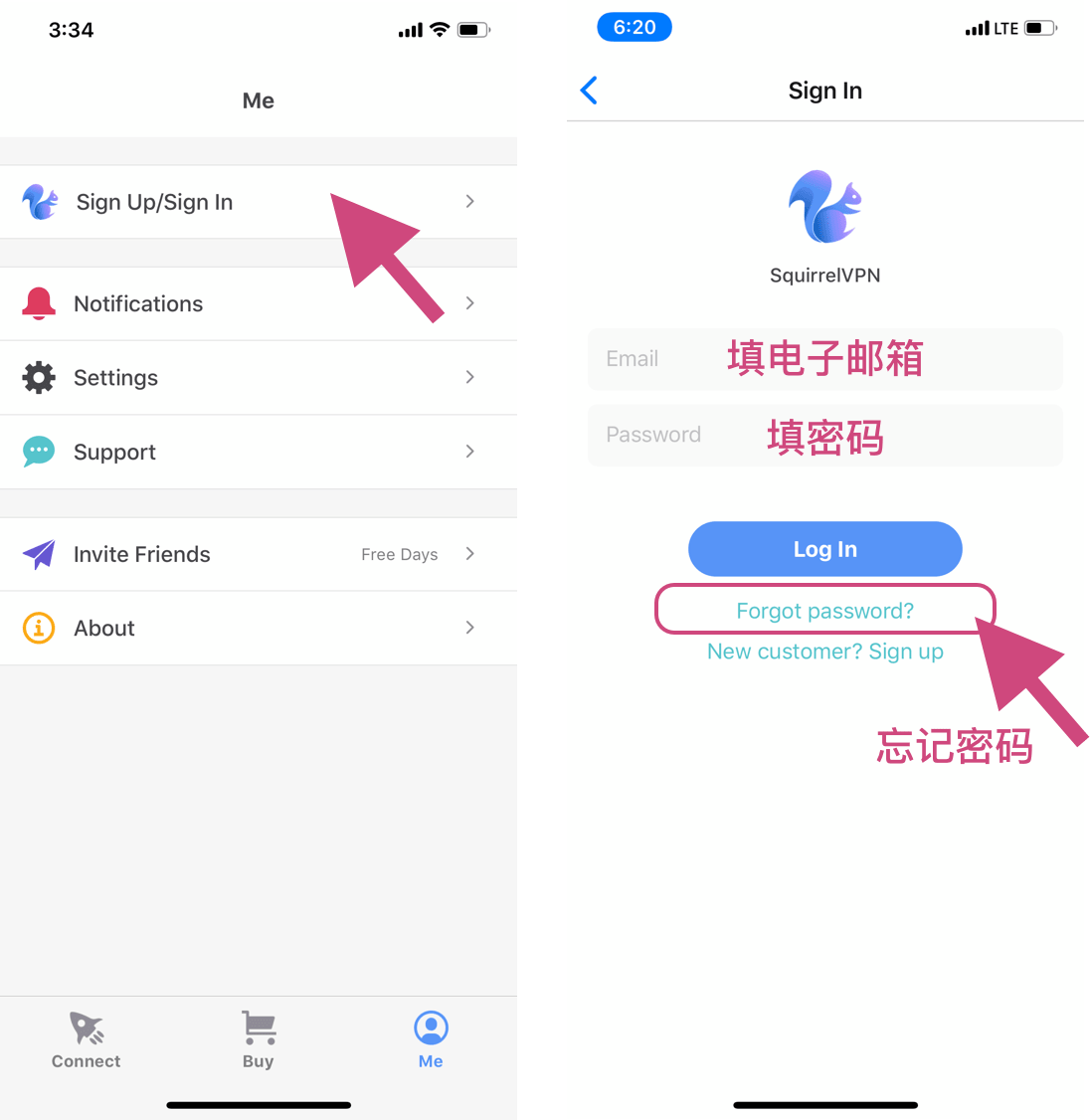
Go to the "Me" page and tap "Sign Up/Sign In" to enter the login page. Enter your email and password to log in. If you have forgotten your password, tap "forget password" to reset it.
Registration:
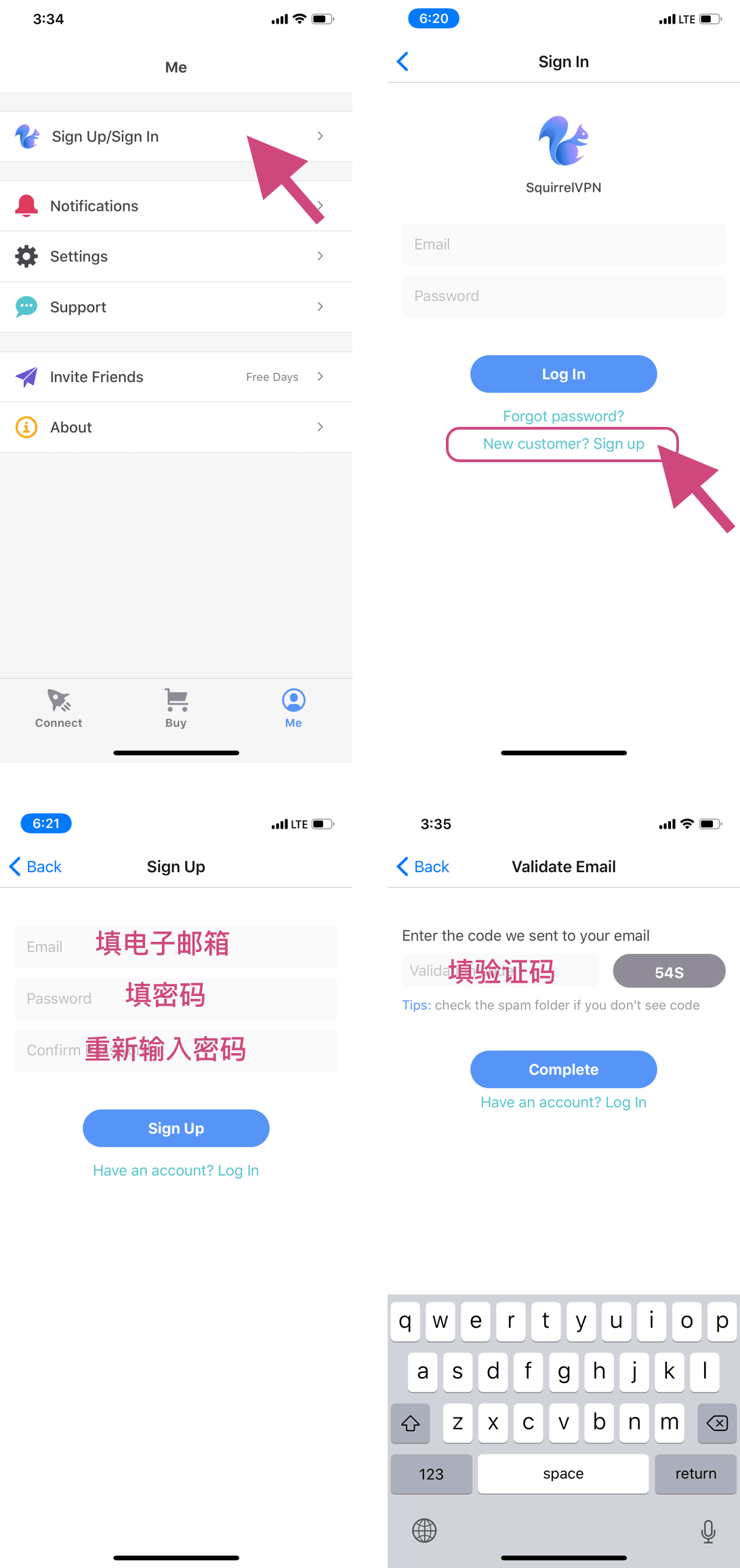
Go to the "Me" page, tap "Sign Up/Sign In," and then tap the "New customer? Sign Up" link to enter the registration page. After entering your email and password, proceed to the verification step. Please check your email for the verification code to complete the registration. (If you cannot find the verification code, please check your spam folder.)
Forgot Password
If you have forgotten your password, tap the "Forget password?" link on the login page and enter the email address you used during registration.
Next, find the verification code we sent to your email, tap "Next," enter your new password, and confirm to finish!
If you do not receive the verification code, please check your spam folder.
Official Website Payment
How to Upgrade:
Please visit: Squirrel Official Website or Alternative Official Website (No VPN required) and click "Buy."
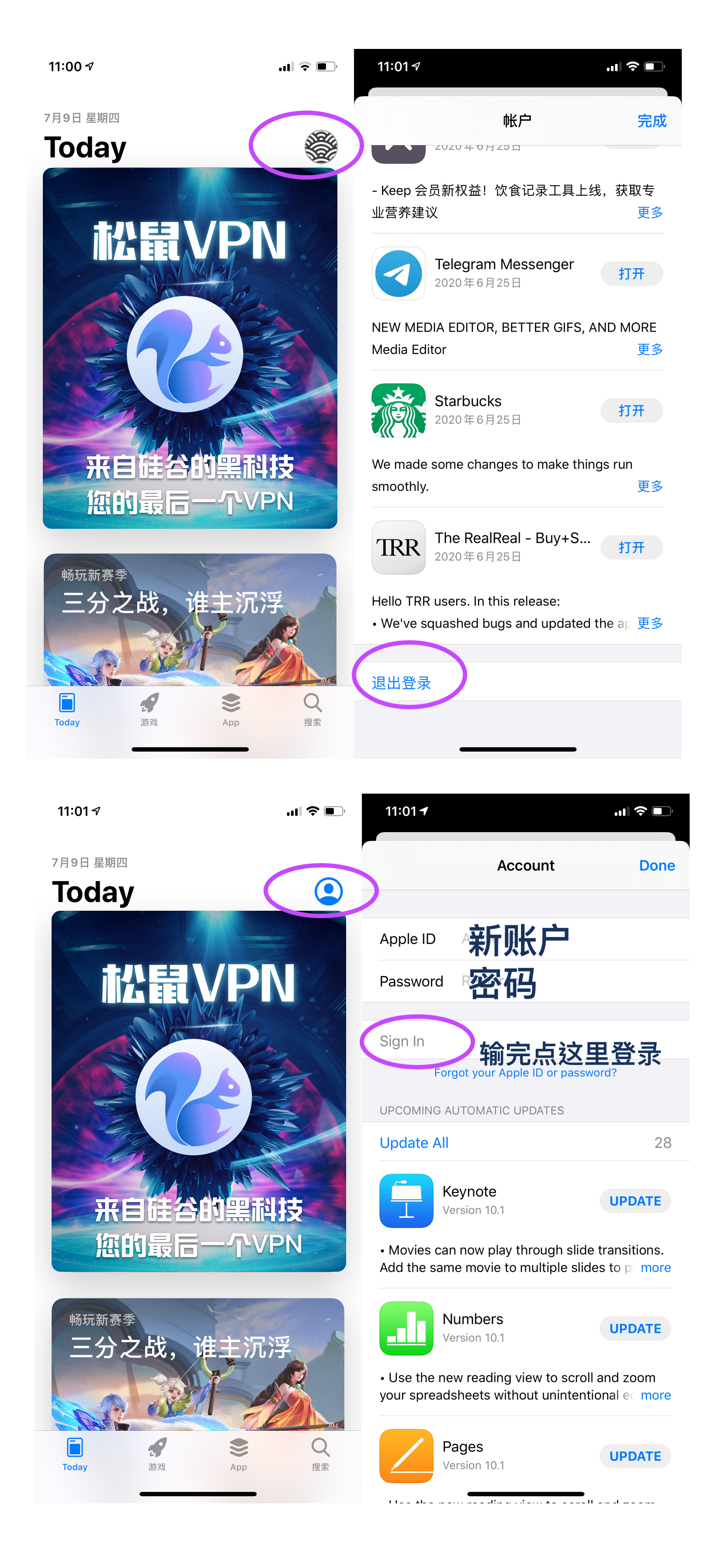
If you are not logged in, you will need to log in to your SquirrelVPN account first.
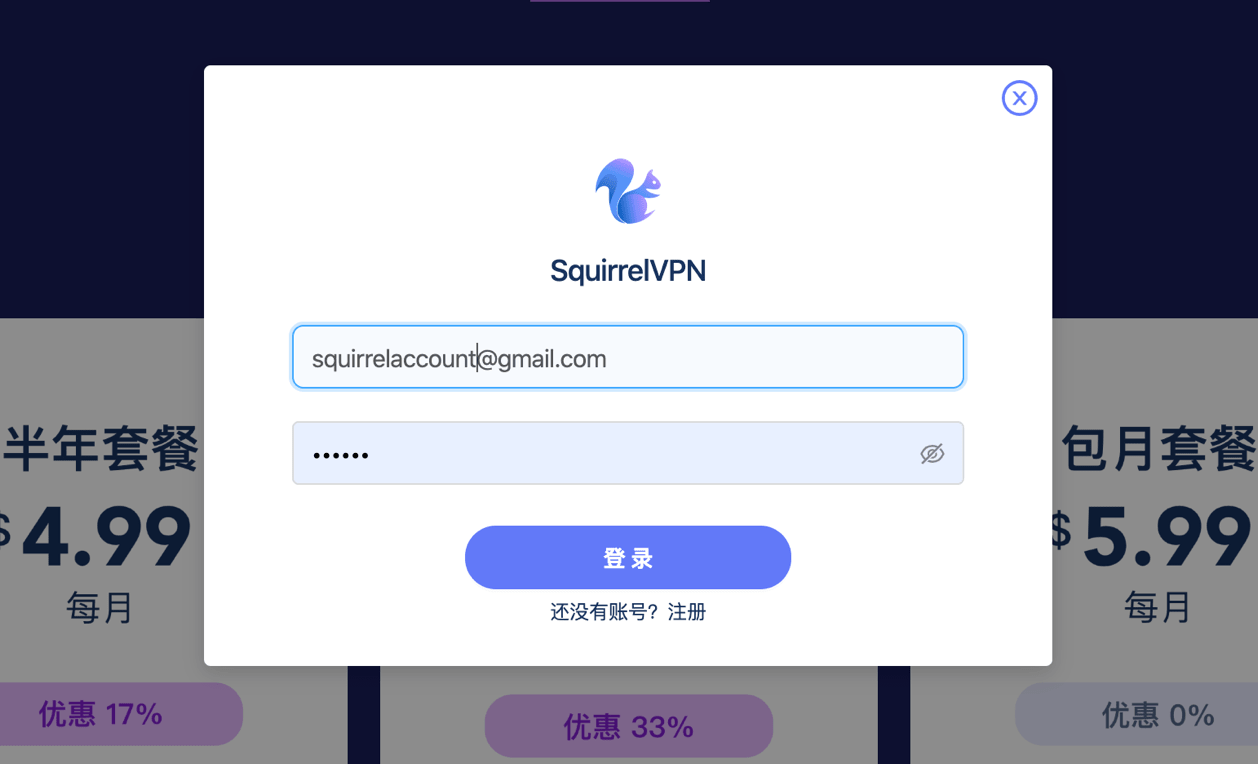
Then, select Credit Card, Alipay, or PayPal to pay, and follow the prompts to complete the payment. It will take effect within 5 minutes after payment.
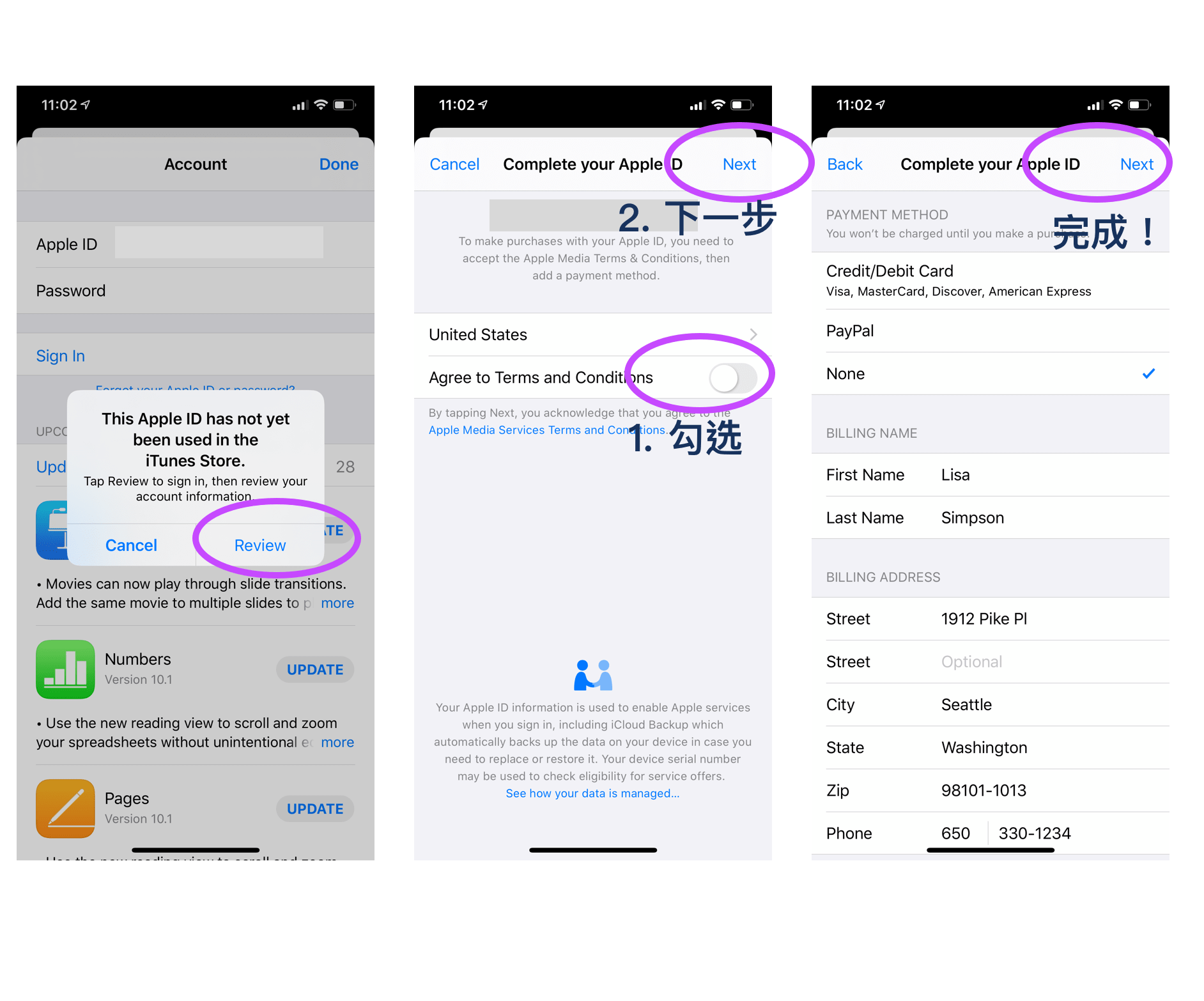
Don't have a PayPal account? You can follow the instructions on the PayPal China Official Website. You will need a mainland mobile phone number and a UnionPay card (no credit card required).
Alipay Payment (Pro Version)
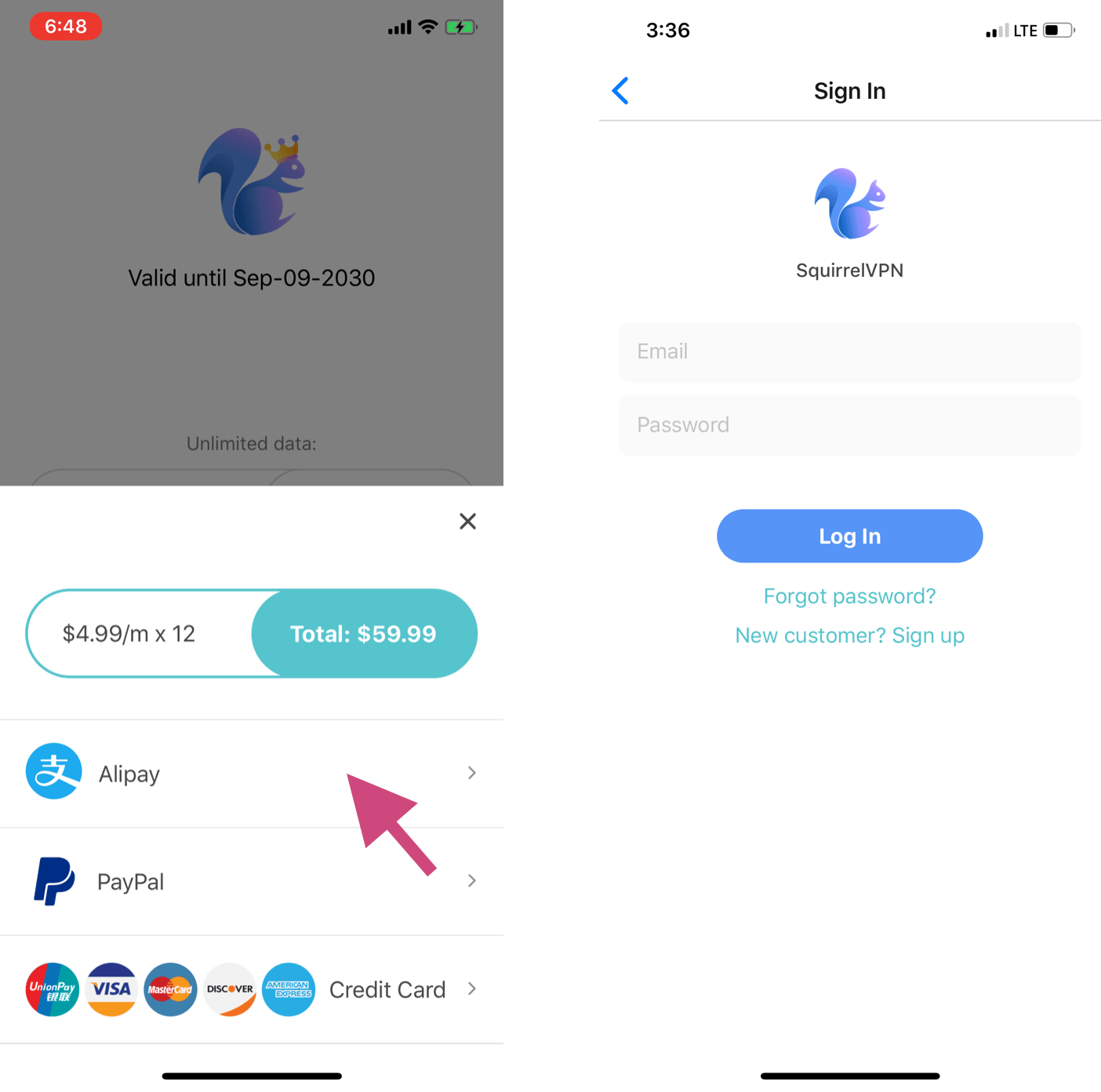
Go to the "Buy" page, click on the service plan you need, and select "Alipay." It will automatically redirect to the Alipay app. If the login page on the right appears, it means you have not logged into your SquirrelVPN account. You must log in/register an account to make a payment.
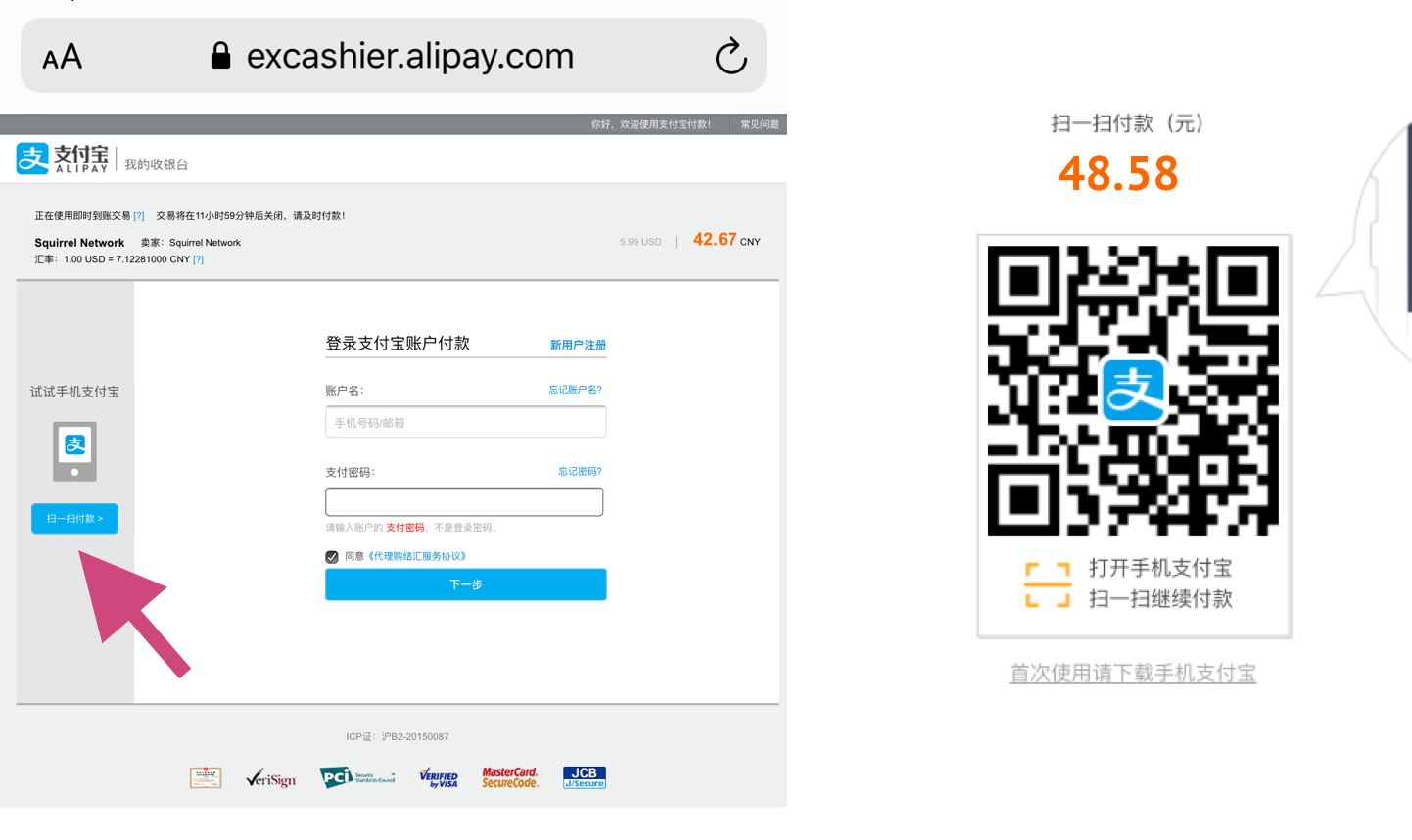
If it does not automatically redirect to the Alipay app (as shown in the left image below): click "Scan to Pay" on the left side of the page to see the payment QR code. Take a screenshot to save it, open the Alipay app on your phone, and scan the code from your photo album.
Credit Card Payment (Pro Version)
Go to the "Buy" page. There are three plans for you to choose from: one-month, six-month, and one-year plans, priced at $6.99, $5.99, and $4.99 per month respectively, all with unlimited data. Click on the desired service plan and select credit card payment.
Supported credit cards: UnionPay, Visa, Mastercard, Discover, American Express, etc.
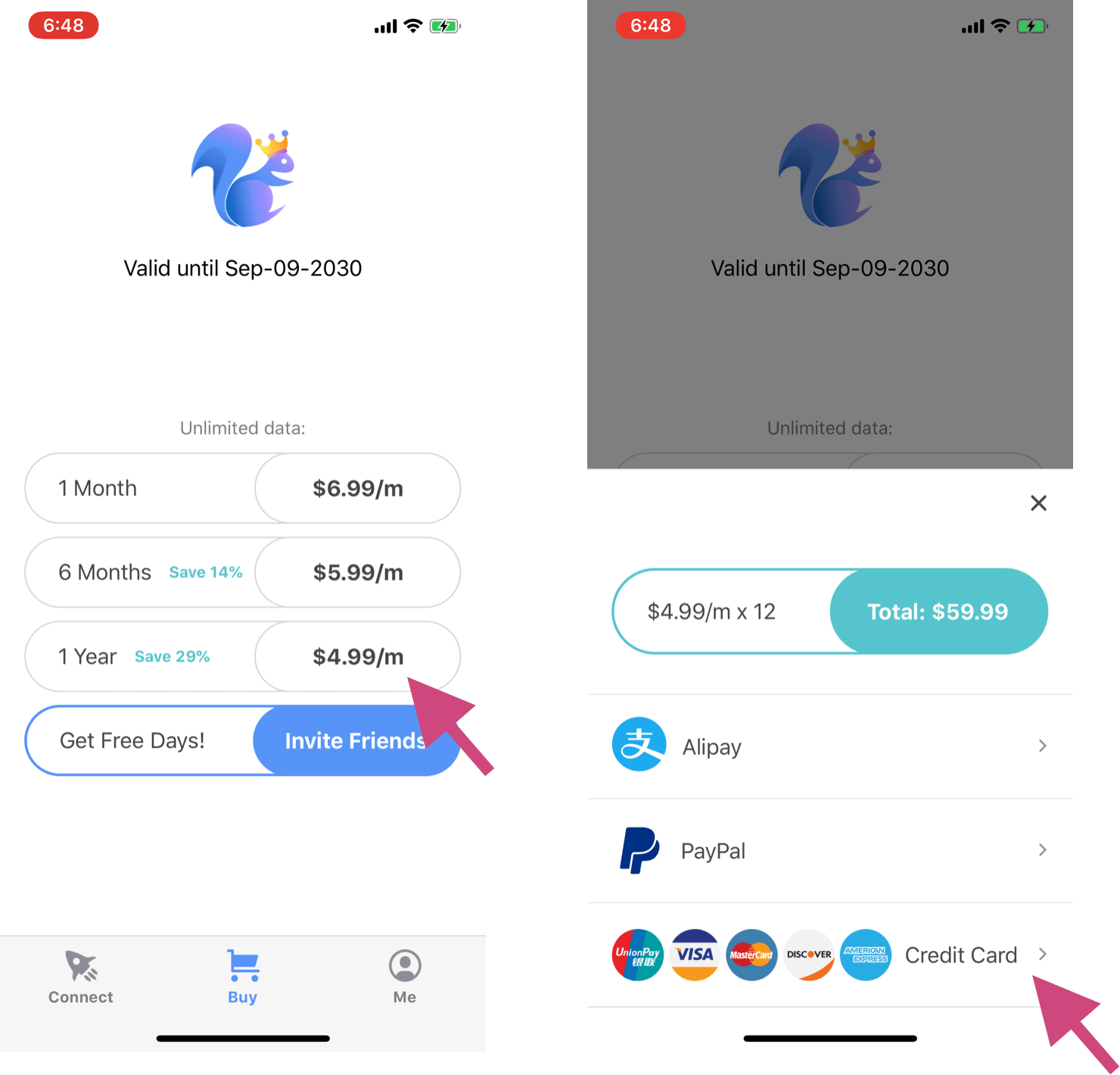
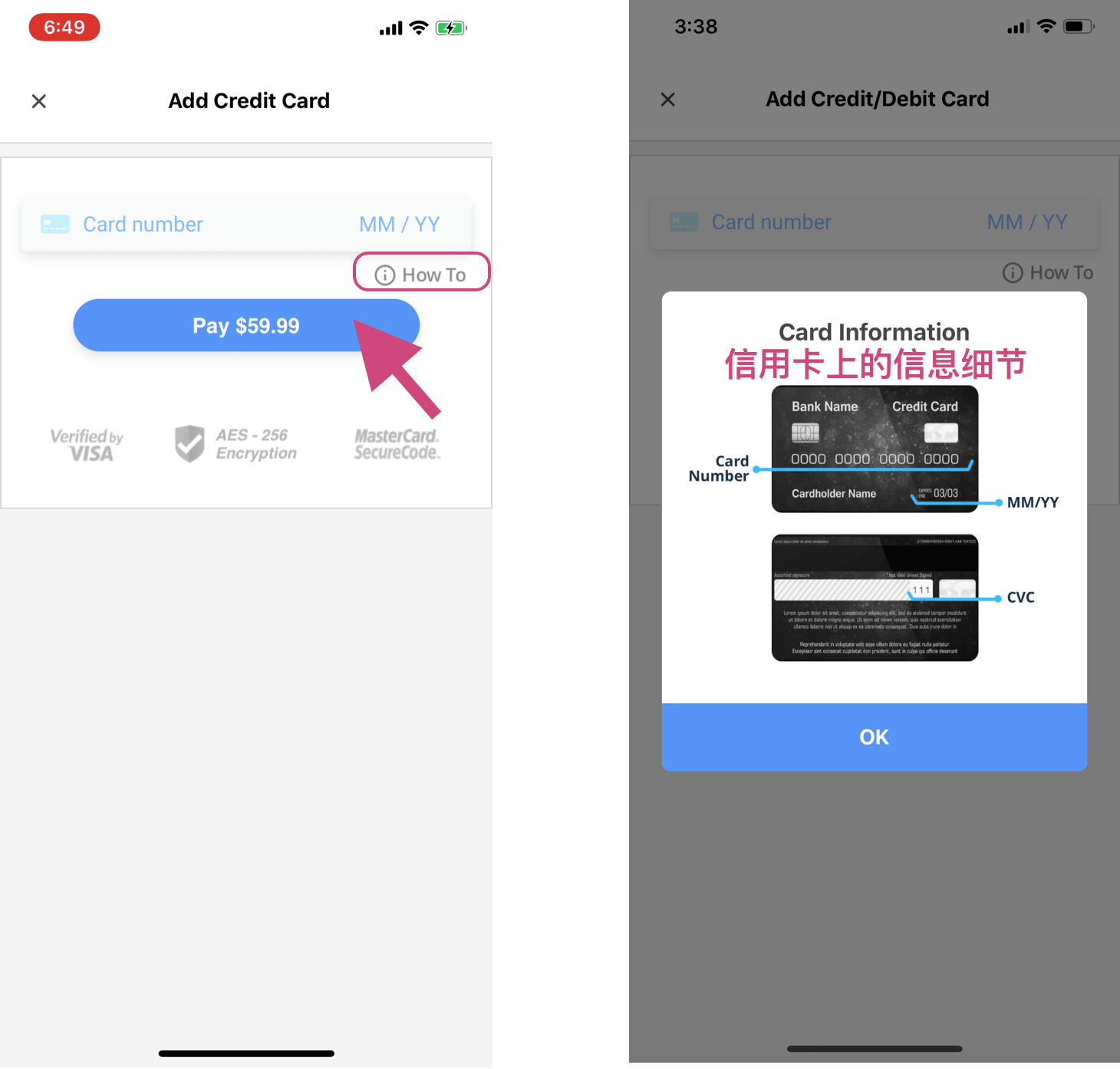
Enter your credit card information (including card number, expiration date, and CVC; if it is an international credit card, you may also need a zip code). If you need help, you can click "How To," and you will see the image on the right. Click "Pay" to complete the payment, and the VPN service you purchased will be automatically added to your account.
When does my membership expire?
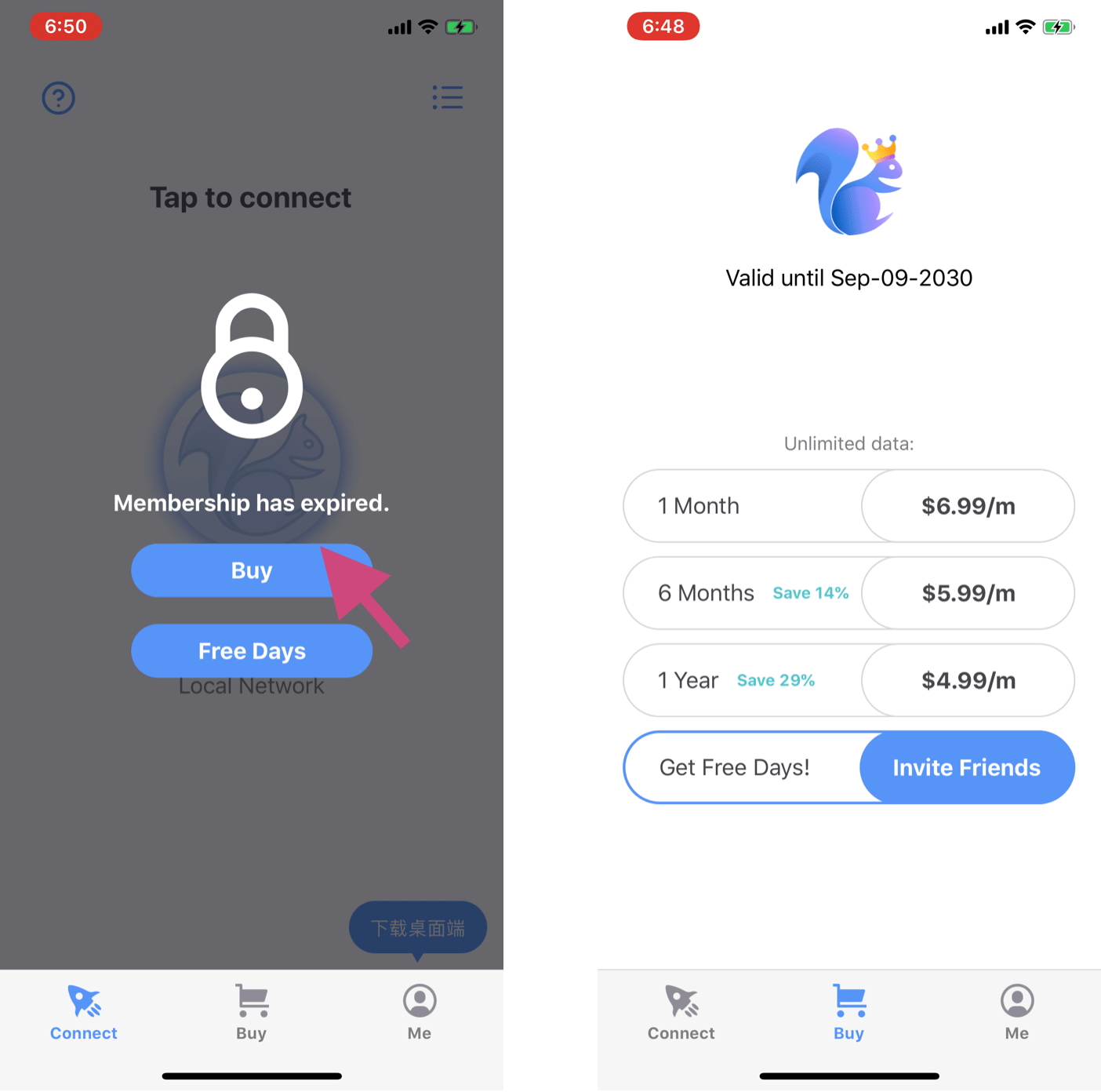
You can check your membership expiration date on the "Buy/Service" page, as shown in the right image below.
When the VPN is locked during connection, as shown in the left image below, it means your membership has expired and you need to renew it. Click to enter the "Buy" page, select a service plan, and complete the payment.
Invite Friends
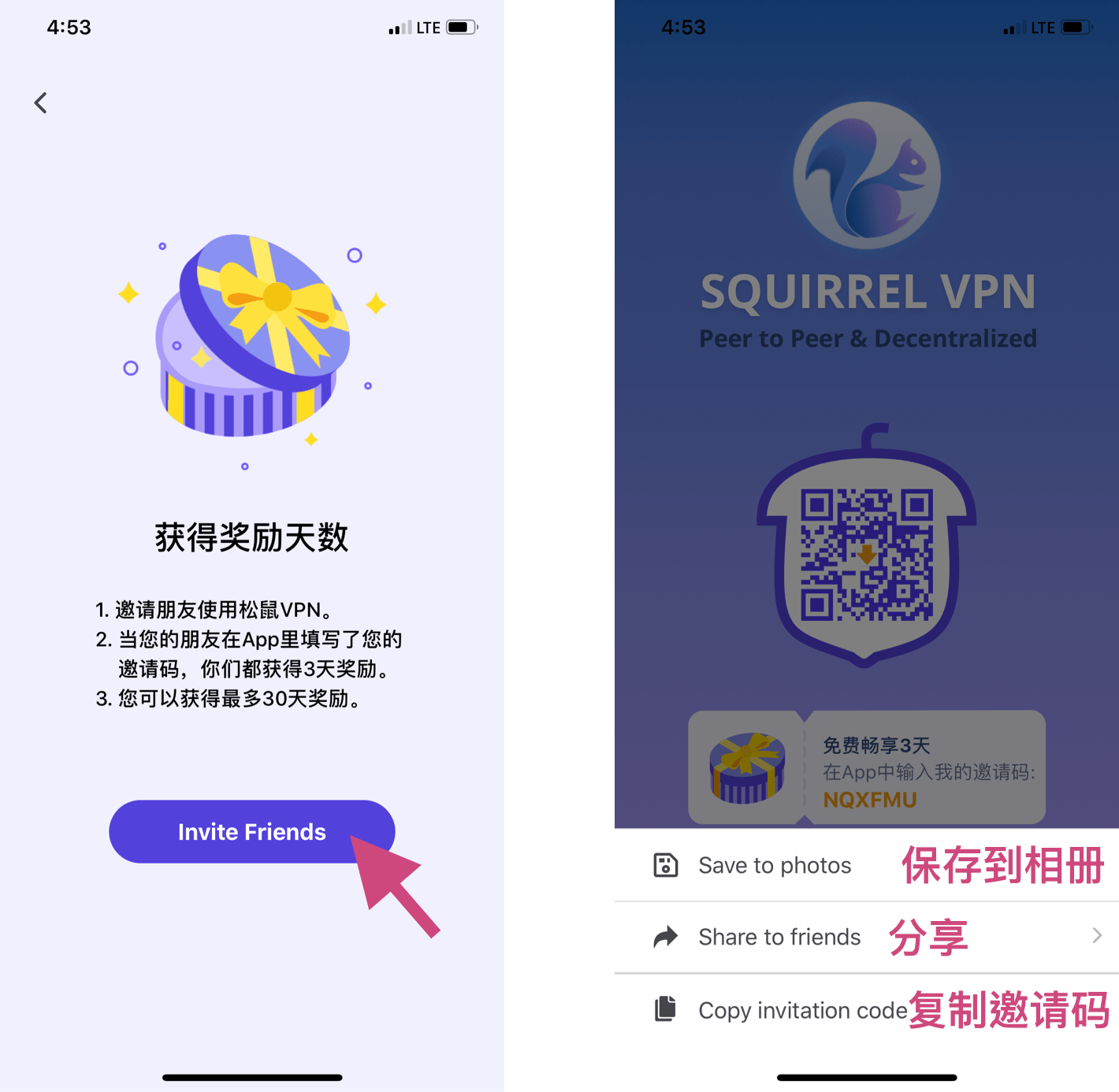
Tap "Invite Friends" to enter the invitation page. You can save the image, share it directly, or copy your own invitation code.
Entering an Invitation Code
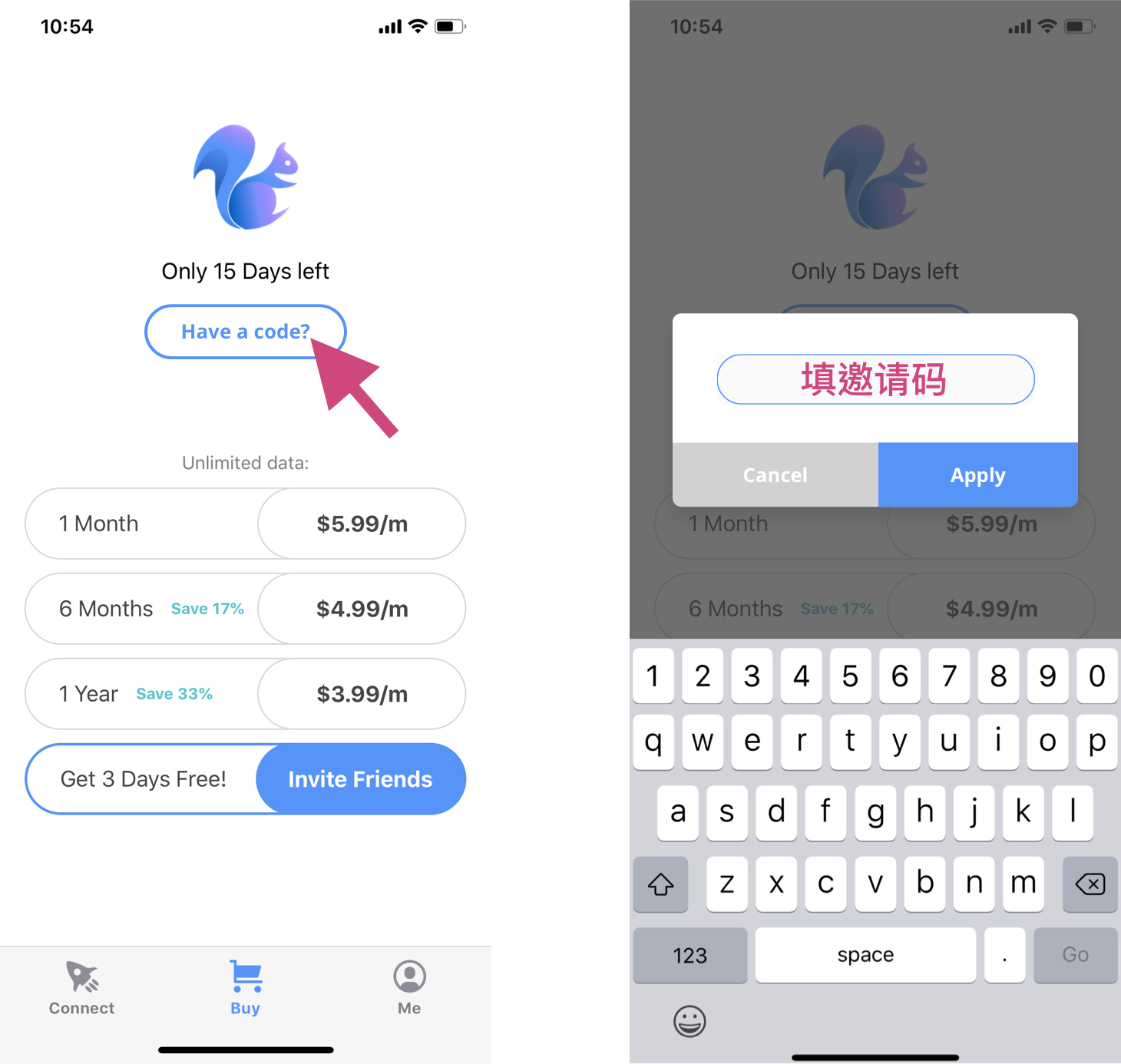
Go to the "Buy/Service" page, tap "Have a code?" to open the pop-up window, and enter the invitation code given by your friend. The corresponding free days will be automatically added to your account. Each account can only enter a code once!
Contact Customer Support
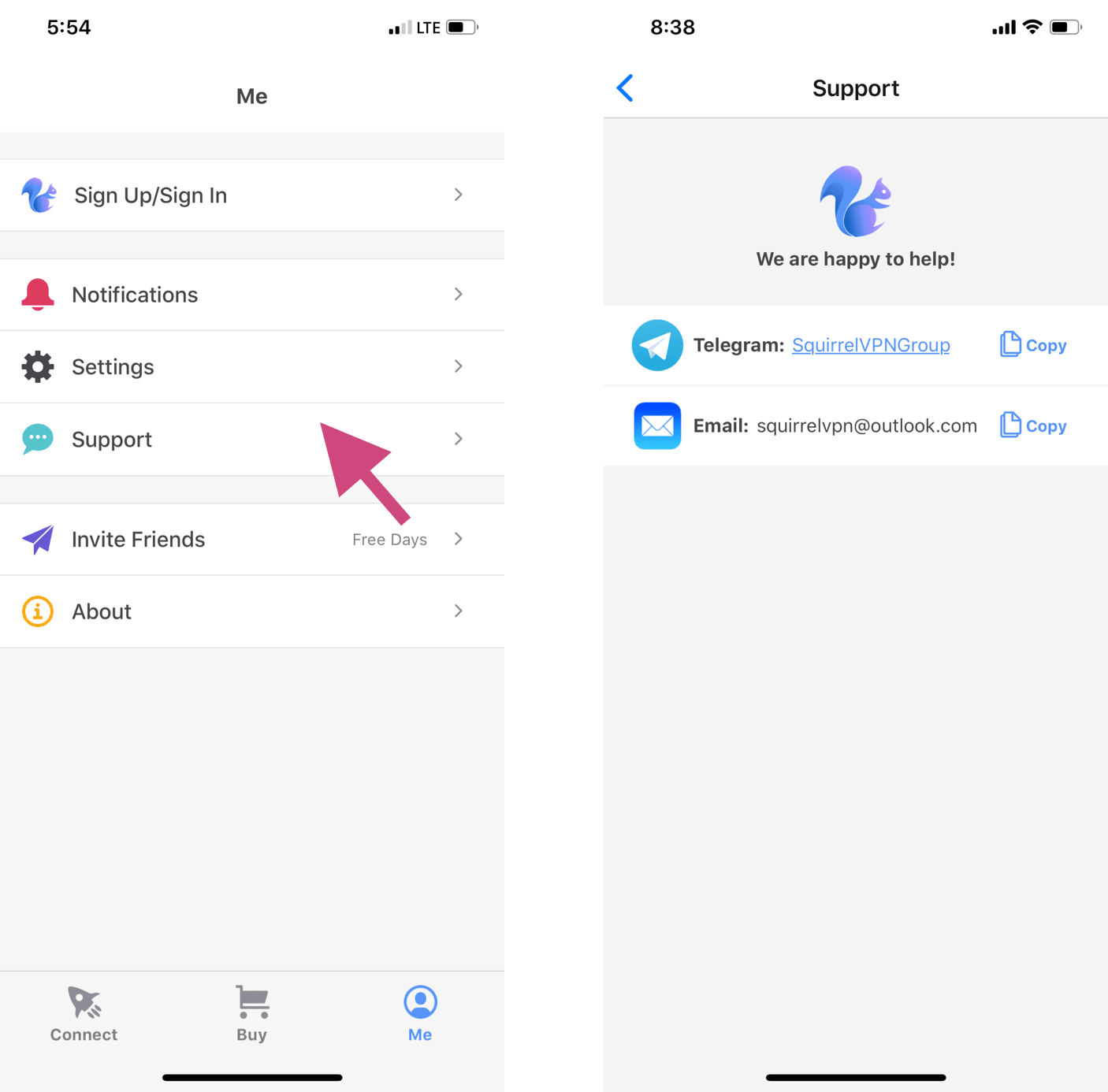
Go to the "Me" page and tap "Support" to find customer service. Our team members will reply as soon as possible to answer your questions. You are also welcome to join our Telegram group to ask questions or provide feedback.