[Tutorial] How to Purchase Squirrel VPN Using Cryptocurrency
![[Tutorial] How to Purchase Squirrel VPN Using Cryptocurrency](https://devcdn.pseo.one/694b8c5feb29738fb9516944/694b8c5fd1cc3dd4fcb00fe5/tutorial-how-to-purchase-squirrel-vpn-using-cryptocurrency/cover-buy-with-crypto.png)
[Tutorial] How to Purchase Squirrel VPN with Cryptocurrency
Tutorial Content:
Following the previous tutorial, you now have USDT/BTC in your spot wallet. How do you use your cryptocurrency to pay for Squirrel VPN? In other words, how to withdraw from an exchange to pay Squirrel.
This tutorial is simple and effective. Produced by Squirrel, please read the steps carefully and follow them precisely; you will surely succeed. Let's get started!
Step 1: Open the Squirrel Purchase Page
Please visit: Squirrel Official Website or Alternative Official Website (No VPN required) to make your purchase.
Select the plan you wish to purchase: one-month, six-month, or one-year plan. Select payment method: "Cryptocurrency"
Note: If you do not have a Squirrel account yet, you need to download the Squirrel mobile app and register an account first. New users get a 3-day trial.
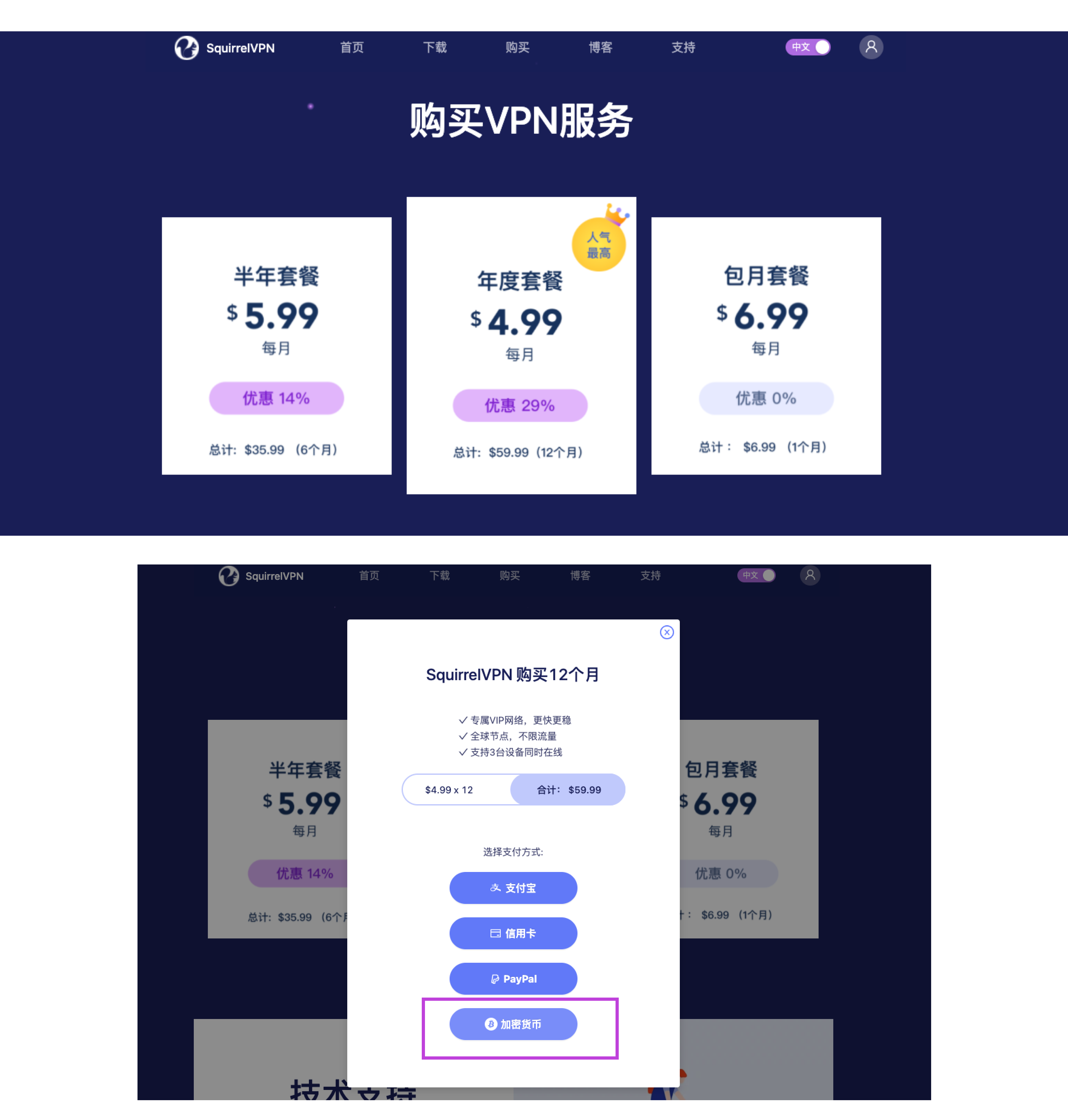
Step 2: Open the Cryptocurrency Payment Page
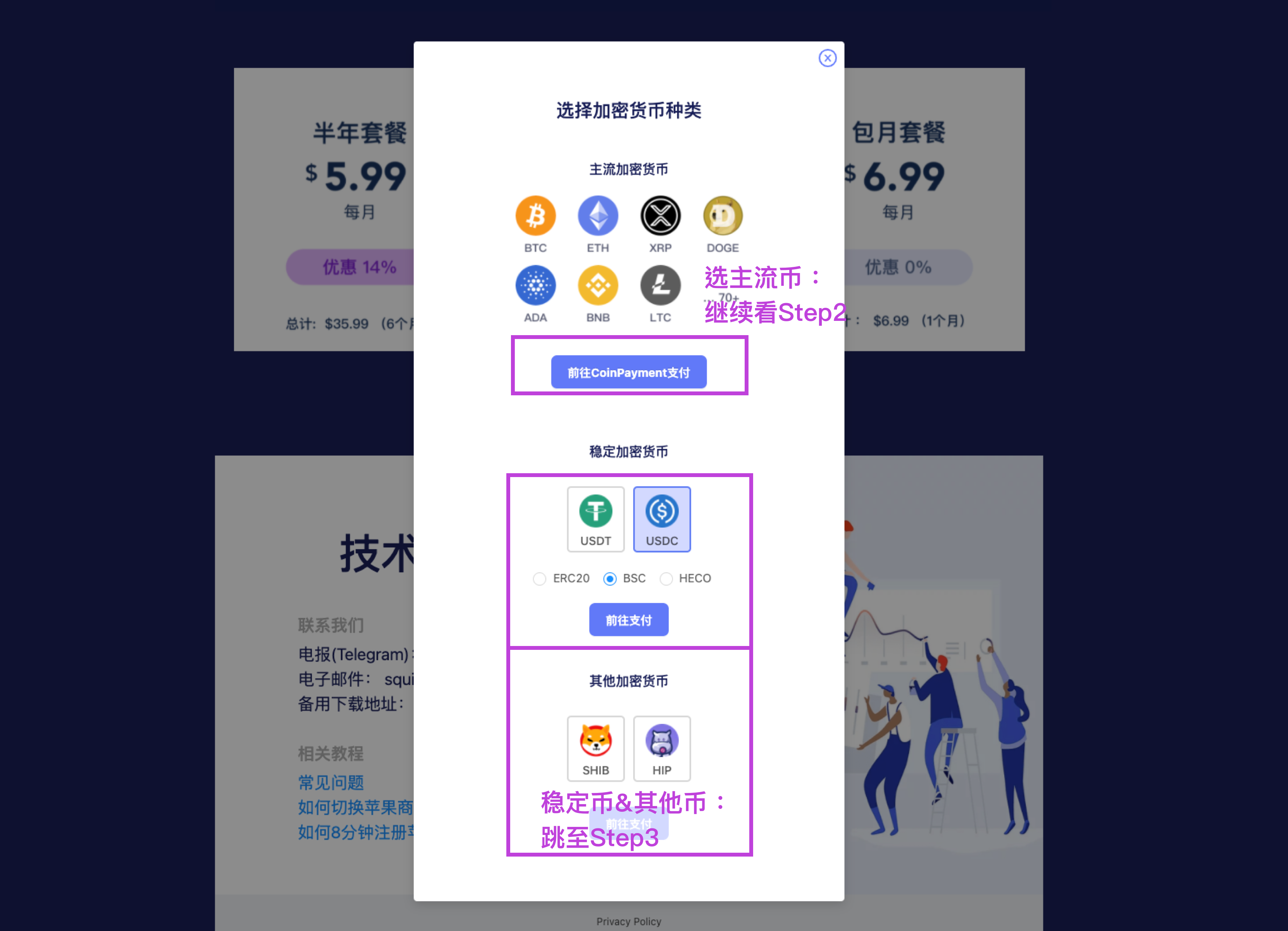
Squirrel supports 70+ cryptocurrencies, covering most mainstream options. Please select the one you wish to use for payment.
- Select the type of coin. Taking USDT as an example, there are ERC20 and Binance BSC chain options. BSC has lower fees, so we choose USDT.BEP20.
Note: You must select the correct chain! Please double-check when paying.
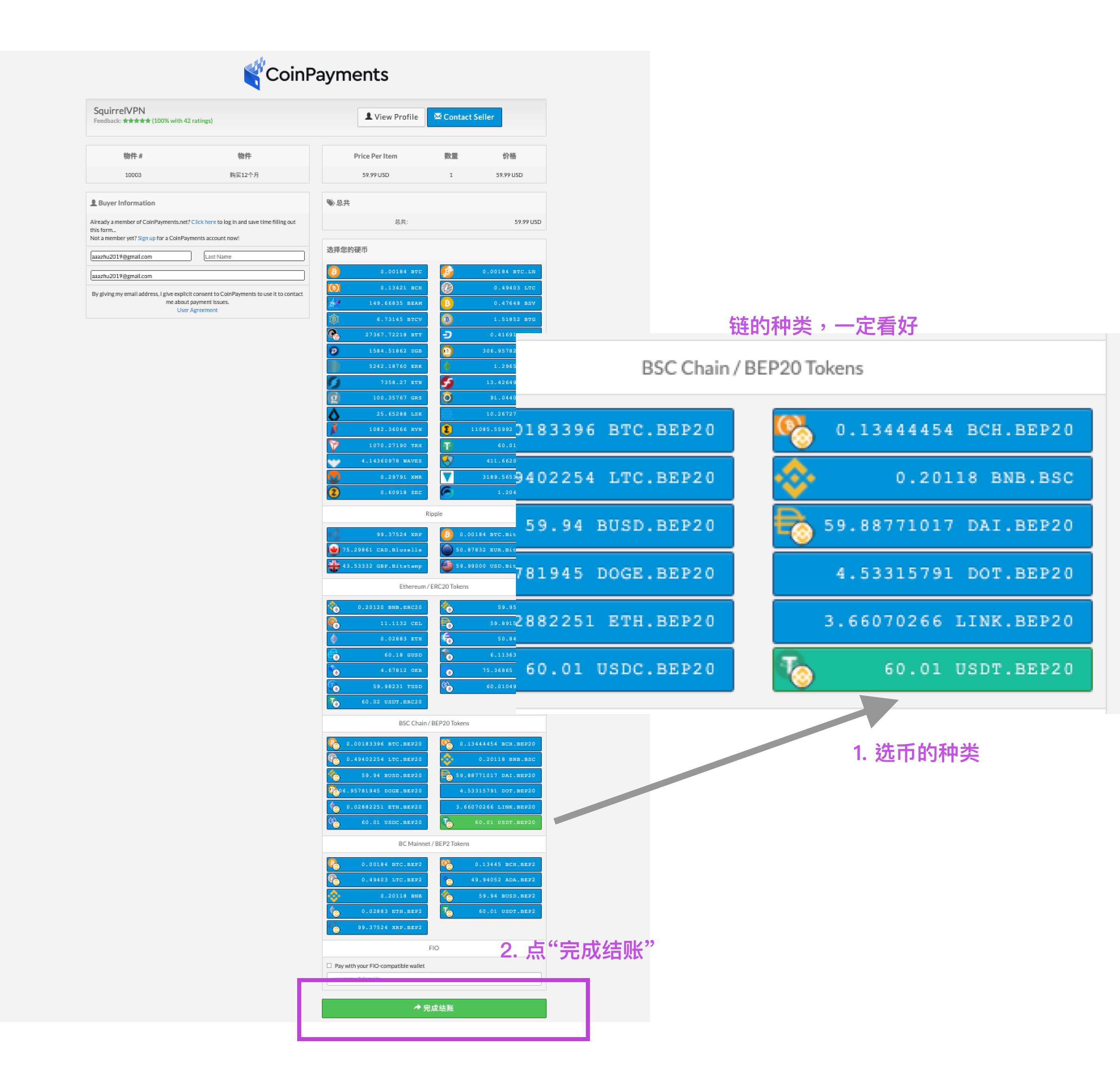
- Click "Click to complete checkout"
Step 3: Open the Cryptocurrency Payment Page
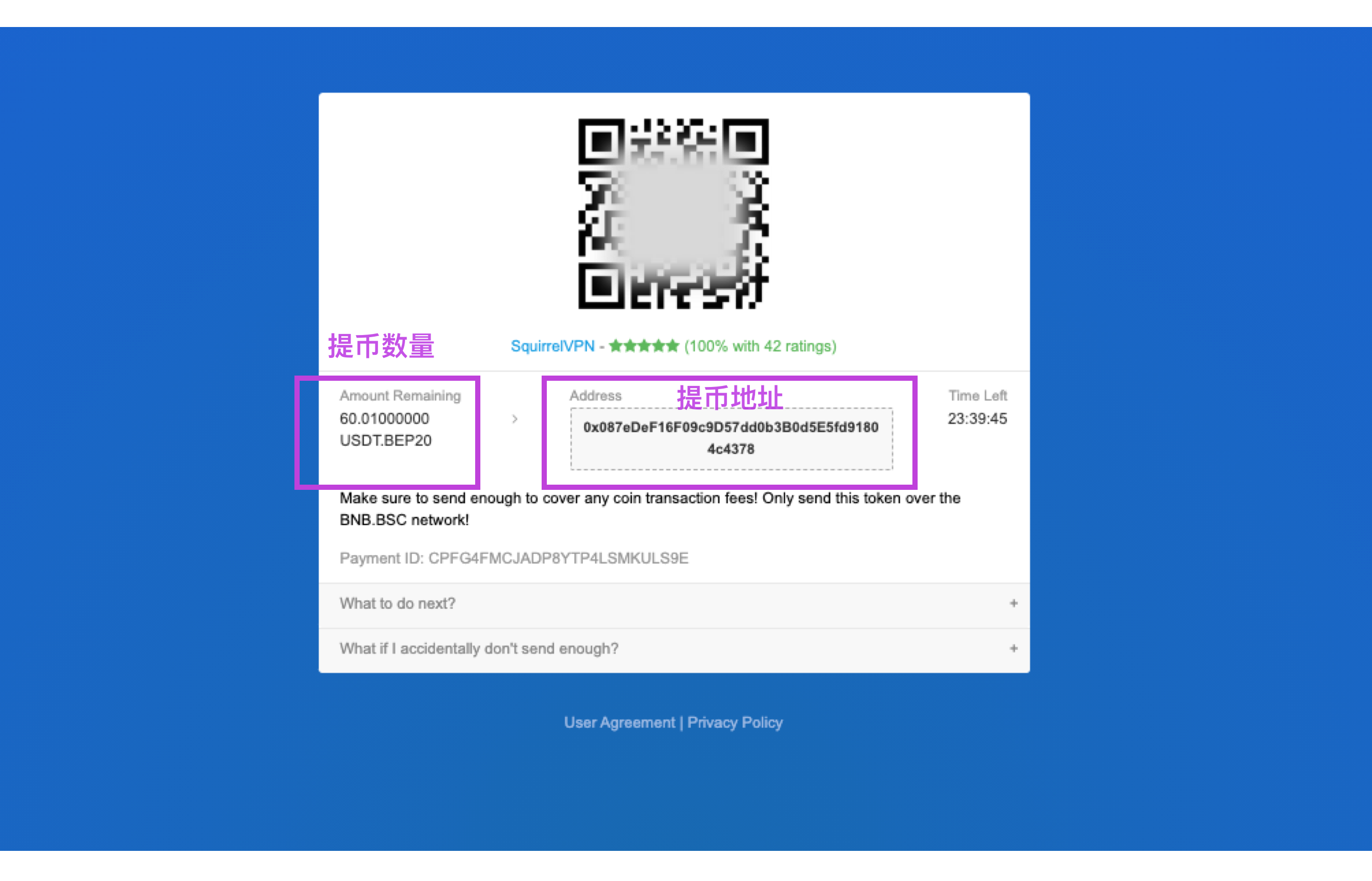
For stablecoins & other cryptocurrencies, you will see the payment page after clicking.
Note: Pay close attention to the chain! Please double-check when paying; both the coin type and the chain type must be correct.
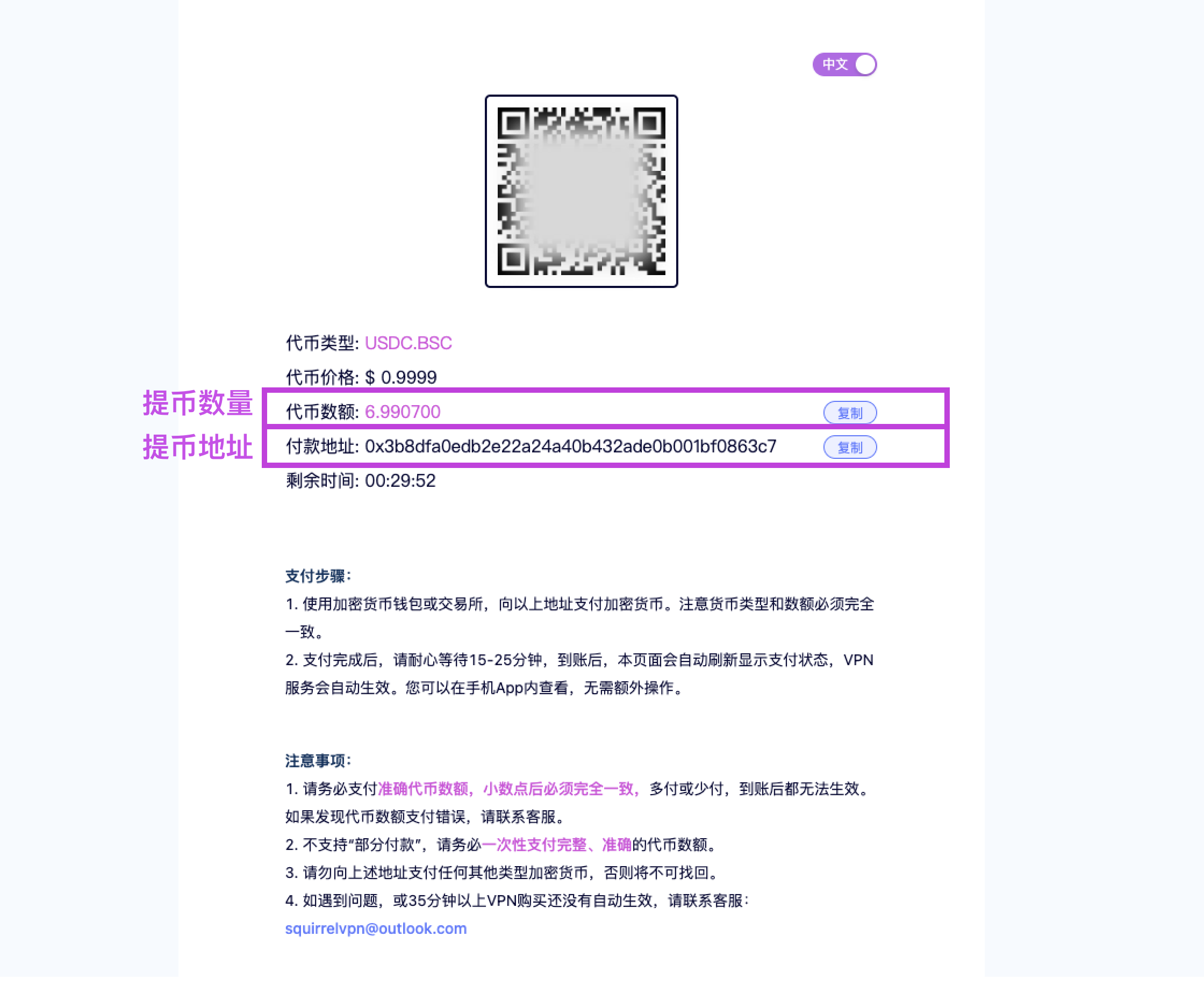
Step 4: Withdraw Cryptocurrency from Exchange
You now need to open your own exchange or cryptocurrency wallet and withdraw the corresponding amount of USDT to the address provided above. Taking Binance as an example:
(The following operations will be performed on your phone. US users need to connect to a VPN in another country and enable global mode. Download from the Squirrel VPN official website; new users get a 3-day free trial.)
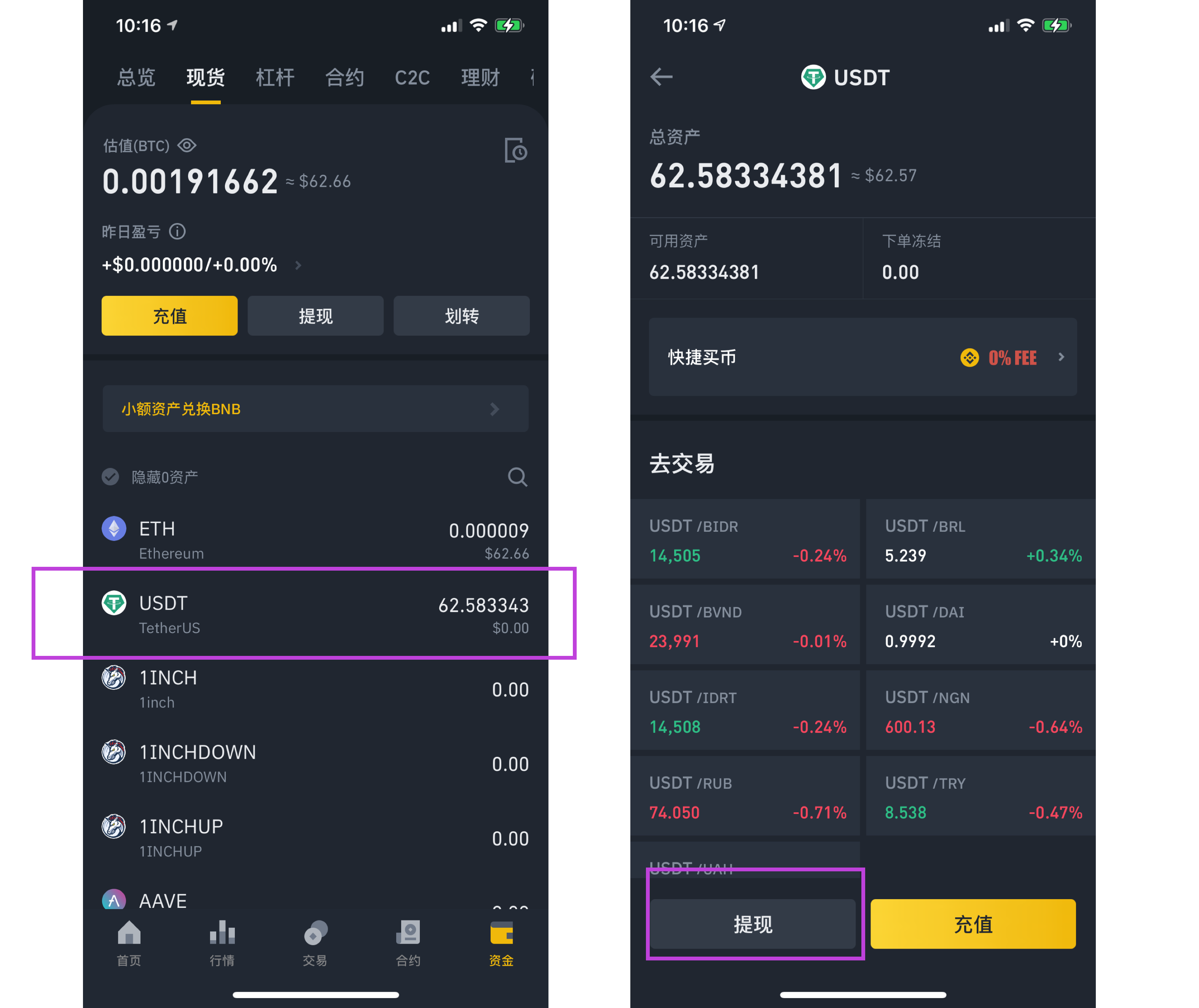
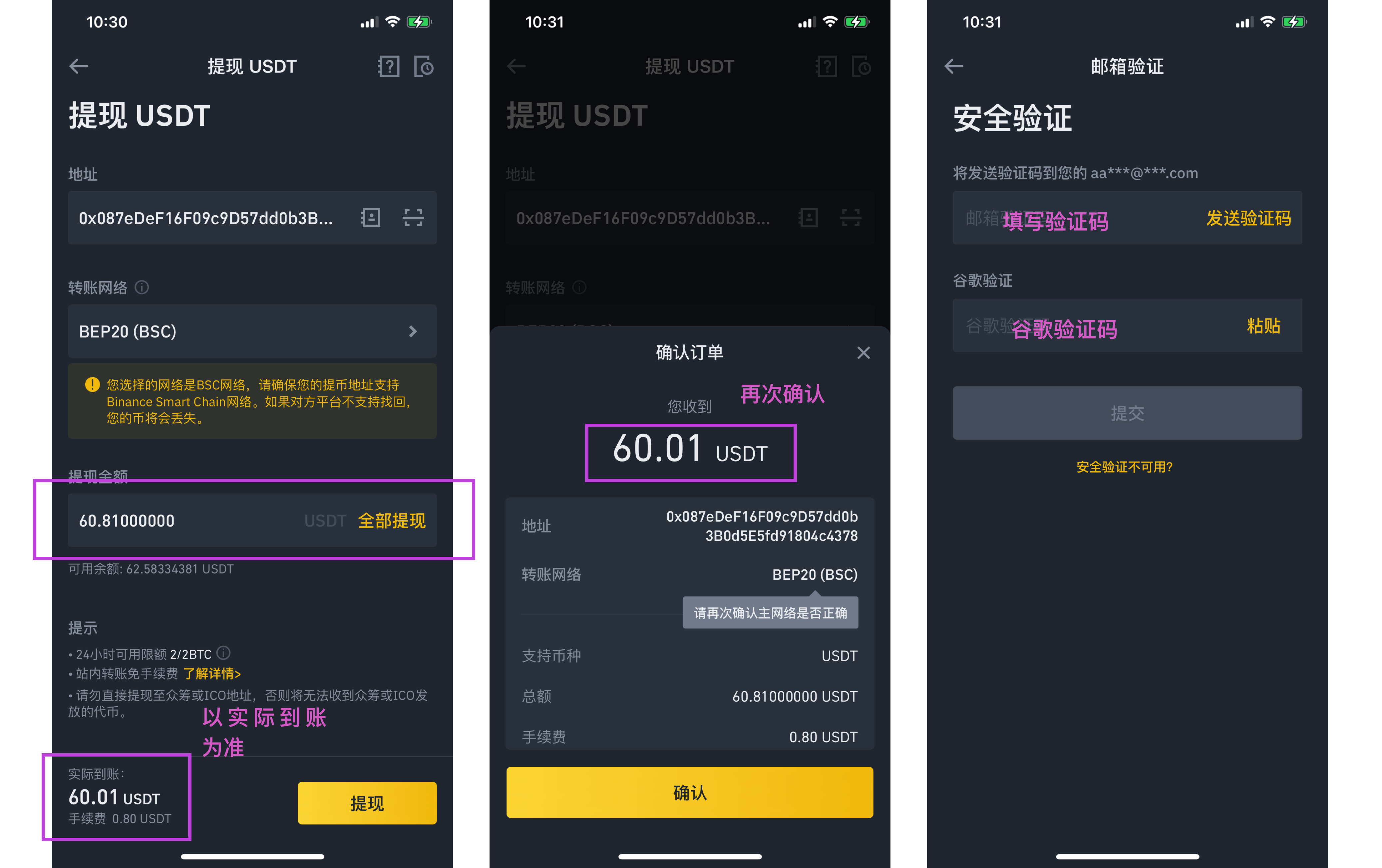
Open the Binance App, select "Funds > Spot > USDT > Withdraw". Using the USDT.BEP20 (BSC) example from Step 2:
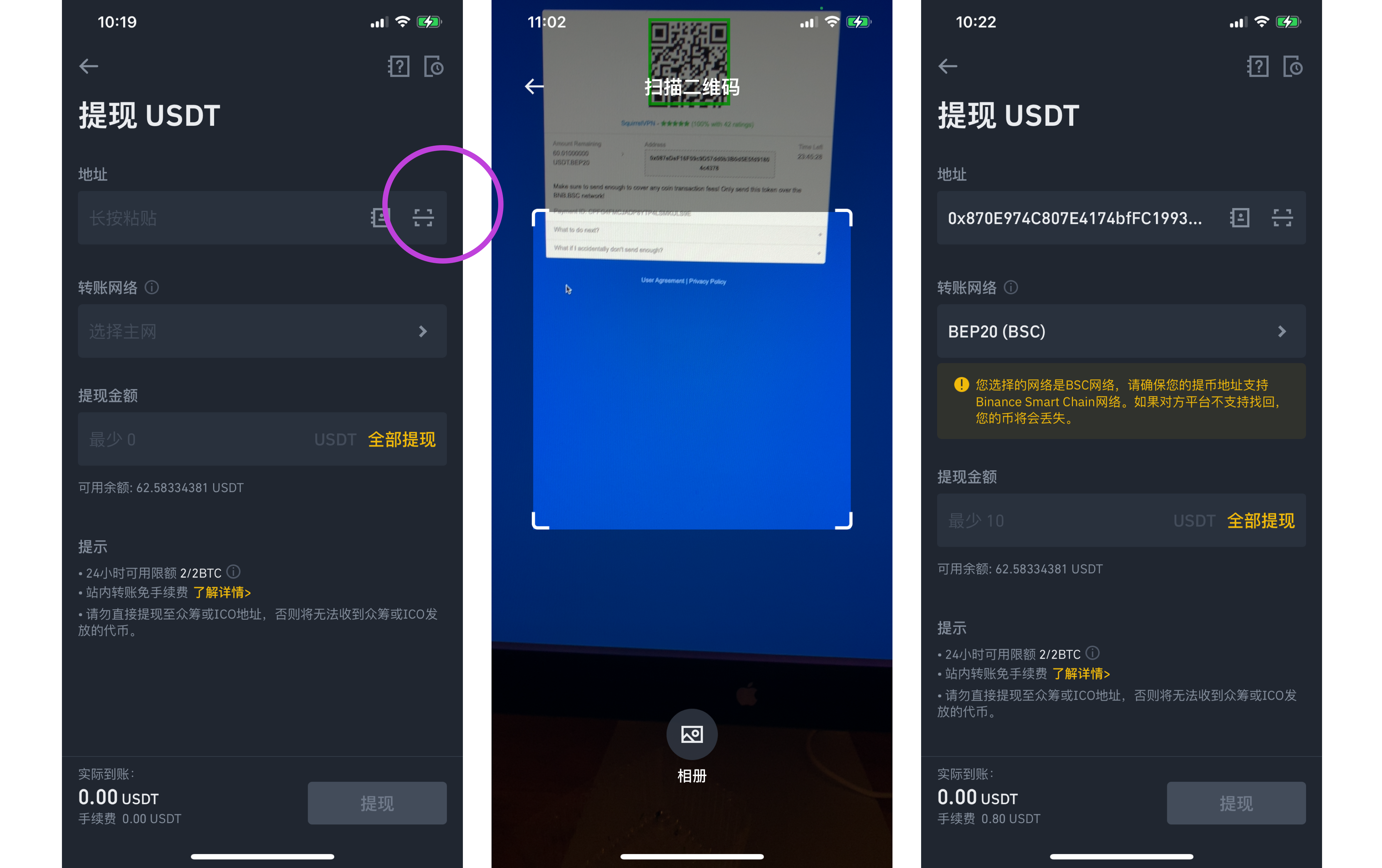
Payment Address: Open your camera to scan the "QR code" on the payment page, or paste the address.
Chain Selection: Open "Transfer Network" and select the corresponding blockchain type. There are usually ERC20, BSC, and HECO. Based on the information on the payment page, be sure to select the correct network.
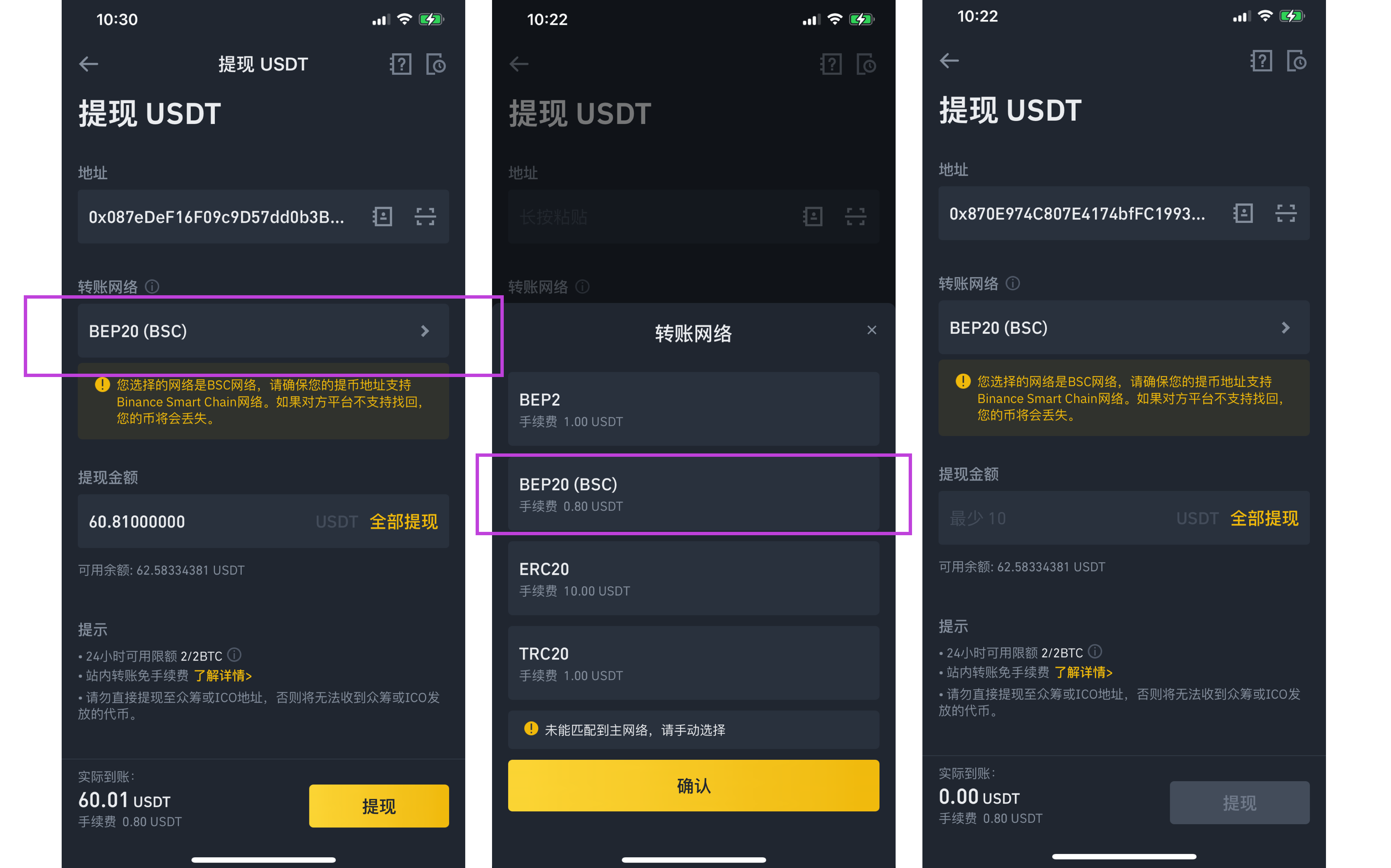
Payment Amount: Copy and paste the amount (token quantity). Ensure the actual amount received equals the amount shown on the merchant's payment page; it must be exactly the same.
Done!
Other Articles:
How to buy cryptocurrency with RMB Register a US Apple ID in 8 minutes Squirrel VPN FAQ
Squirrel Official Website Alternative Official Website (No VPN required)