[คู่มือ] Android TV: วิธีติดตั้งไฟล์ APK (ทดสอบแล้วว่าใช้งานได้จริงในปี 2021)
![[คู่มือ] Android TV: วิธีติดตั้งไฟล์ APK (ทดสอบแล้วว่าใช้งานได้จริงในปี 2021)](https://devcdn.pseo.one/694b8c5feb29738fb9516944/694b8c5fd1cc3dd4fcb00fe5/tutorial-android-tv-how-to-install-apk-files-tested-and-working-in-2021/cover-install-apk-on-android-TV.png)
【บทช่วยสอน】Android TV: วิธีการติดตั้งไฟล์ APK (ทดสอบแล้วใช้งานได้จริงในปี 2021)
เนื้อหาบทช่วยสอน:
2 นาที! ช่วยให้คุณติดตั้งไฟล์ APK ใดก็ได้ลงบนสมาร์ททีวีของคุณ (ทดสอบแล้วใช้งานได้จริงในเดือนพฤษภาคม 2021)
เนื่องจาก Android TV มีหลากหลายประเภทและร้านค้าแอปพลิเคชันก็แตกต่างกัน ทำให้แอปจำนวนมากไม่สามารถดาวน์โหลดได้โดยตรงจากสโตร์ คุณทราบหรือไม่? จริงๆ แล้วไฟล์ APK ทุกไฟล์สามารถส่งจากโทรศัพท์ (หรือแท็บเล็ต) ไปยังทีวีและติดตั้งได้โดยตรง
ตัวอย่างเช่น หาก Squirrel VPN เวอร์ชัน TV ไม่สามารถวางจำหน่ายในร้านค้าแอป Android ในประเทศได้ แล้วผู้ใช้งานในประเทศจะดาวน์โหลดและติดตั้งได้อย่างไร? Squirrel ได้จัดทำบทช่วยสอนที่เรียนรู้ง่ายไว้ให้แล้ว บทช่วยสอนนี้เรียบง่ายและมีประสิทธิภาพ โปรดอ่านขั้นตอนอย่างละเอียดและปฏิบัติตาม แล้วคุณจะทำสำเร็จแน่นอน มาเริ่มกันเลย!
Step 0: หลักการพื้นฐาน
- ดาวน์โหลดไฟล์ APK ลงในโทรศัพท์มือถือหรือแท็บเล็ต
- ส่งไปยังทีวี เปิดไฟล์บนทีวีแล้วทำการติดตั้ง
หากต้องการดาวน์โหลด Squirrel Android TV เวอร์ชัน สามารถไปที่เว็บไซต์ทางการของ Squirrel VPN
Step 1: การเตรียมตัว
โทรศัพท์และทีวีจำเป็นต้องดาวน์โหลดแอป "Send files to TV" ไว้ทั้งคู่:
เว็บไซต์ทางการของ Send files to TV แอปนี้ฟรีทั้งหมด สะดวกและรวดเร็ว ขอแนะนำให้ใช้ ลิงก์ Google Play
สมาร์ททีวี (TV) ในฐานะอุปกรณ์รับสัญญาณ ก็ต้องดาวน์โหลดแอปนี้เช่นกัน โดยค้นหาคำว่า "send files to TV" ในร้านค้าแอปบน Android TV
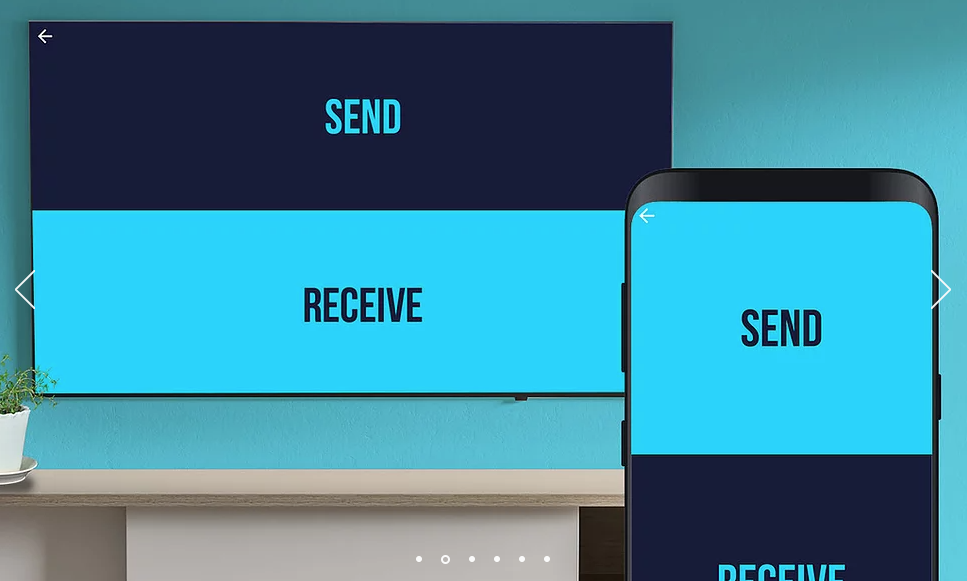
หลังจากดาวน์โหลดแล้ว ให้เปิดแอปนี้ทั้งบนโทรศัพท์และทีวีพร้อมกัน แล้วทำตามคำแนะนำเพื่อจับคู่อุปกรณ์
Step 2: บนโทรศัพท์ (แท็บเล็ต): ส่งไฟล์
บนโทรศัพท์หรือแท็บเล็ต ให้เปิดแอปที่ดาวน์โหลดไว้ แล้วเลือก "Send"
เลือกไฟล์ โดยปกติจะอยู่ในโฟลเดอร์ "Download" ให้เลือกไฟล์ Squirrel APK ที่เพิ่งดาวน์โหลดมา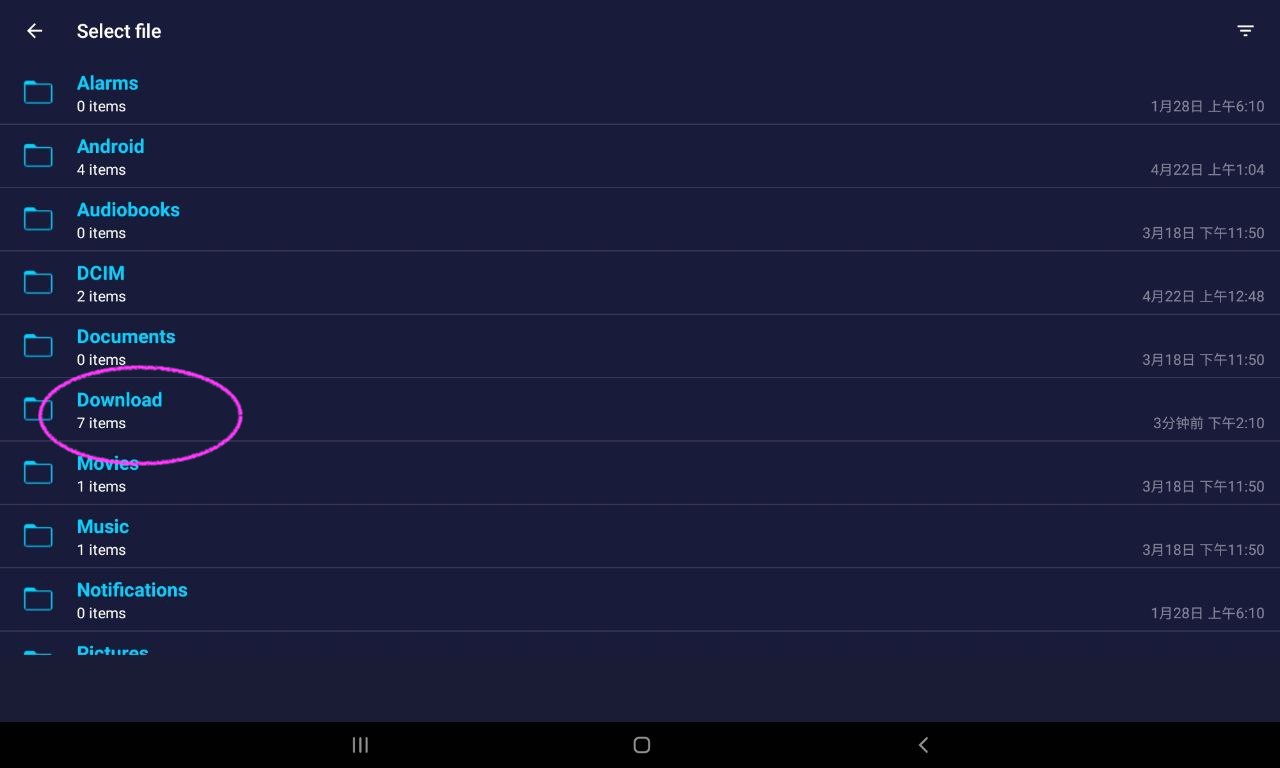
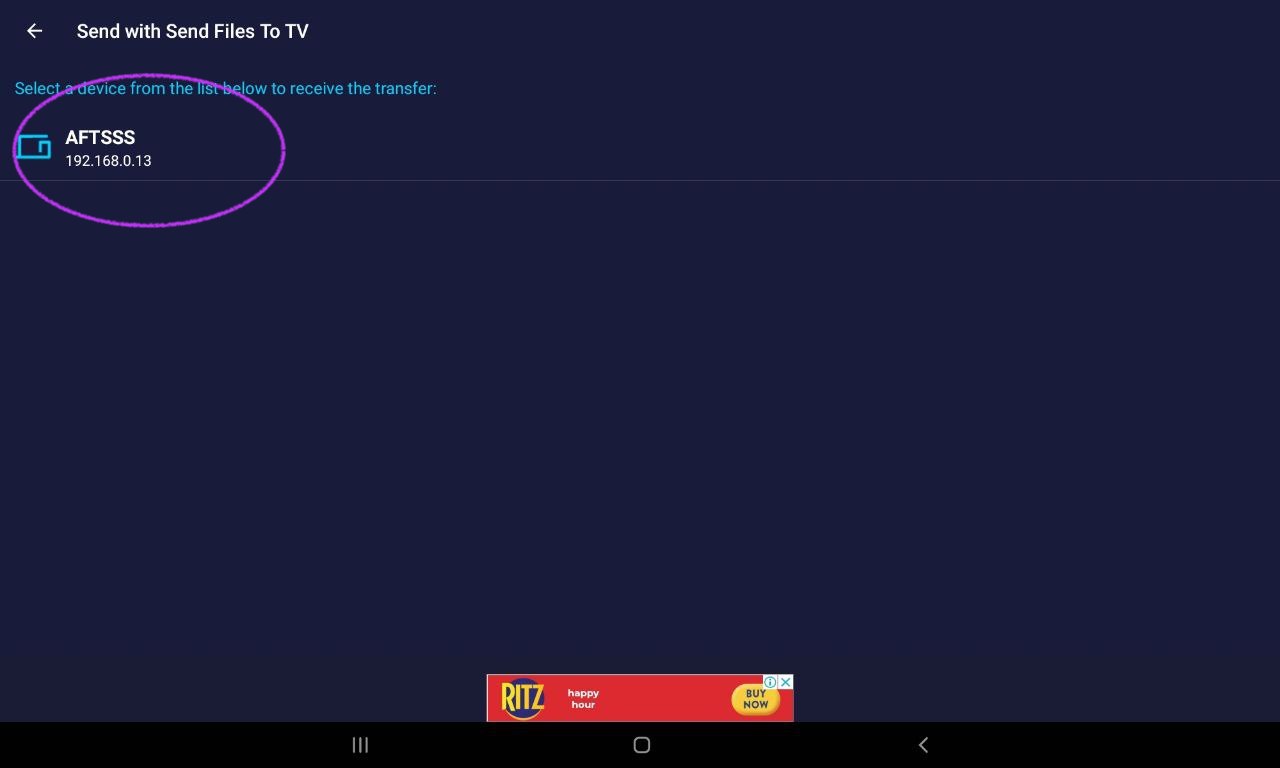
เมื่อทีวีจับคู่สำเร็จแล้ว คุณจะพบชื่อทีวี ให้คลิกเพื่อส่งไฟล์
Step 3: บนทีวี: รับไฟล์
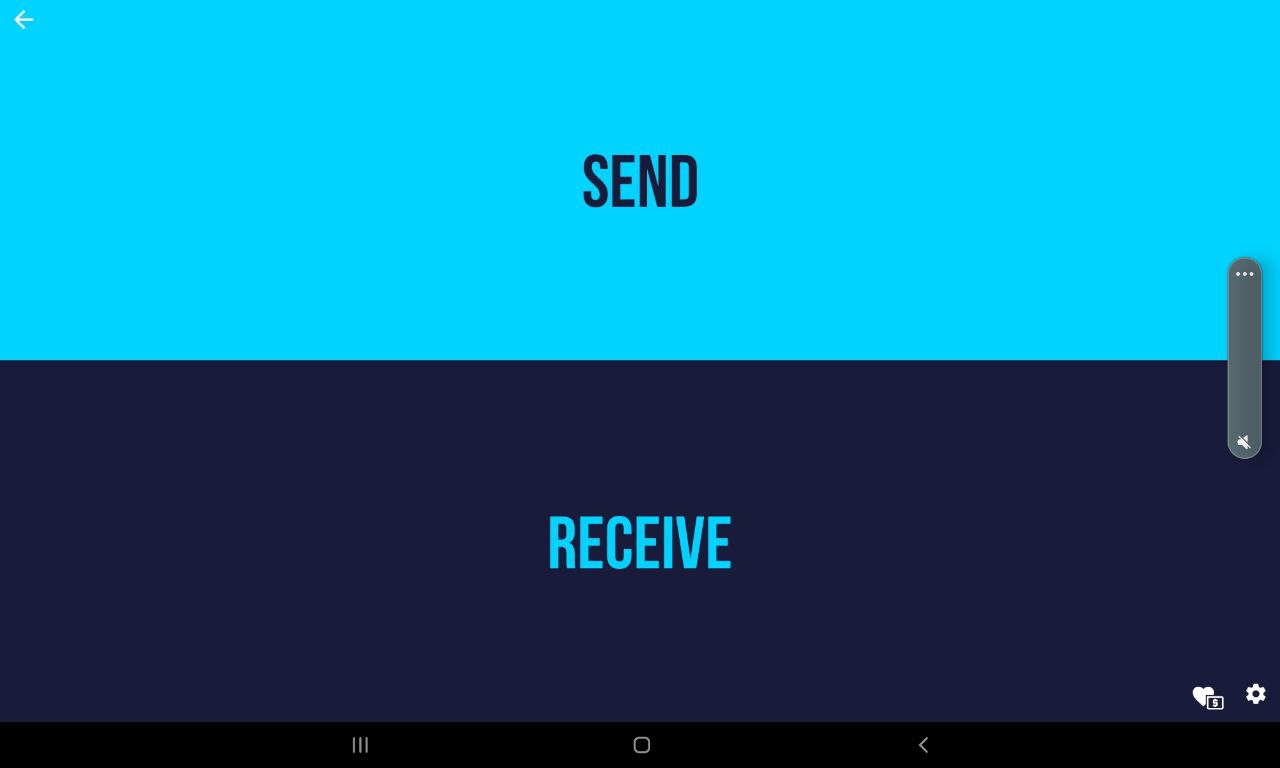
บนทีวี ให้เปิดแอปที่ดาวน์โหลดไว้ แล้วเลือก "Receive":
เลือก "Receive":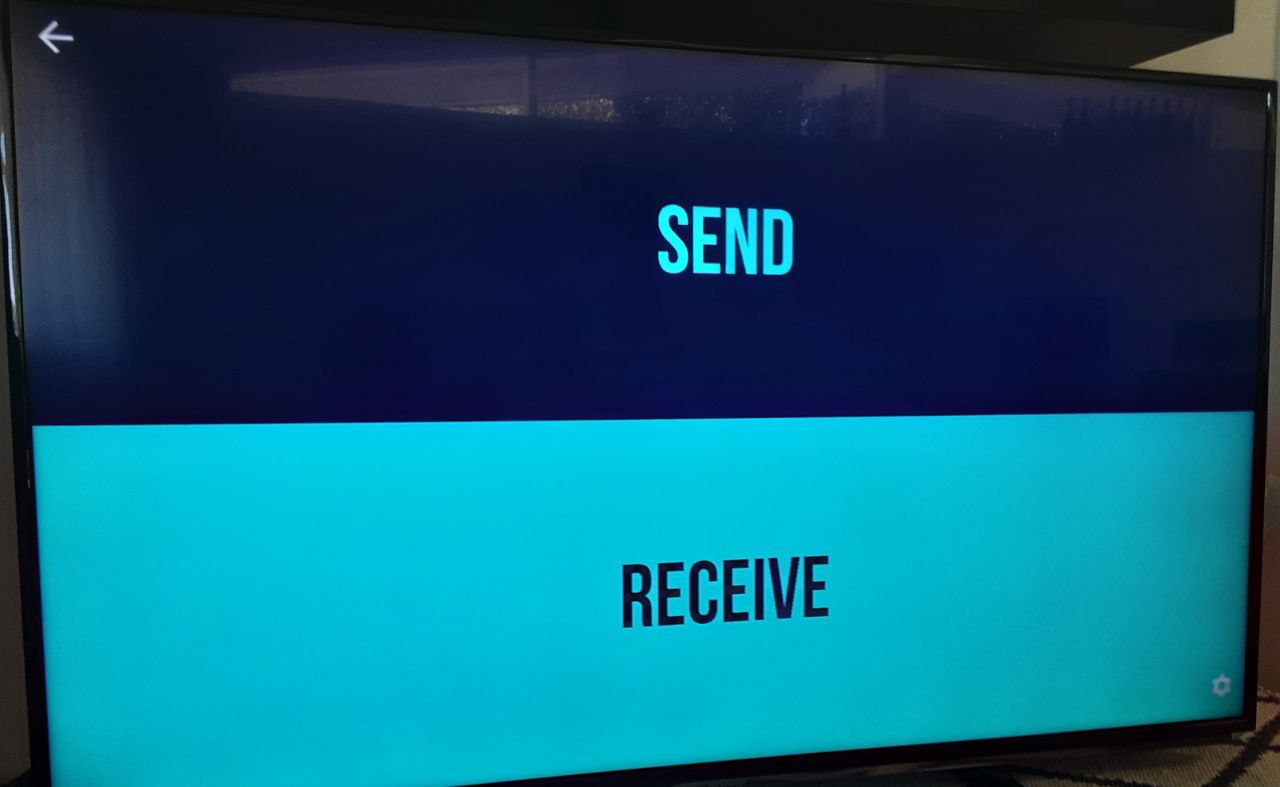
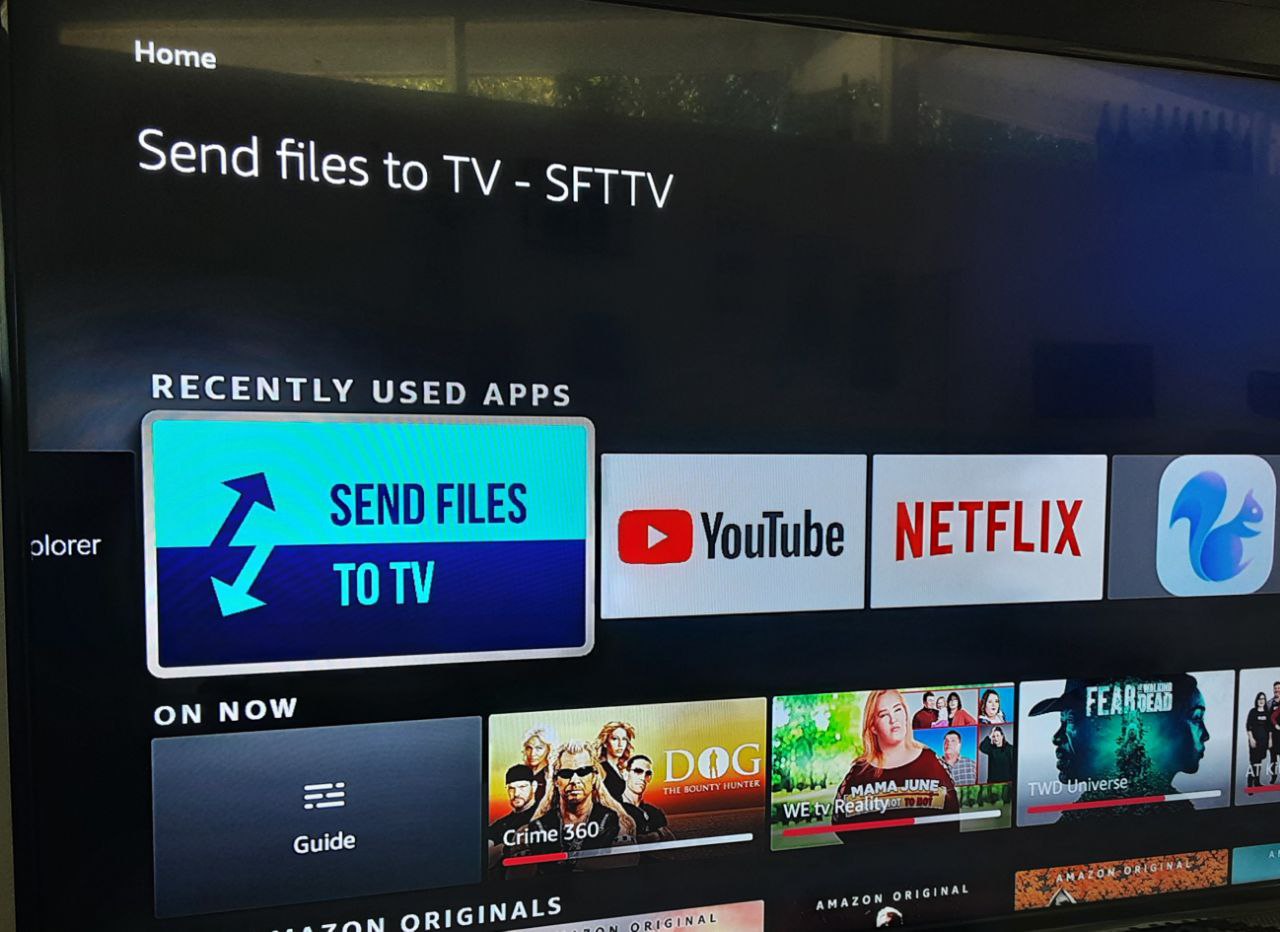
รับไฟล์
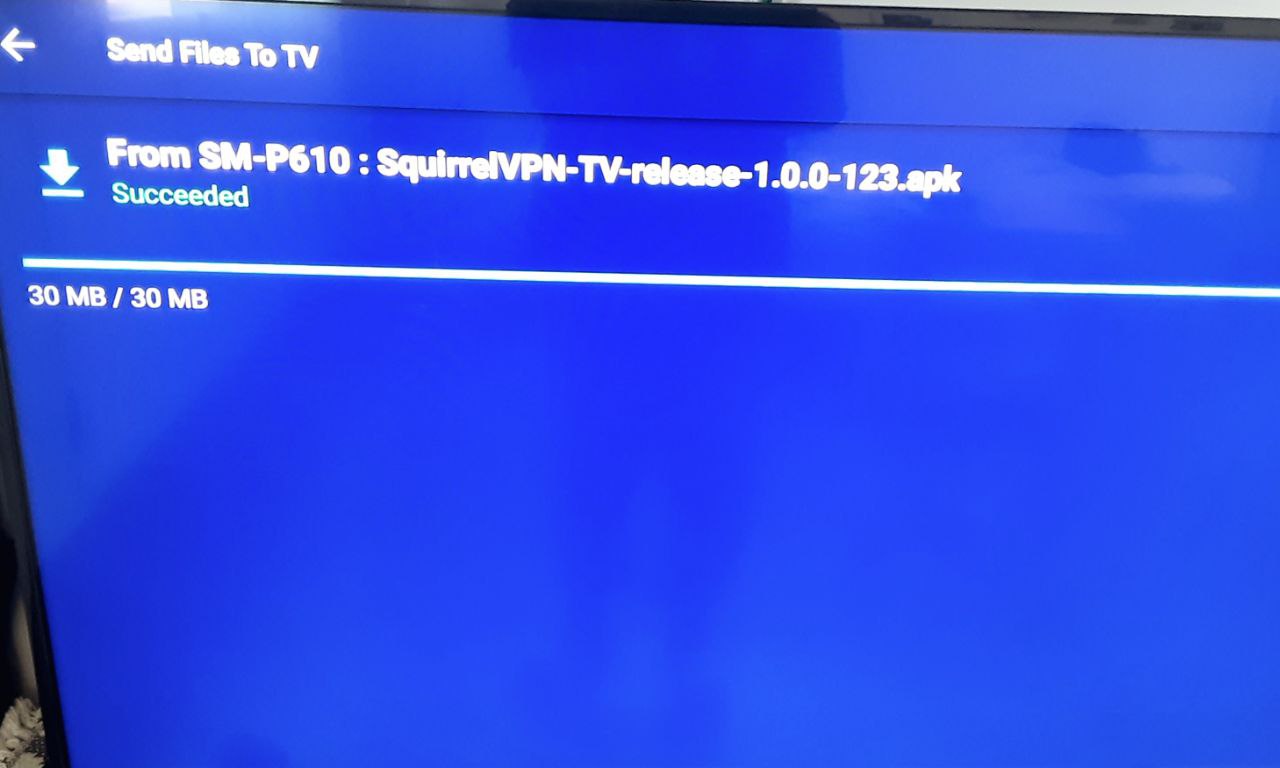
Step 4: ติดตั้งไฟล์ APK
ในตอนนี้ ไฟล์ APK ได้ถูกส่งไปยังทีวีเรียบร้อยแล้ว เราจำเป็นต้องใช้โปรแกรมจัดการไฟล์ (File Browser) เพื่อค้นหาไฟล์นั้น
บทช่วยสอนนี้ใช้ Fire TV และใช้ File Explorer ในการจัดการไฟล์ คุณสามารถเลือกใช้โปรแกรมจัดการไฟล์ใดก็ได้ตามรุ่นทีวีของคุณ (เปิดร้านค้าแอปแล้วค้นหาคำว่า "File Browser" หรือ "ตัวจัดการไฟล์")
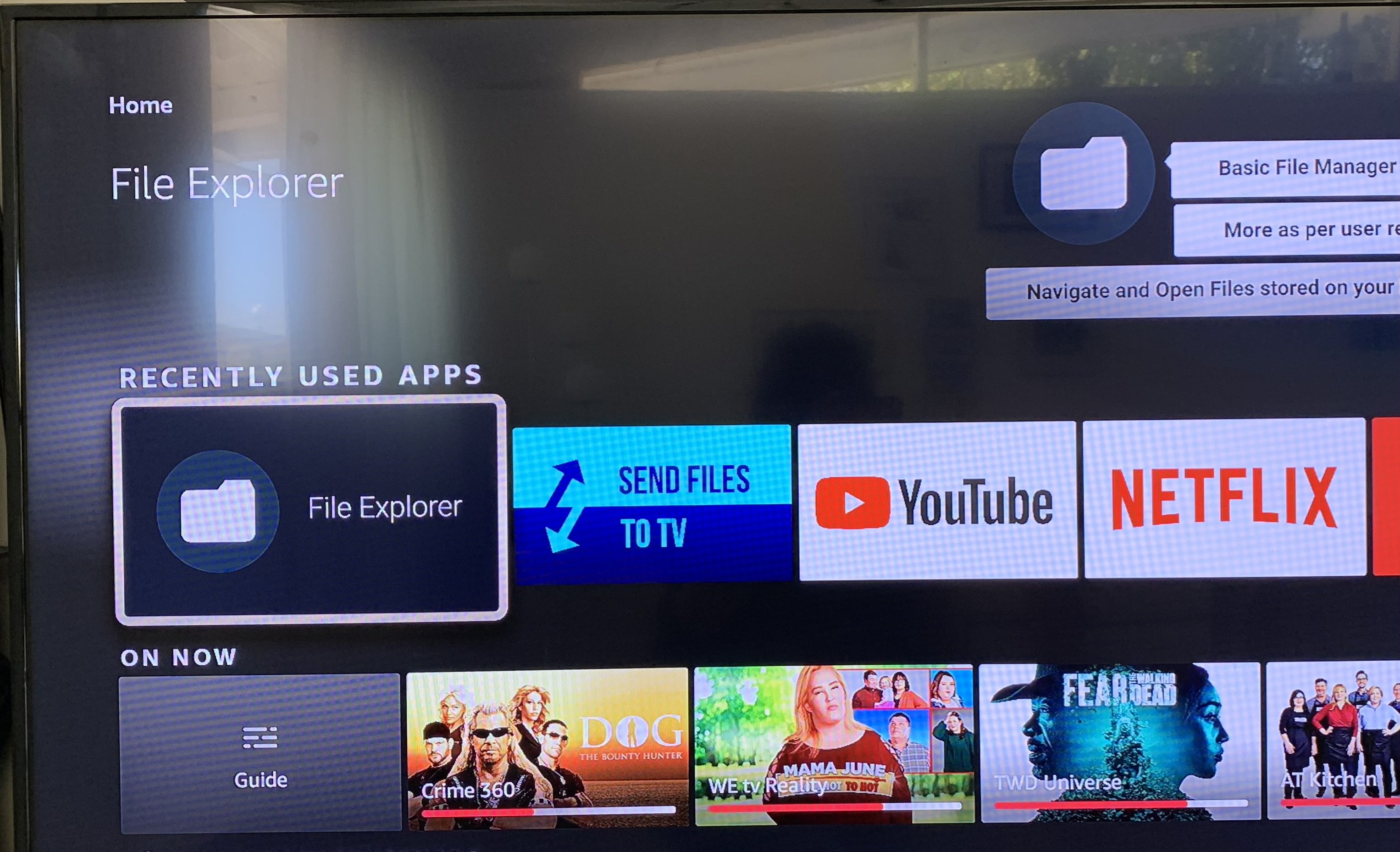
โดยปกติไฟล์ APK จะอยู่ในโฟลเดอร์ "Download":
ค้นหาไฟล์ที่ต้องการติดตั้ง: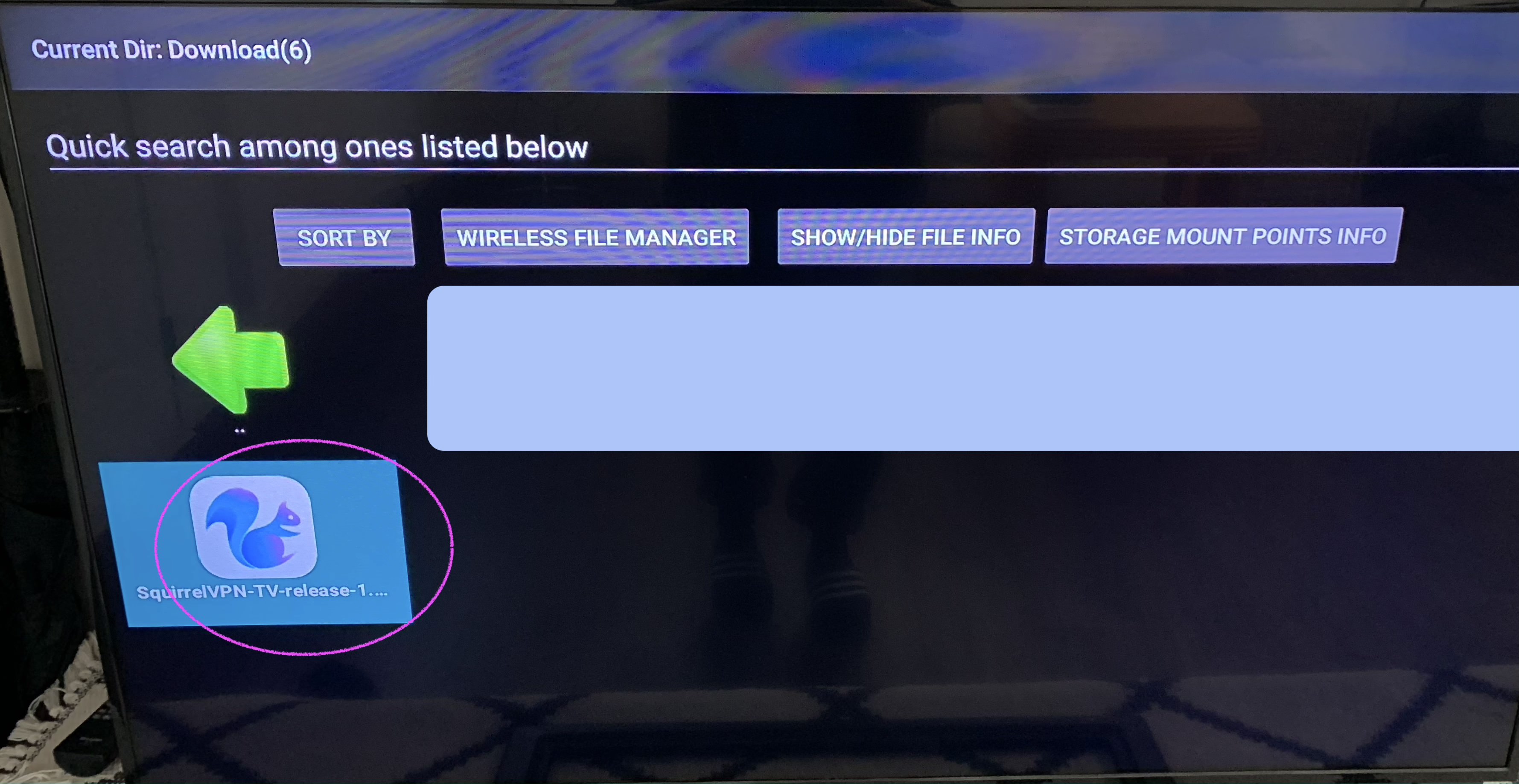
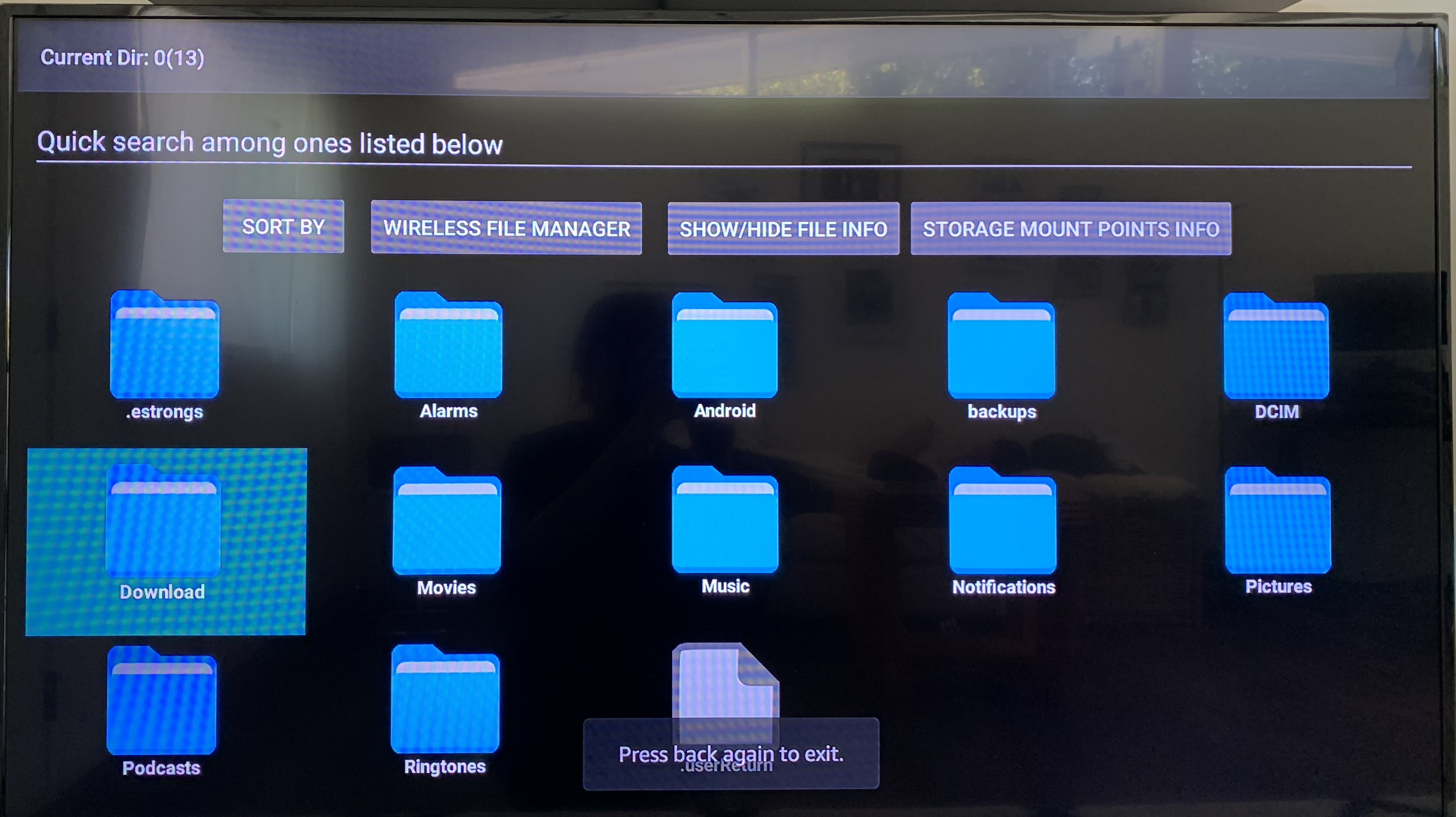
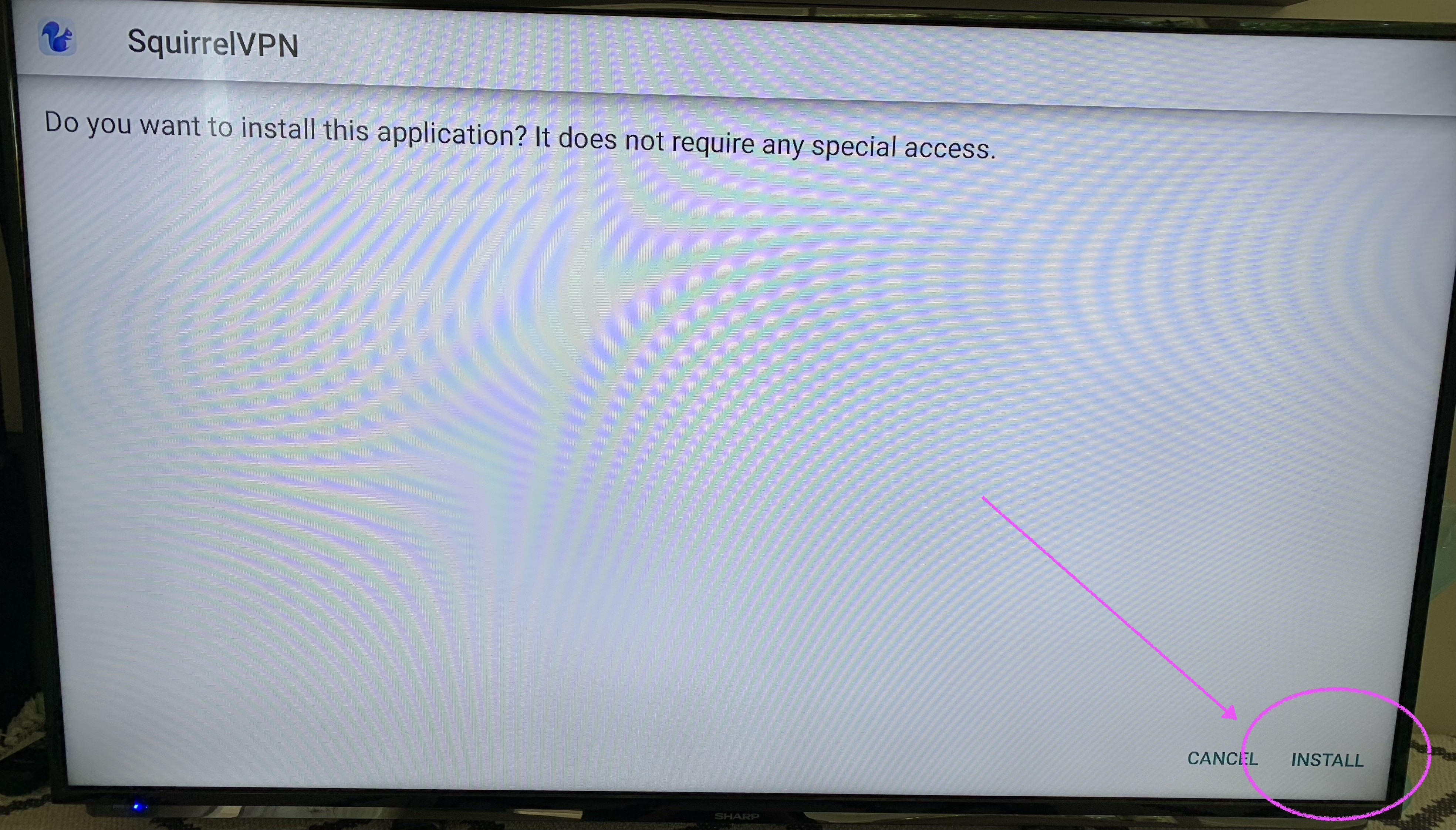
ติดตั้งแพ็กเกจไฟล์ APK คลิก "Install" เพื่อดำเนินการติดตั้งให้เสร็จสิ้น
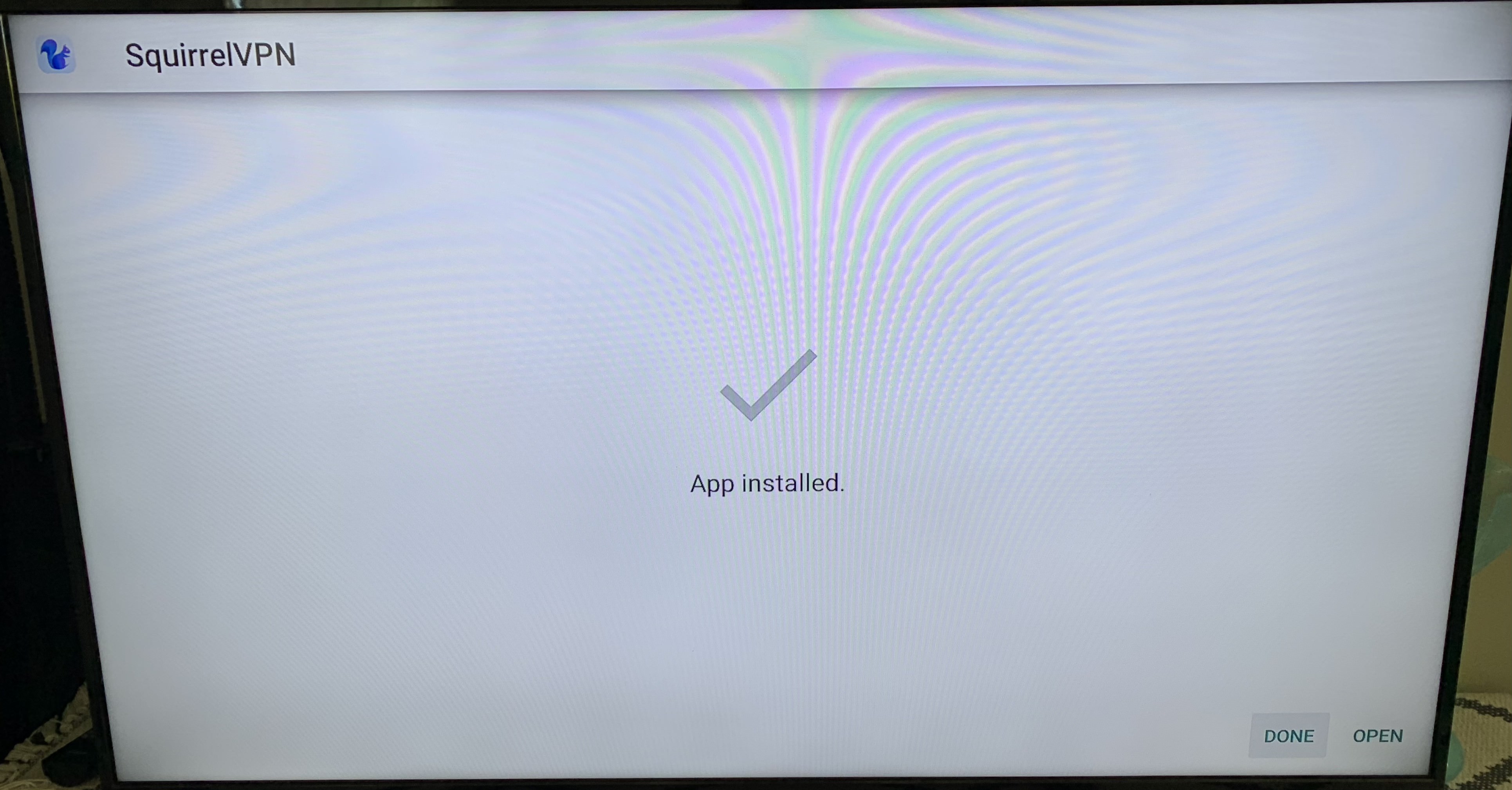
ติดตั้งเสร็จเรียบร้อย! คุณสามารถเห็นแอปใหม่ได้ที่หน้าหลัก (Home) แล้ว!
บทความอื่นๆ:
ลงทะเบียน Apple ID ของสหรัฐอเมริกาใน 8 นาที - 2022 สลับ Apple Store ใน 1 นาที คำถามที่พบบ่อยเกี่ยวกับ Squirrel VPN