[Handleiding] Android TV: Hoe installeer je APK-bestanden (getest in 2021)
![[Handleiding] Android TV: Hoe installeer je APK-bestanden (getest in 2021)](https://devcdn.pseo.one/694b8c5feb29738fb9516944/694b8c5fd1cc3dd4fcb00fe5/tutorial-android-tv-how-to-install-apk-files-tested-and-working-in-2021/cover-install-apk-on-android-TV.png)
[Handleiding] Android TV: Hoe installeer je APK-bestanden (Getest en werkend in 2021)
Inhoud van de handleiding:
Binnen 2 minuten! Installeer elk gewenst APK-bestand op je smart-tv. (Getest en werkend in mei 2021.)
Omdat er een grote verscheidenheid aan Android TV's is en de app-winkels per model verschillen, kunnen veel apps niet direct vanuit de winkel worden gedownload. Wist je dat? Eigenlijk kan elk APK-bestand vanaf een telefoon (of tablet) naar de tv worden verzonden en direct worden geïnstalleerd.
Bijvoorbeeld: de TV-versie van Squirrel VPN is niet beschikbaar in de lokale Android-appwinkels. Hoe kunnen gebruikers in China deze dan downloaden en installeren? Squirrel heeft een eenvoudige en makkelijk te leren handleiding opgesteld. Deze handleiding is simpel en effectief. Lees de stappen zorgvuldig door en volg ze nauwkeurig op; het zal zeker lukken. Laten we aan de slag gaan!
Stap 0: Basisprincipe
- Download het APK-bestand naar je telefoon of tablet.
- Verstuur het naar de tv, open het daar en installeer het.
Download de Android TV-versie van Squirrel via de officiële website van Squirrel VPN.
Stap 1: Voorbereiding
Zowel op je telefoon als op je tv moet de app "Send files to TV" worden geïnstalleerd:
Officiële website van Send files to TV Deze app is volledig gratis, handig en snel; aanbevolen. Google Play-link.
De smart-tv fungeert als ontvangende partij en moet deze app ook downloaden. Zoek in de Android TV-winkel naar "send files to TV" om de app te vinden.
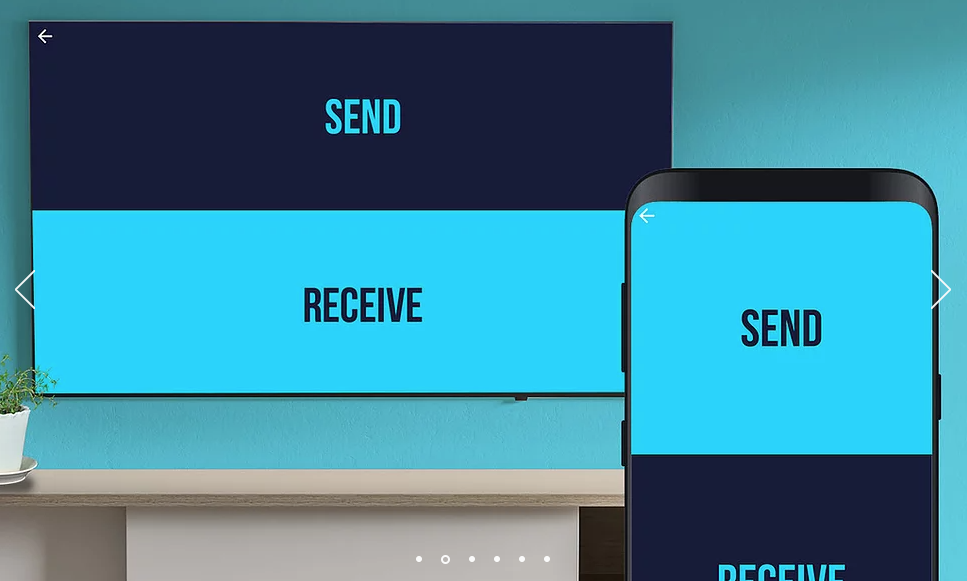
Open na het downloaden de app op zowel je telefoon als je tv en volg de instructies om de koppeling te voltooien.
Stap 2: Op de telefoon (of tablet): Bestanden verzenden
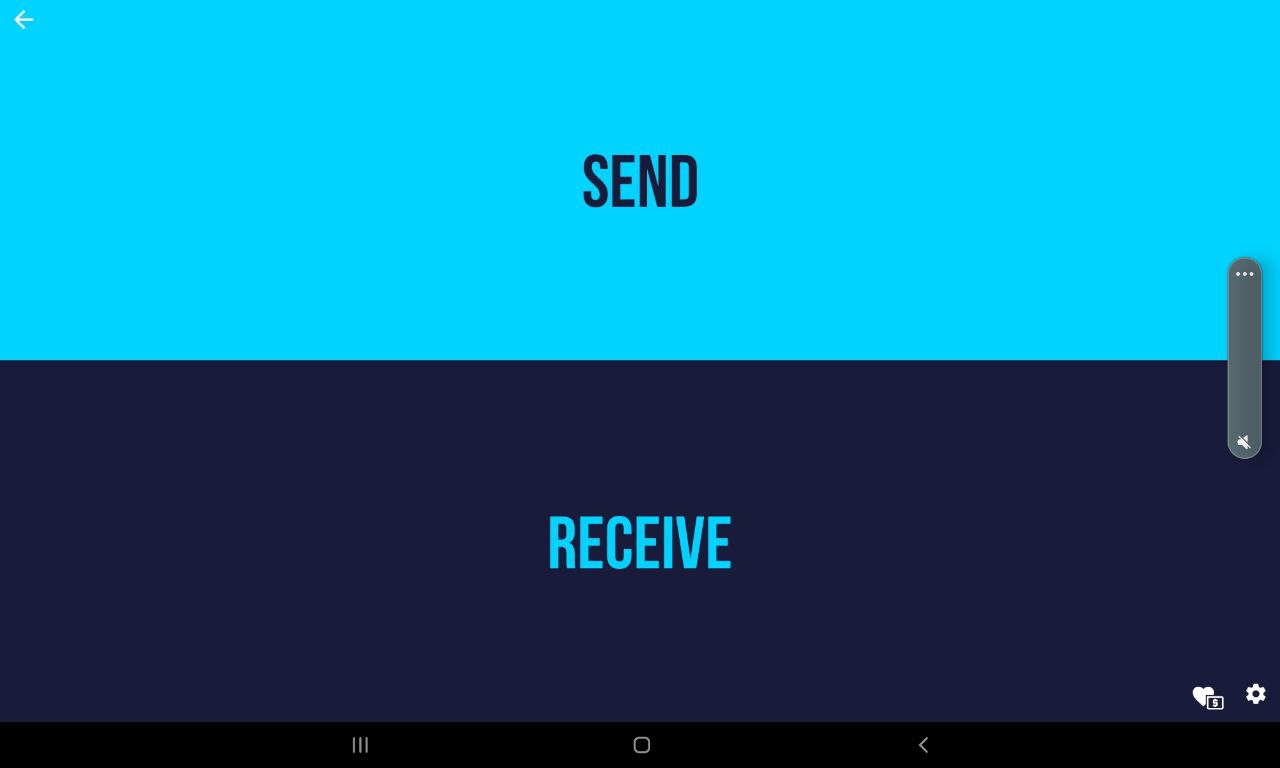
Open de gedownloade app op je telefoon of tablet en kies "Send".
Selecteer het bestand, meestal in de map "Download", en kies het zojuist gedownloade Squirrel APK-bestand.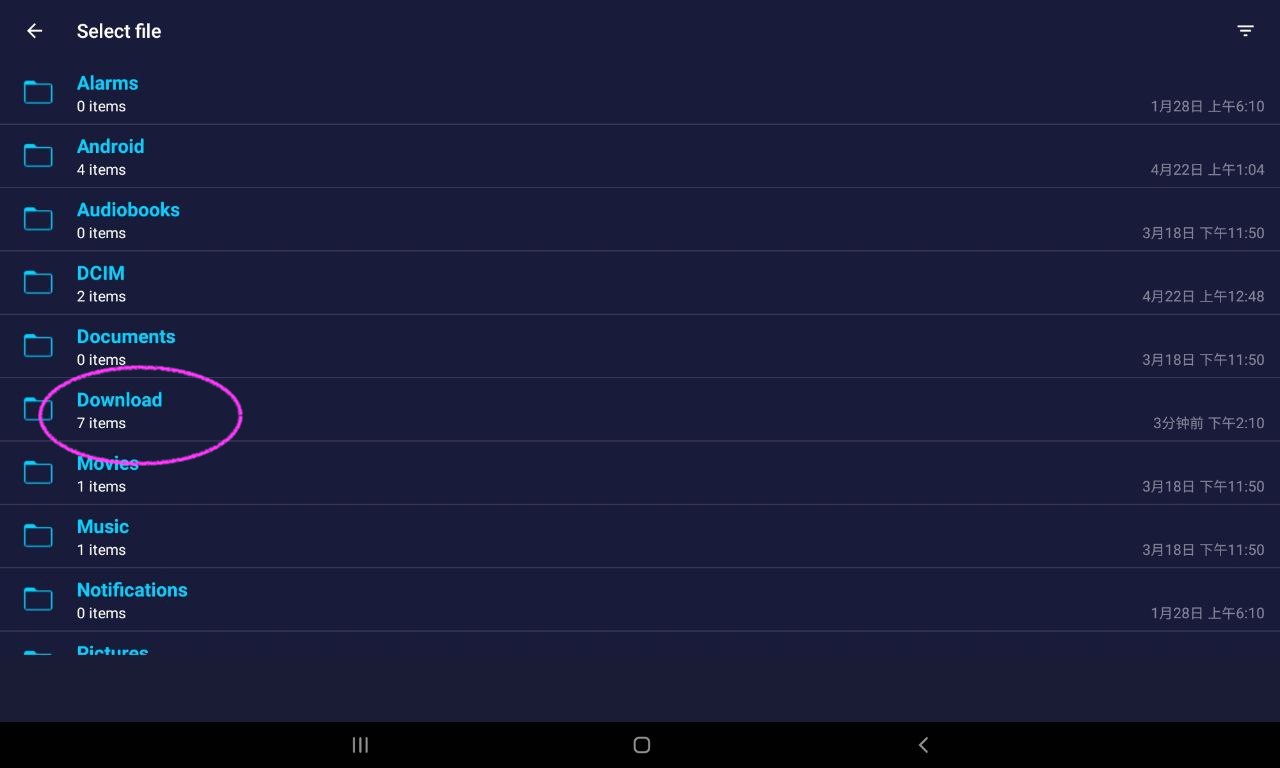
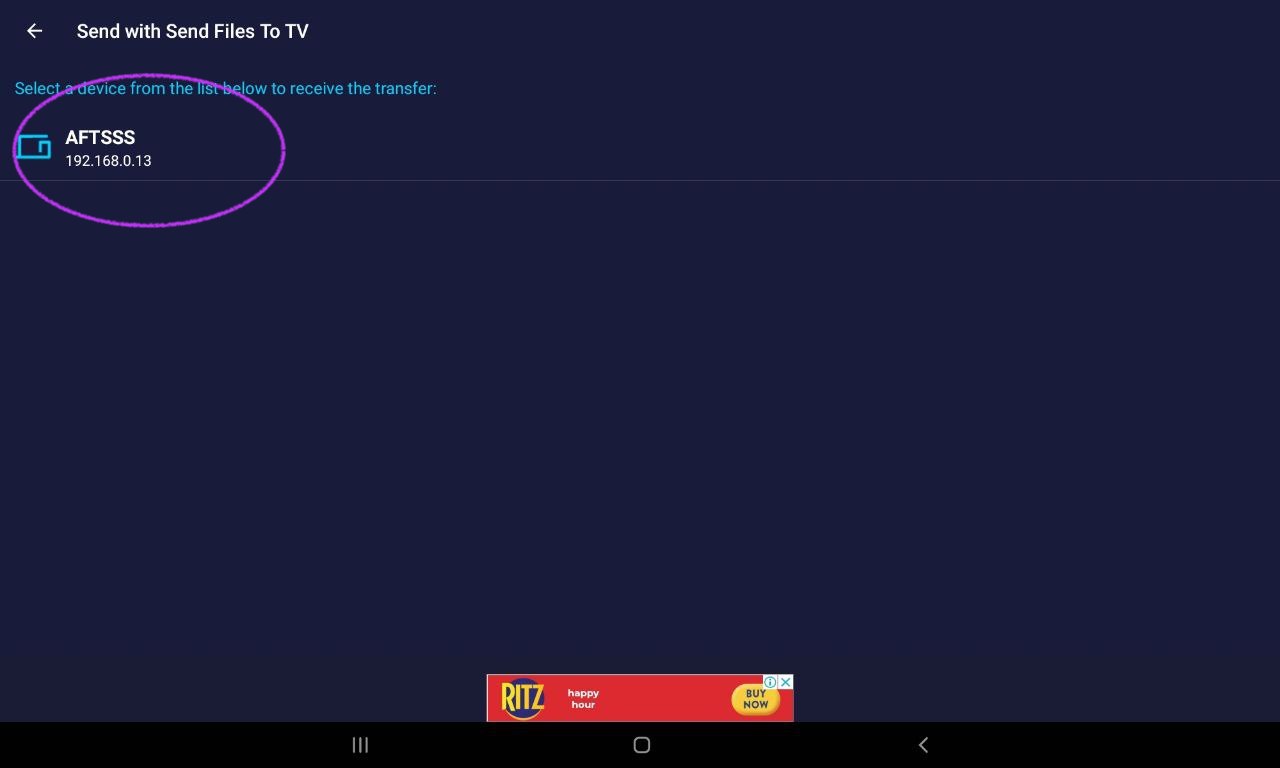
Zodra de tv is gekoppeld, kun je deze selecteren en op verzenden klikken.
Stap 3: Op de tv: Bestanden ontvangen
Open de gedownloade app op de tv en kies "Receive":
Kies "Receive":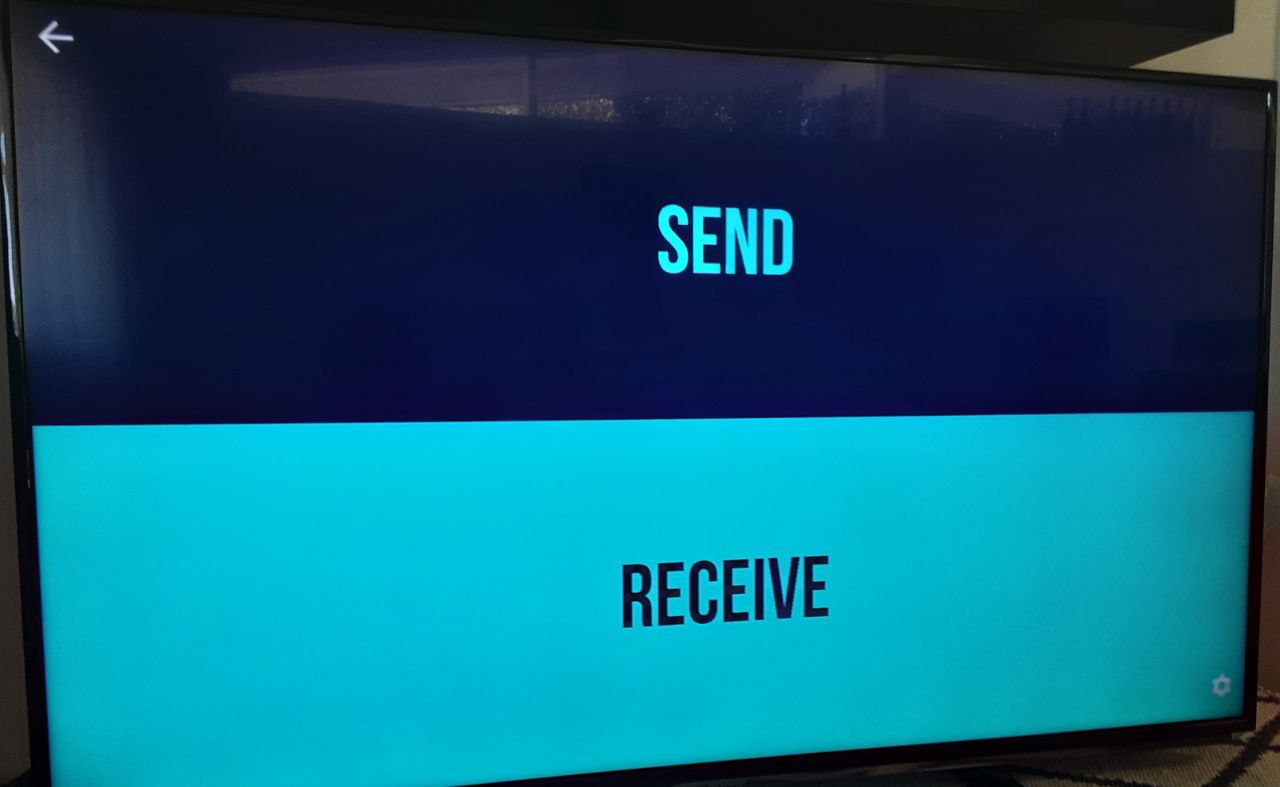
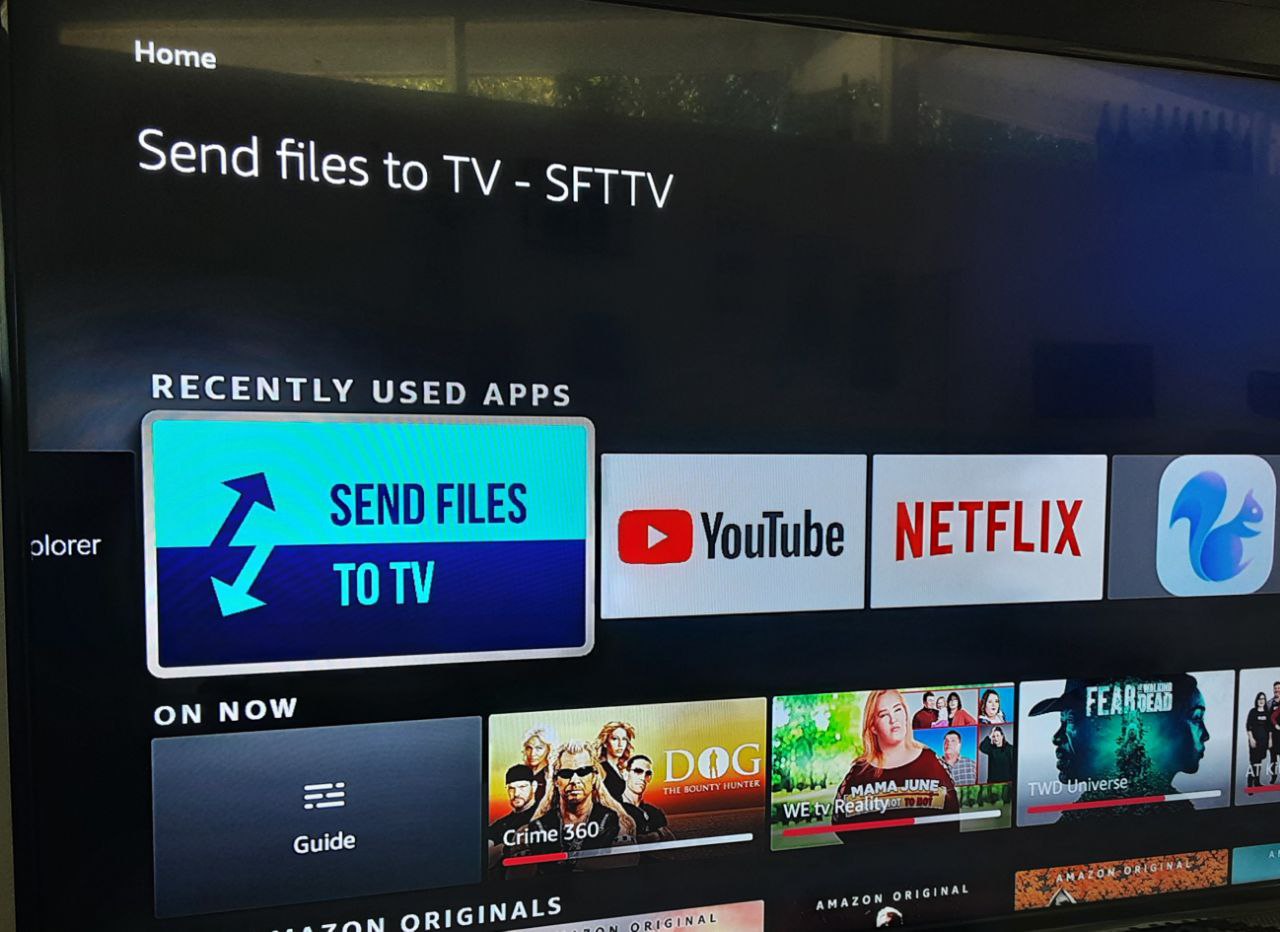
Ontvang het bestand.
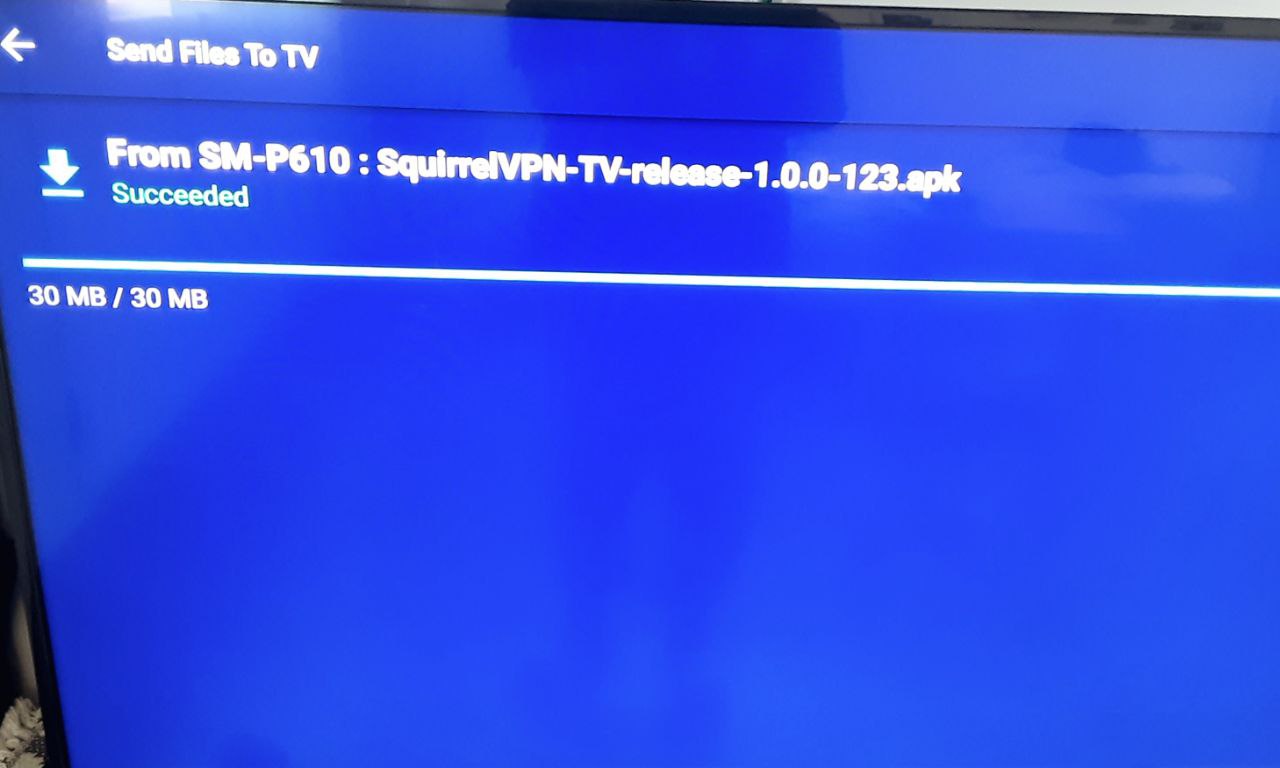
Stap 4: Het APK-bestand installeren
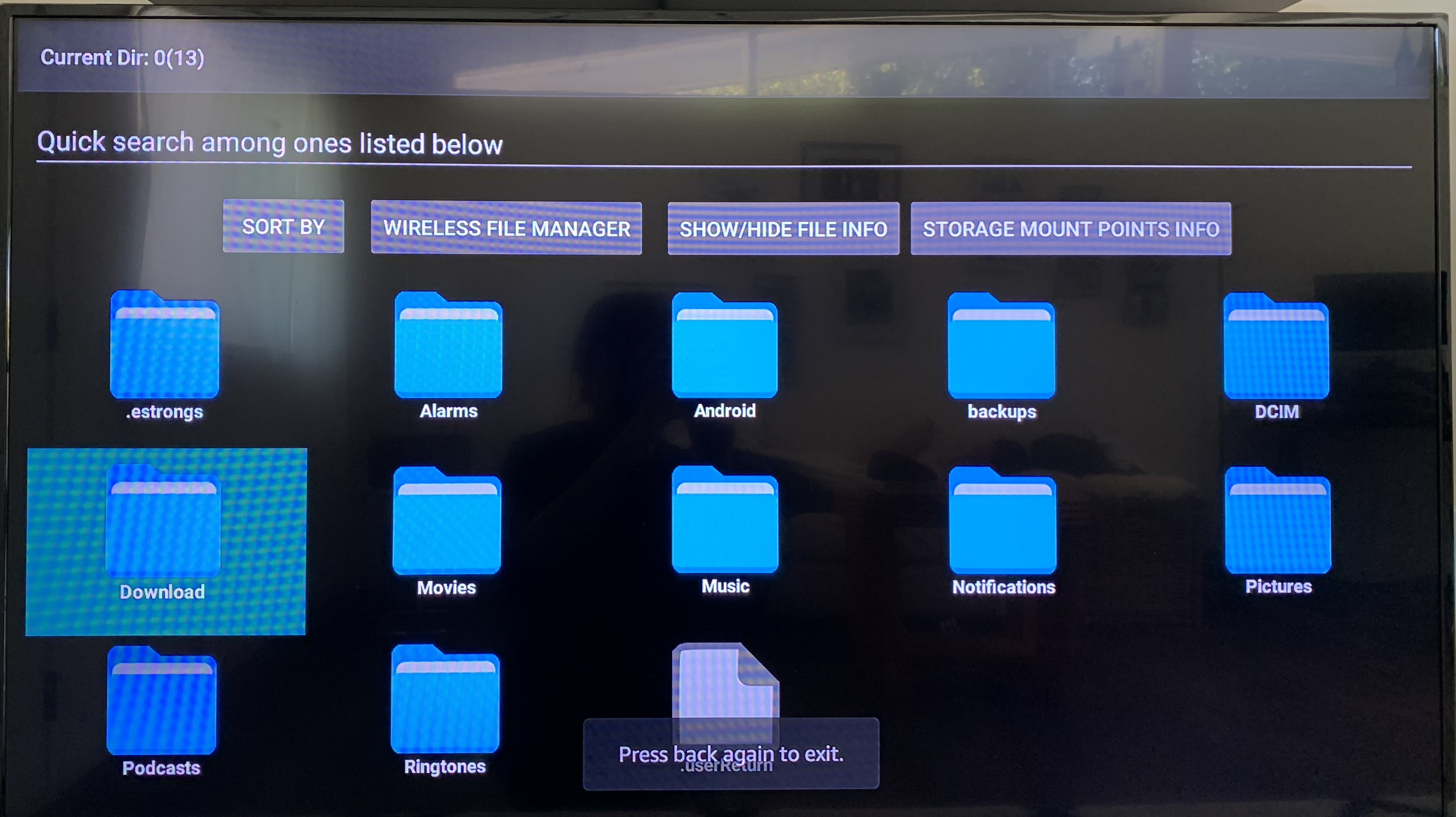
Op dit punt is het APK-bestand succesvol naar de tv verzonden. We hebben een bestandsbeheerder nodig om het terug te vinden.
In deze handleiding gebruiken we een Fire TV en "File Explorer" voor bestandsbeheer. Je kunt elke gewenste bestandsbeheerder kiezen die past bij jouw tv-model. (Open de app-winkel en zoek naar "File Explorer" of "Bestandsbeheer".)
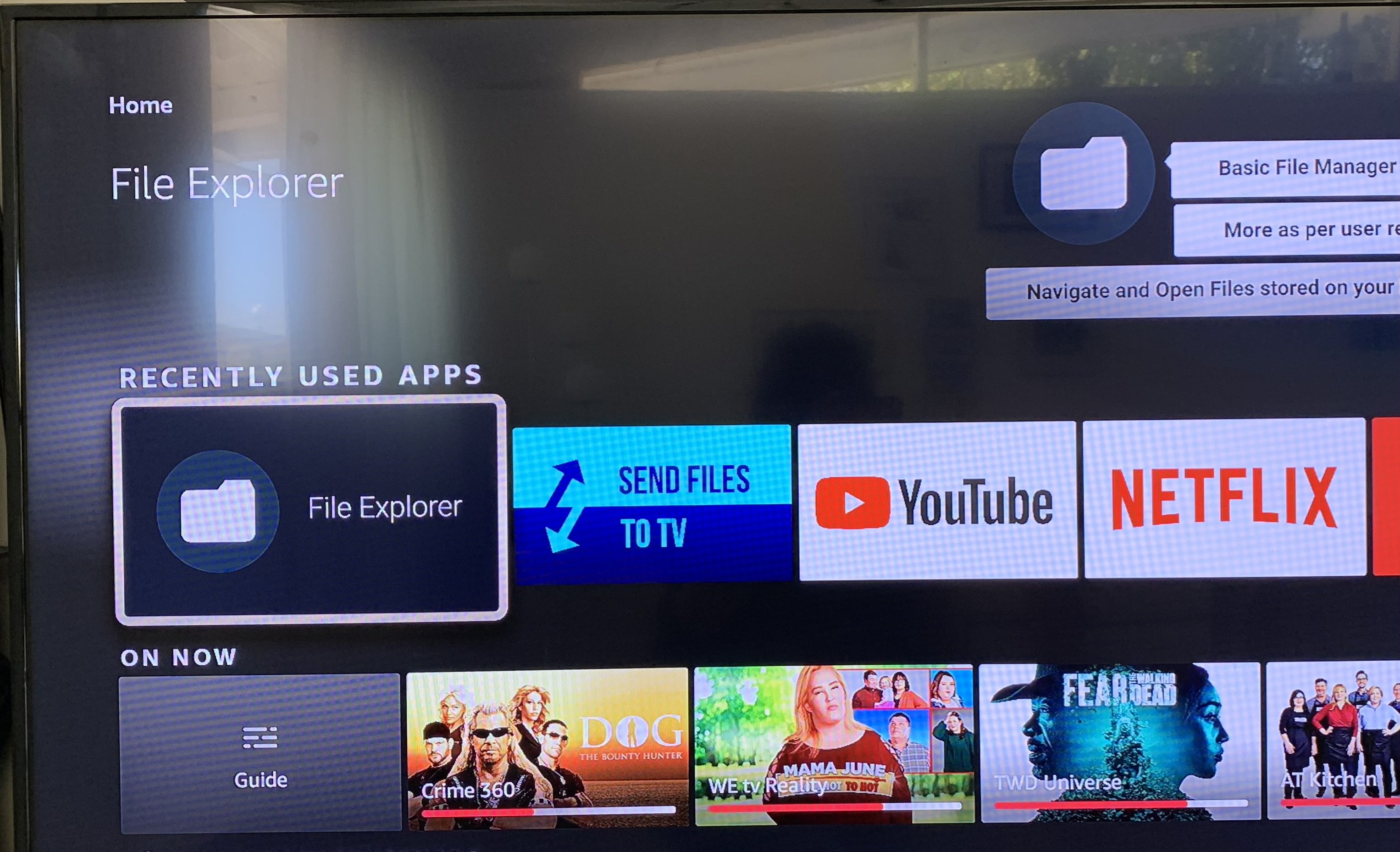
Zoek het APK-bestand meestal in de map "Download":
Zoek het bestand dat je wilt installeren: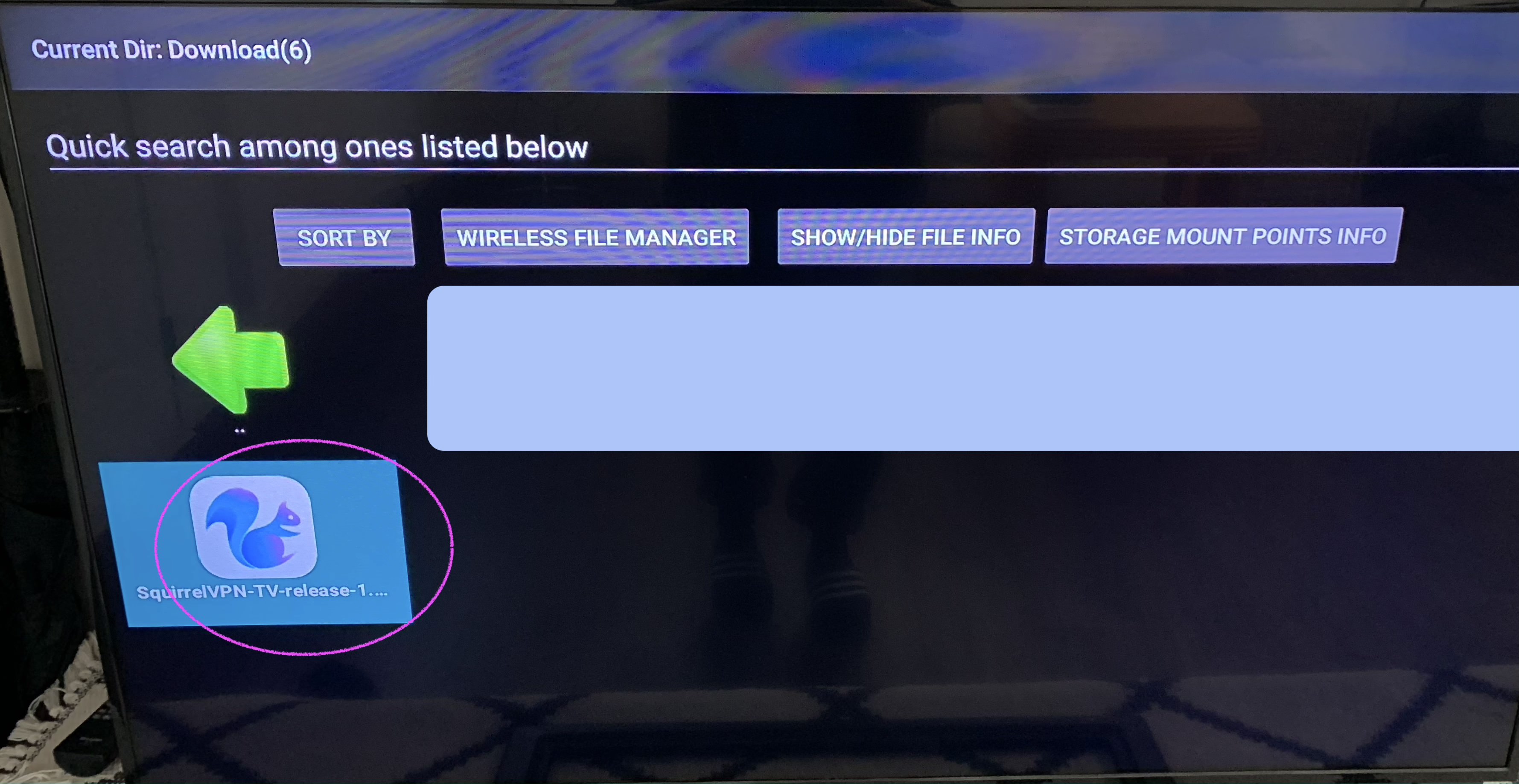
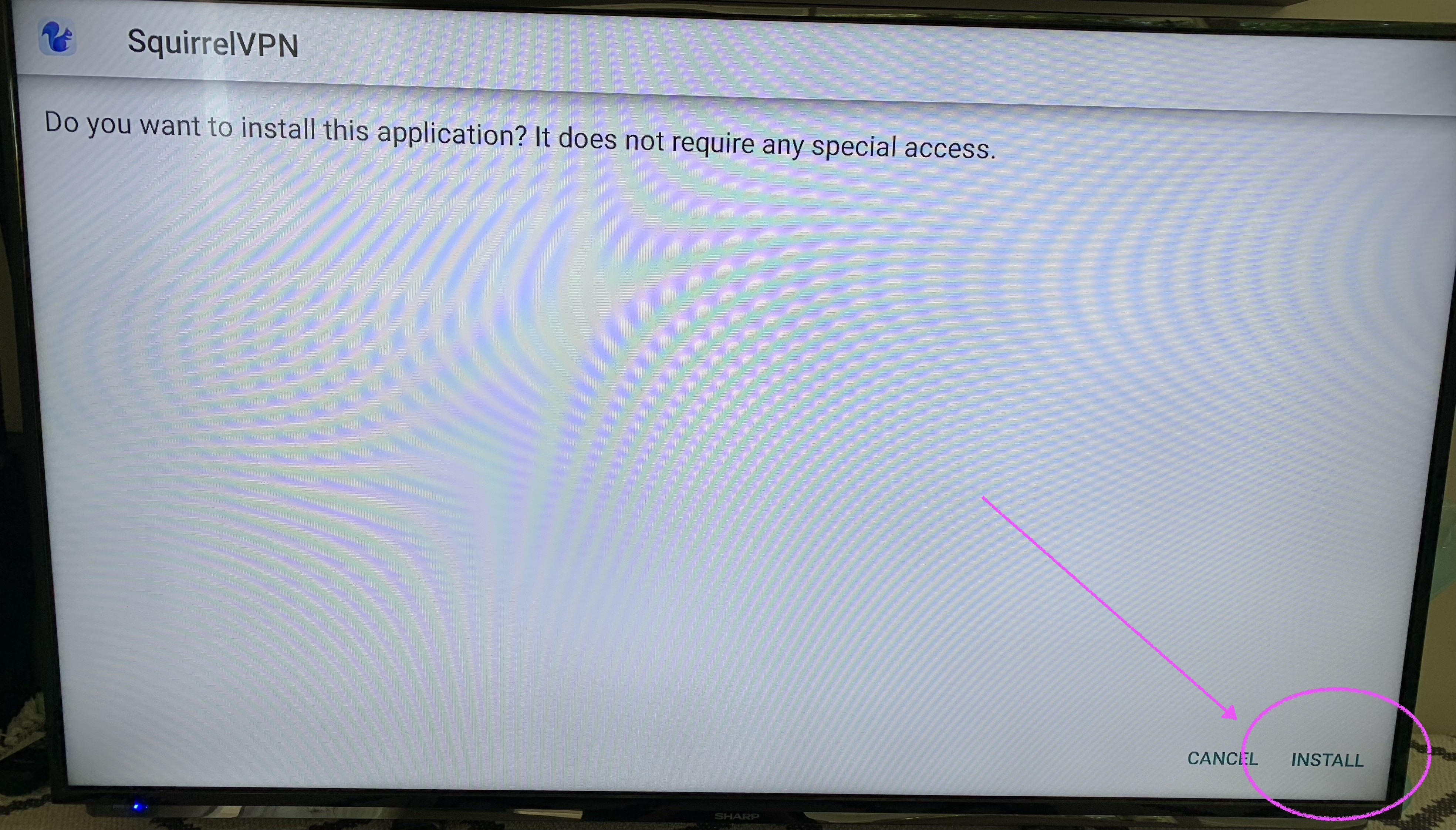
Installeer het APK-installatiepakket. Klik op "Install" om de installatie te voltooien.
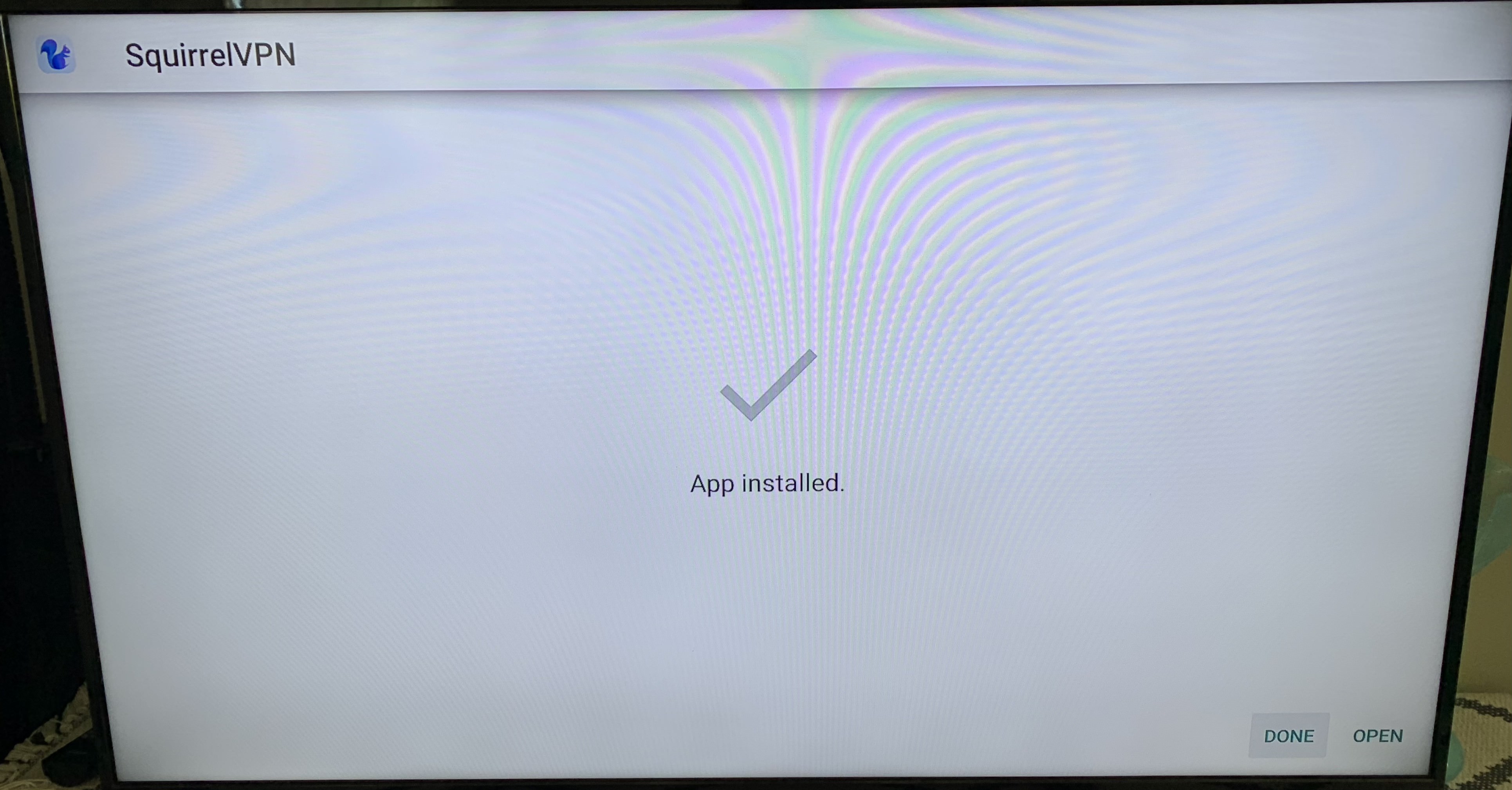
Installatie voltooid! Je kunt de nieuwe app nu zien op je startscherm!
Andere artikelen:
8 minuten om een Amerikaanse Apple ID te registreren - 2022 1 minuut om van Apple Store-regio te wisselen Veelgestelde vragen over Squirrel VPN