【チュートリアル】リスVPN(松鼠VPN)PC版利用ガイド

J
James Okoro

Ethical Hacking & Threat Intelligence Editor

 
2026年3月4日 3 分で読めます
【チュートリアル】リスVPN(松鼠VPN)PC版利用ガイド
【チュートリアル】Squirrel VPN 使用ガイド(PC版)

cover-switch-apple-id

チュートリアル内容:

Squirrel VPN PC版の使用ガイドです。


Squirrel PC版、ダウンロードと購入方法

以下にアクセスしてください: Squirrel公式サイト または 予備サイト(VPN不要) からダウンロードおよび購入が可能です。 まずSquirrelクライアントをダウンロード・インストールし、アカウントを登録してから、公式サイトで料金の支払いを行ってください。


ログイン&登録

ログイン:

Squirrel VPNを開くと、自動的にログインウィンドウが表示されます。Squirrelのアカウントとパスワードを入力してログインしてください。次回からはアカウントが記憶され、自動的にログインされます。

登録:

PC版では登録ができません。Squirrel VPNのモバイル版をダウンロードして登録してください。1つのアカウントで、最大3台のデバイスで同時にログイン可能です。
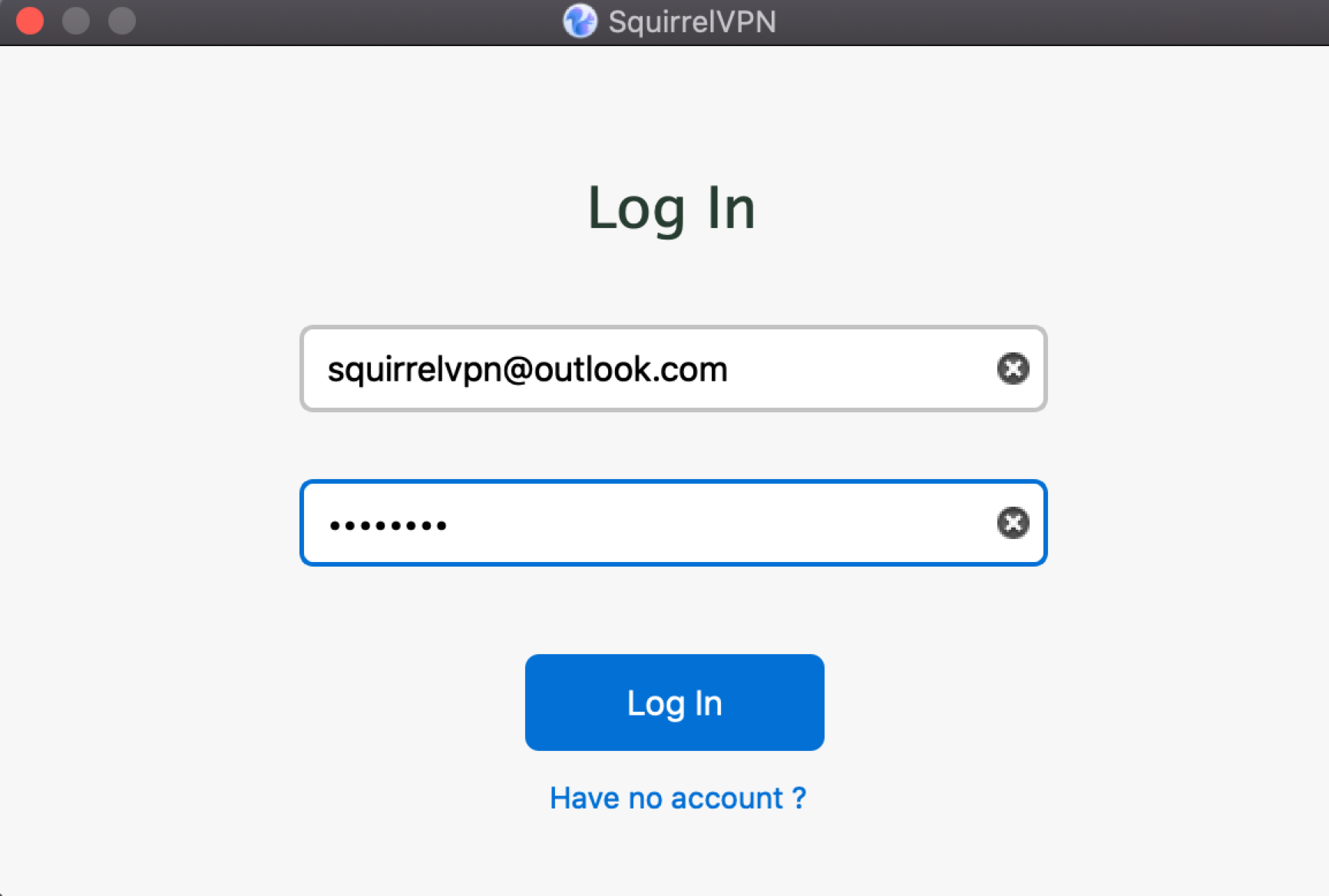
SquirrelVPN login & register

切り替え/再ログイン:

デスクトップ版のメニューを開き、「Switch Account」を選択します。アカウントとパスワードを再入力してください。
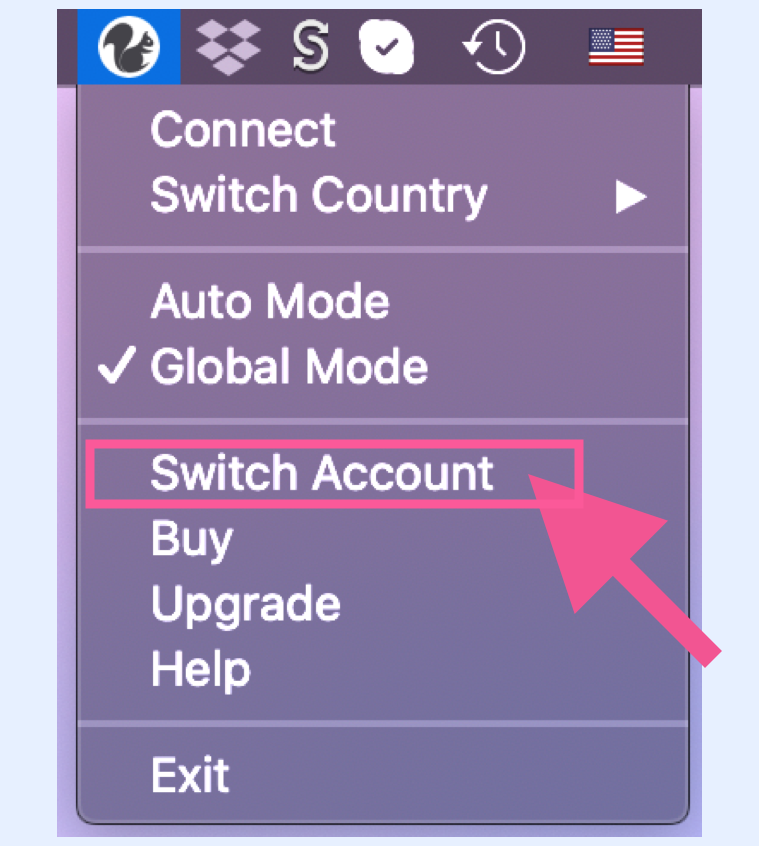
SquirrelVPN switch account


VPN接続

VPN接続:

メニューを開き、「Connect」をクリックして接続します。

VPN切断:

メニューを開き、「Disconnect」をクリックして切断します。
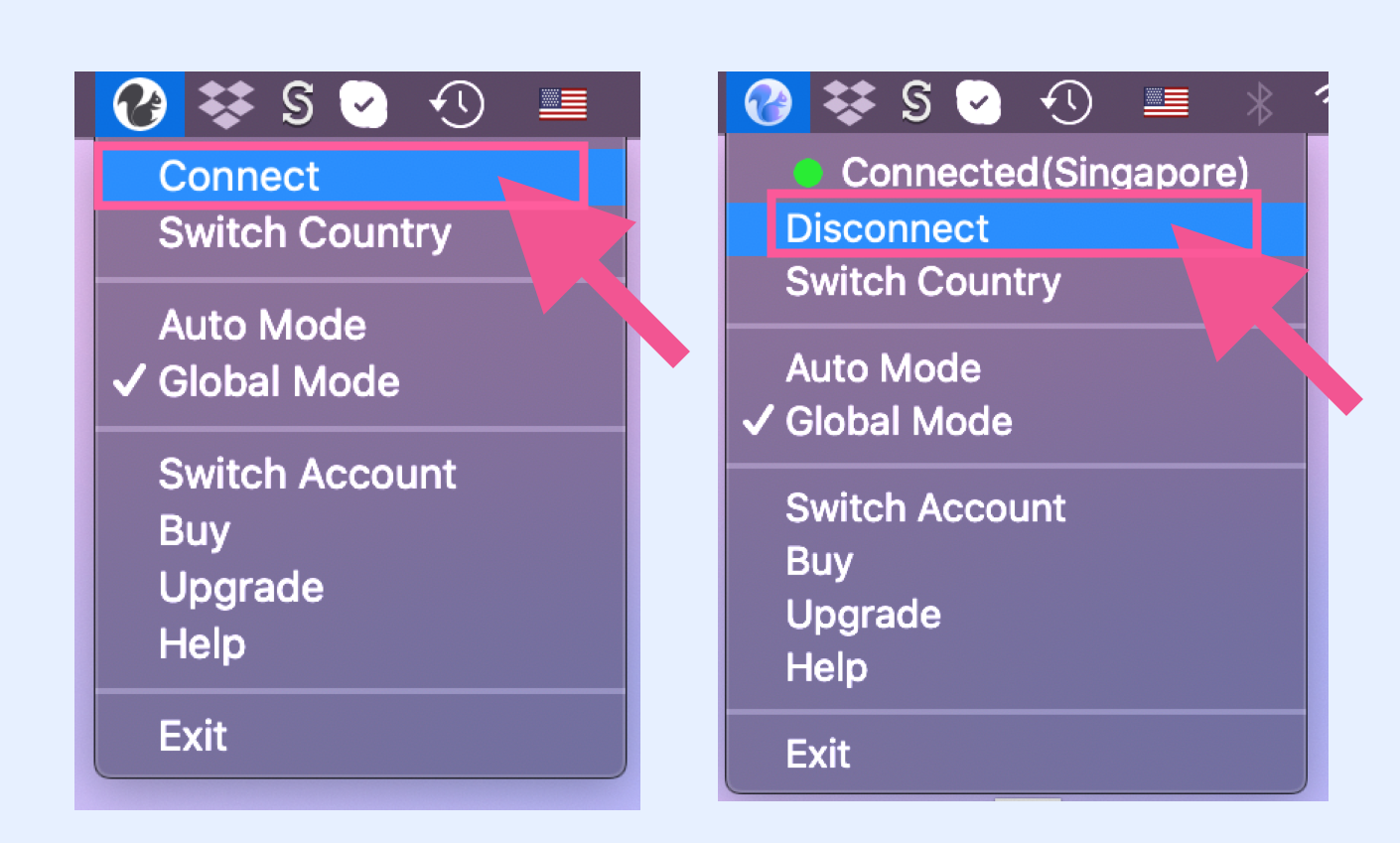
SquirrelVPN connect & disconnect

国・回線の切り替え:

メニューを開き、「Switch Country」を選択すると国リストが表示されます。クリックして回線を切り替えてください。

各国の背後には多数のノードが存在します。エンドツーエンドのネットワークを通じて同一国内の全ノードを照会し、ユーザーに対して負荷が最も軽く、遅延が最小のノードを提供します。 デフォルトの「Smart Selection」をお勧めします。これは、位置が最も近く、負荷が最も軽く、遅延が最小のノードに自動的にマッチングする機能です。
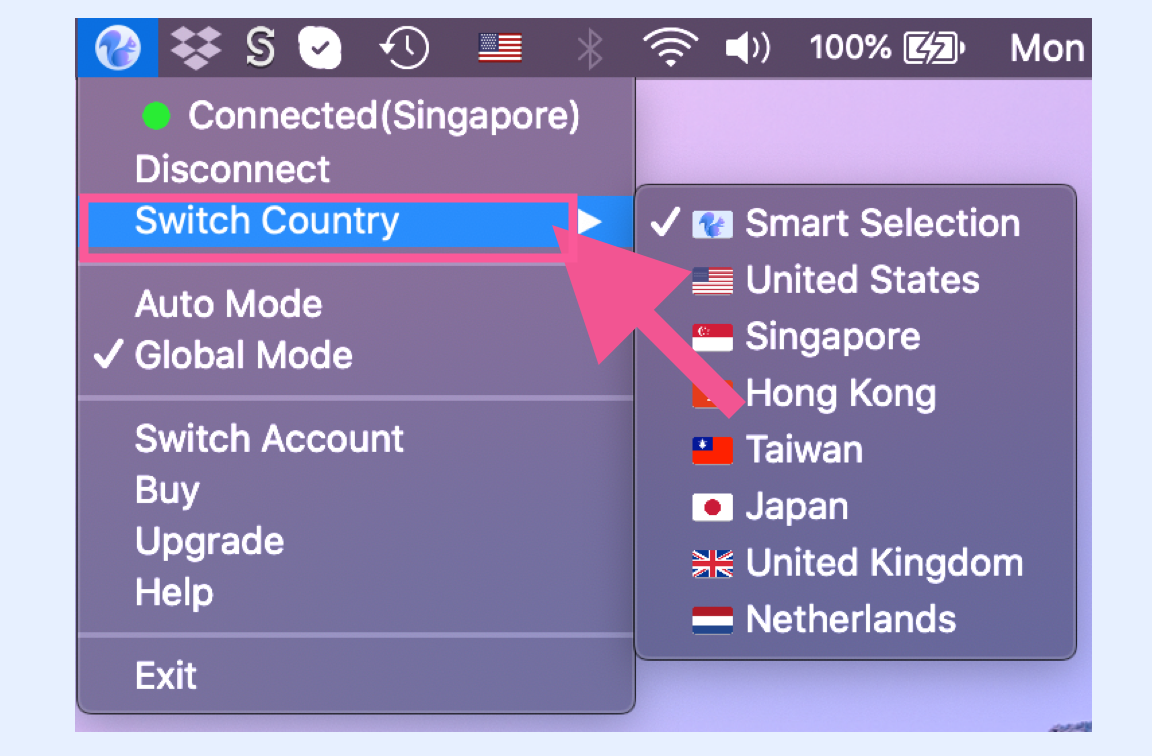
SquirrelVPN switch country


グローバルモード&自動モード

グローバルモード:

メニューを開き、「Global Mode」をクリックします。

自動モード:

メニューを開き、「Auto Mode」をクリックします。 ほとんどの場合、自動モードで十分です。GFWリストには数千の一般的な海外サイトが含まれています。特定のサイトが開けない場合にのみ、グローバルモードを有効にしてください。

グローバルモード: すべてのネットワークリクエストがVPNを経由します。淘宝(Taobao)や百度(Baidu)へのアクセスもVPN経由となるため、グローバルモードをオンにすると、国内サイトへのアクセスが遅くなる可能性があります(VPNを経由して海外へ迂回するため)。

自動モード: VPNが必要なサイトのみがVPNを経由します。つまり、GFWリストに含まれるサイトのみがVPNを通ります。このリストは弊社サーバー側で手動更新されます。
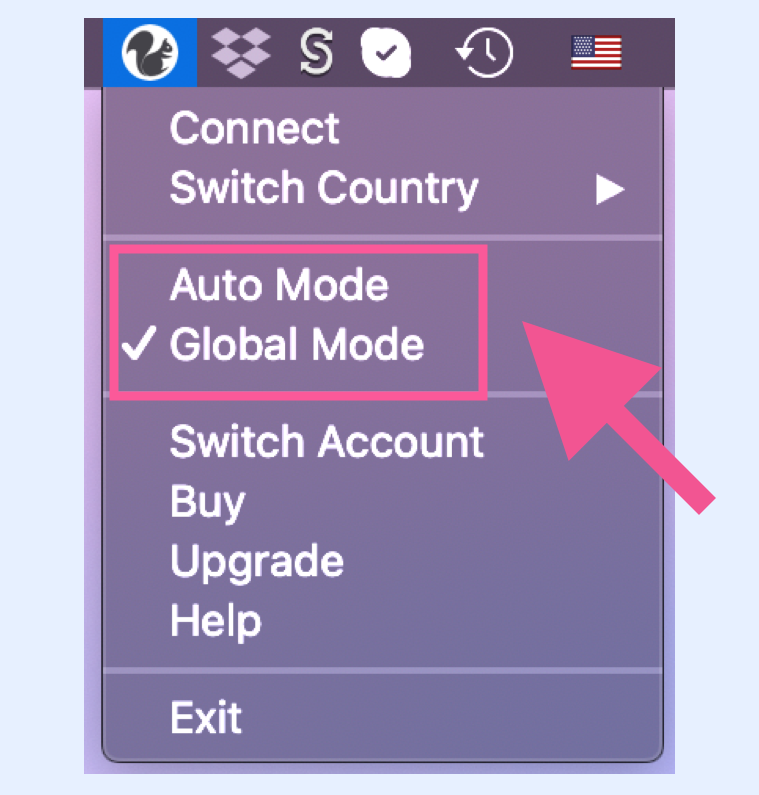
SquirrelVPN global mode


ソフトウェアのアップグレード

アップグレード方法:

メニューを開き、「Upgrade」をクリックします。 アップデートがある場合は、公式サイトから最新版をダウンロードするよう案内が表示されます。図のように表示される場合は、新しいバージョンはなく、最新版を使用していることを意味します。 重要なアップデートがある場合は、システムが自動的にアップグレード通知を表示します。

推奨: 新しいバージョンが見つかった場合は、直ちにアップグレードしてください。VPNの安定性と信頼性を維持するためです。ファイアウォールは常に変化しているため、Squirrelのソフトウェアアップデートは非常に重要です :)
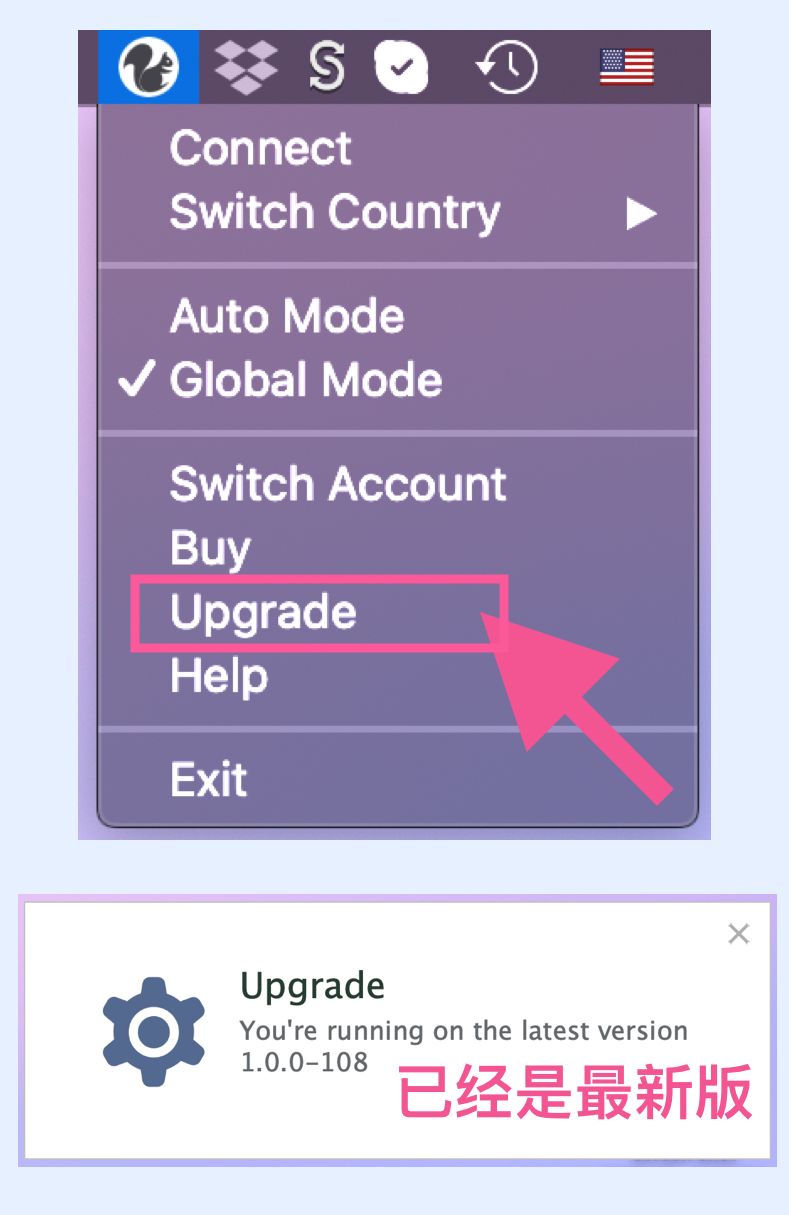
SquirrelVPN Upgrade


PC版使用ガイド

メニューを開き、「Help」をクリックします。 Squirrel VPN(PC版)の操作ガイドを確認できます。つまり、このページのことです。
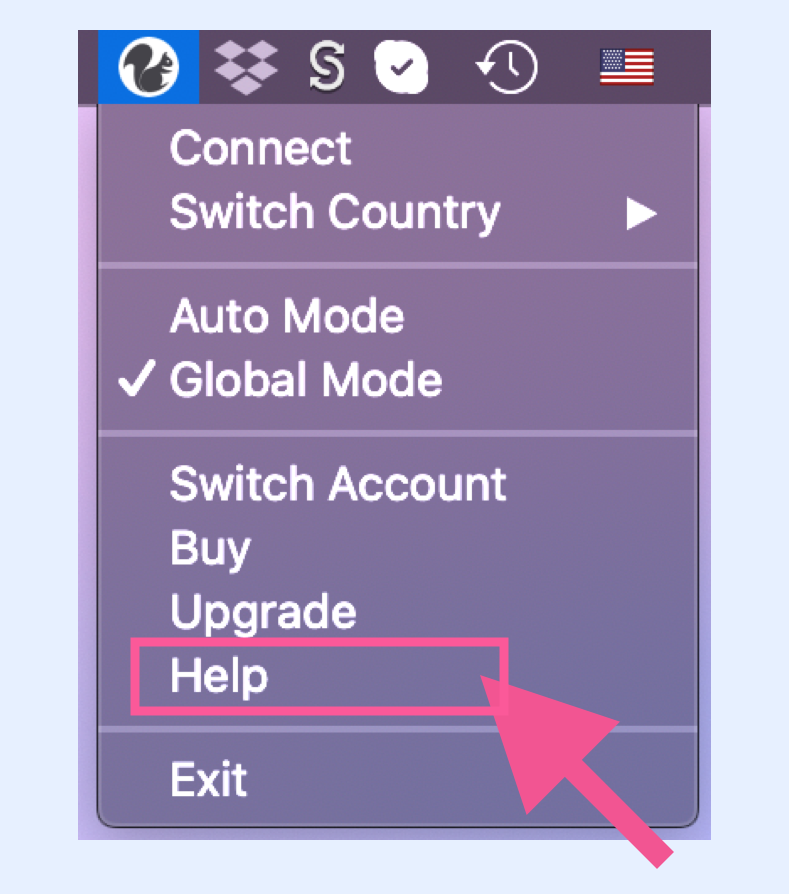
SquirrelVPN Help

J
James Okoro

Ethical Hacking & Threat Intelligence Editor


James Okoro is a certified ethical hacker (CEH) and cybersecurity journalist with a background in military intelligence. After serving as a cyber operations analyst, he transitioned into the private sector, working as a threat intelligence consultant before finding his voice as a writer. James has covered major data breaches, ransomware campaigns, and state-sponsored cyberattacks for several leading security publications. He brings a tactical, insider perspective to his reporting on the ever-evolving threat landscape.

関連する記事

Decentralized Tunneling Protocols and P2P Onion Routing Architecture
Decentralized Tunneling Protocol

Decentralized Tunneling Protocols and P2P Onion Routing Architecture

Explore the architecture of p2p onion routing and decentralized tunneling protocols. Learn how web3 vpn and depin are creating a new bandwidth marketplace.

著者 Daniel Richter 2026年3月20日 10 分で読めます
common.read_full_article
Cryptographic Accounting for P2P Bandwidth Sharing Economy
P2P Bandwidth Sharing

Cryptographic Accounting for P2P Bandwidth Sharing Economy

Learn how blockchain and cryptographic accounting power the P2P bandwidth sharing economy in dVPNs and DePIN projects for secure data monetization.

著者 Viktor Sokolov 2026年3月20日 8 分で読めます
common.read_full_article
Integration of Zero-Knowledge Proofs for Anonymous Node Authentication
Zero-Knowledge Proofs

Integration of Zero-Knowledge Proofs for Anonymous Node Authentication

Learn how Integration of Zero-Knowledge Proofs for Anonymous Node Authentication secures dVPN networks and protects bandwidth miners in the Web3 era.

著者 Marcus Chen 2026年3月20日 9 分で読めます
common.read_full_article
Zero-Knowledge Proofs for Anonymous Node Validation
Zero-Knowledge Proofs

Zero-Knowledge Proofs for Anonymous Node Validation

Learn how Zero-Knowledge Proofs (ZKPs) enable anonymous node validation in decentralized VPNs (dVPN) and DePIN networks to protect provider privacy.

著者 Marcus Chen 2026年3月19日 7 分で読めます
common.read_full_article