Tutorial: Switch Your Apple App Store Region in 1 Minute

[Tutorial] Switch Apple Store in 1 Minute
Tutorial Content:
How to switch from the mainland China Apple Store to an overseas Apple Store.
Tutorial Objective:
Due to VPN censorship and removal policies in the Chinese Apple Store, SquirrelVPN is only available on overseas Apple App Stores. Similarly, many other apps are only available in overseas stores. Once you switch your store, you can download any app available in that region. (Apple IDs from regions other than mainland China, such as Hong Kong or Japan, can also be used to download SquirrelVPN.)
Steps:
- First, you need an overseas Apple ID.
- Then, follow the steps in this tutorial sequentially.
Step 1: Enter the App Store
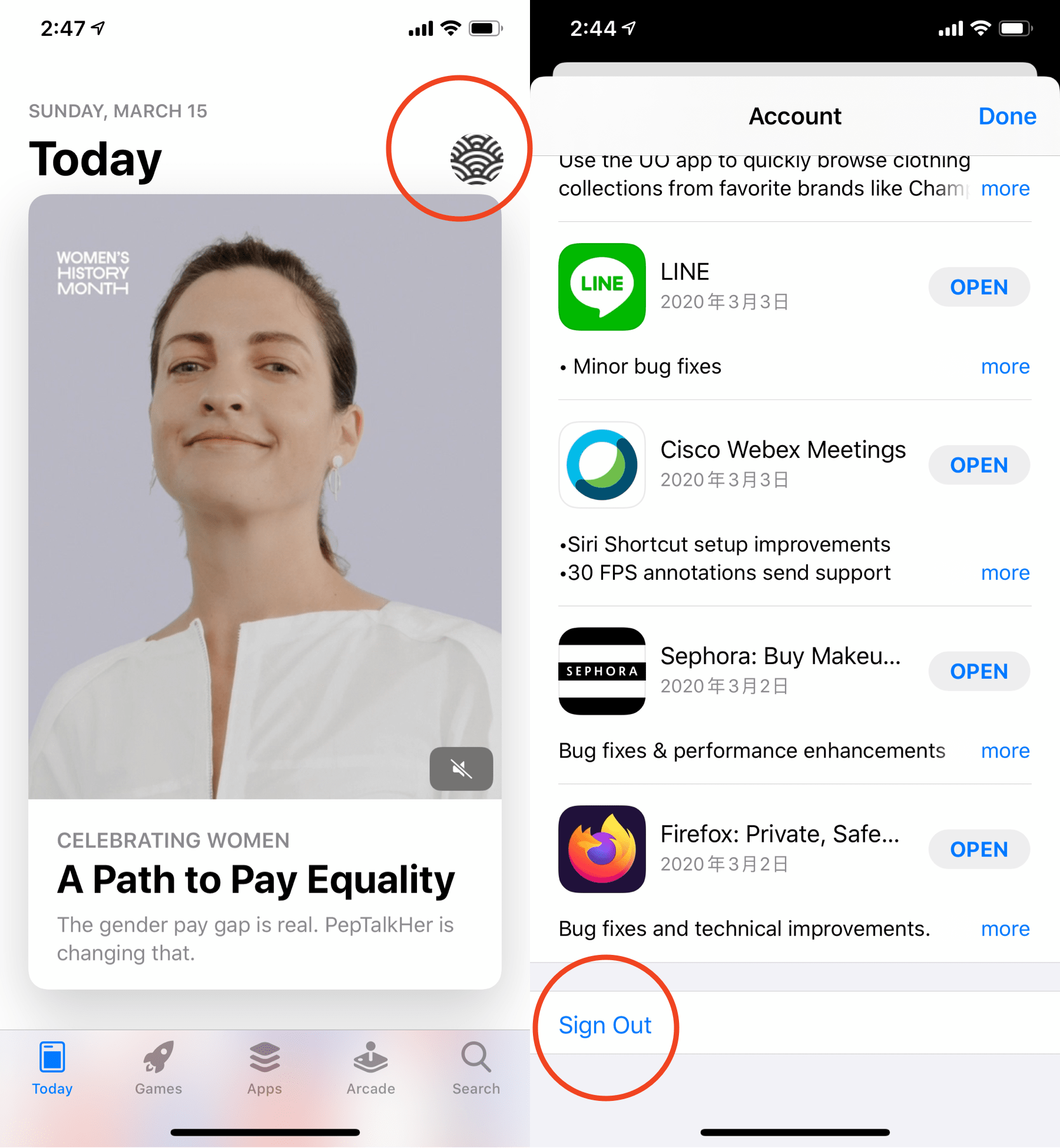
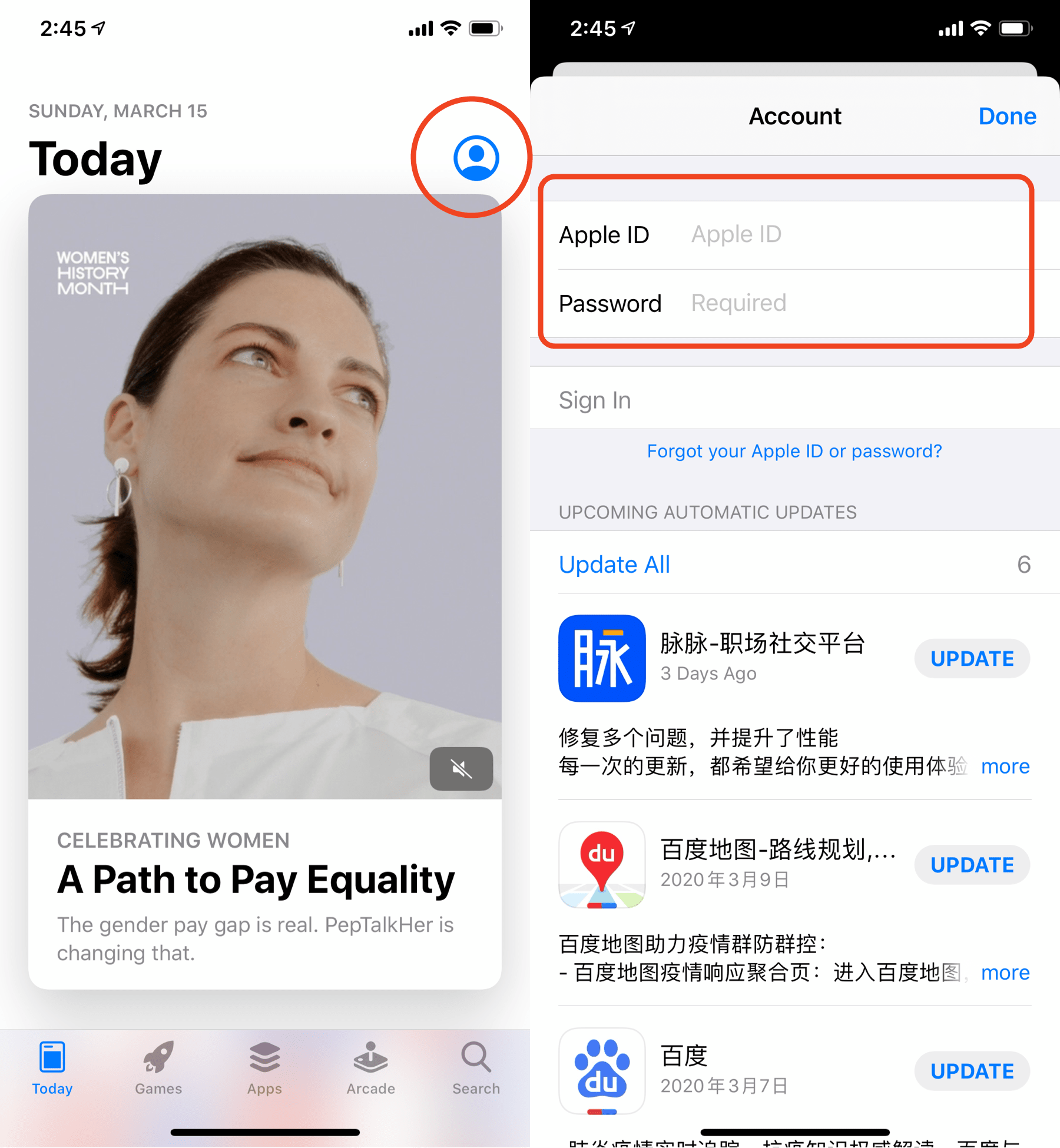
Please open the App Store and tap the user profile icon in the top right corner. After entering your personal account page, scroll to the bottom and tap "Sign Out."
Note: Please remember your original account details so you can switch back to your mainland Apple ID later.
Step 2: Sign In Again
Return to the App Store home page and tap the profile icon in the top right corner. Enter your overseas Apple ID on the account page.
(Don't have an overseas ID yet? See Step 3 for registration methods—Squirrel has a tutorial!)
Step 3: Register a US Apple ID
Don't have an overseas Apple ID yet? Please follow our tutorial to register one. We strongly recommend registering as soon as possible and keeping the credentials safe; it will be valid permanently:
Register a US Apple ID in 8 minutes (Mainland phone numbers work)
Note: Be sure to remember your username and password, as you will need to switch to this overseas ID again when updating apps.
Step 4:
Go to the overseas Apple Store to download SquirrelVPN:
SquirrelVPN App Store Download:
Other Articles:
Register a US Apple ID in 8 minutes - 2022 Register a US Apple ID in 8 minutes - 2021 SquirrelVPN FAQ
Squirrel Official Website Backup Official Website (No VPN required)